Stranger Things Seasons One and Two

Jan. 8th, 2026 06:04 pm
psocoptera: ink drawing of celtic knot (Default)
[personal profile] psocoptera
Stranger Things Seasons One and Two. I did not have any desire to seek this show out for myself, but the older kid has apparently been watching it (has apparently seen many many shows I would not have guessed? is just watching TV all the time??) and thought we should all watch it, and the younger kid expressed as how he was in fact already interested in watching it and was eager to do so, and I don't, like, dislike it enough to get up and be elsewhere. It's fine. I've become reasonably attached to the kids (uh, the child characters, not my own kids, to whom I am surpassingly attached) and I've enjoyed spending some time in set-interiors that look like normal houses to my 80s-kid eyes. I don't have any particular trust in the writers and I don't think I'm particularly their audience, so it seems quite possible it's all going to end annoyingly, but, you know, they deliver some good beats here and there, and I guess as family activities go it could be way worse.

Roots of Madness 1-3

Jan. 8th, 2026 02:52 pm
rachelmanija: (Books: old)
[personal profile] rachelmanija
A new comic from Ignite Press by Stephanie Williams, Letizia Cadonici (main artist) and Juliet Nneka (alternate covers.) At the turn of the century, Etta, a young Black woman, studies both science and a book of old remedies she inherited from her mother, along with some dire warnings she doesn't heed.

This is a really interesting historical fantasy with elements of cosmic horror and dark academia. Each issue has alternate covers in very different styles. I like both of them.


I'll be following this one.

Content notes: So far racism is part of the world and why the characters make some choices, rather than violent or constantly present on-page. The rabbits are used in experiments that are not cruel - Etta tests a healing ointment on one that has an injury - but they seem likely to eventually turn into zombies or get possessed by cosmic horrors or merge with eldritch plants.
[syndicated profile] yankodesign_feed

Posted by JC Torres

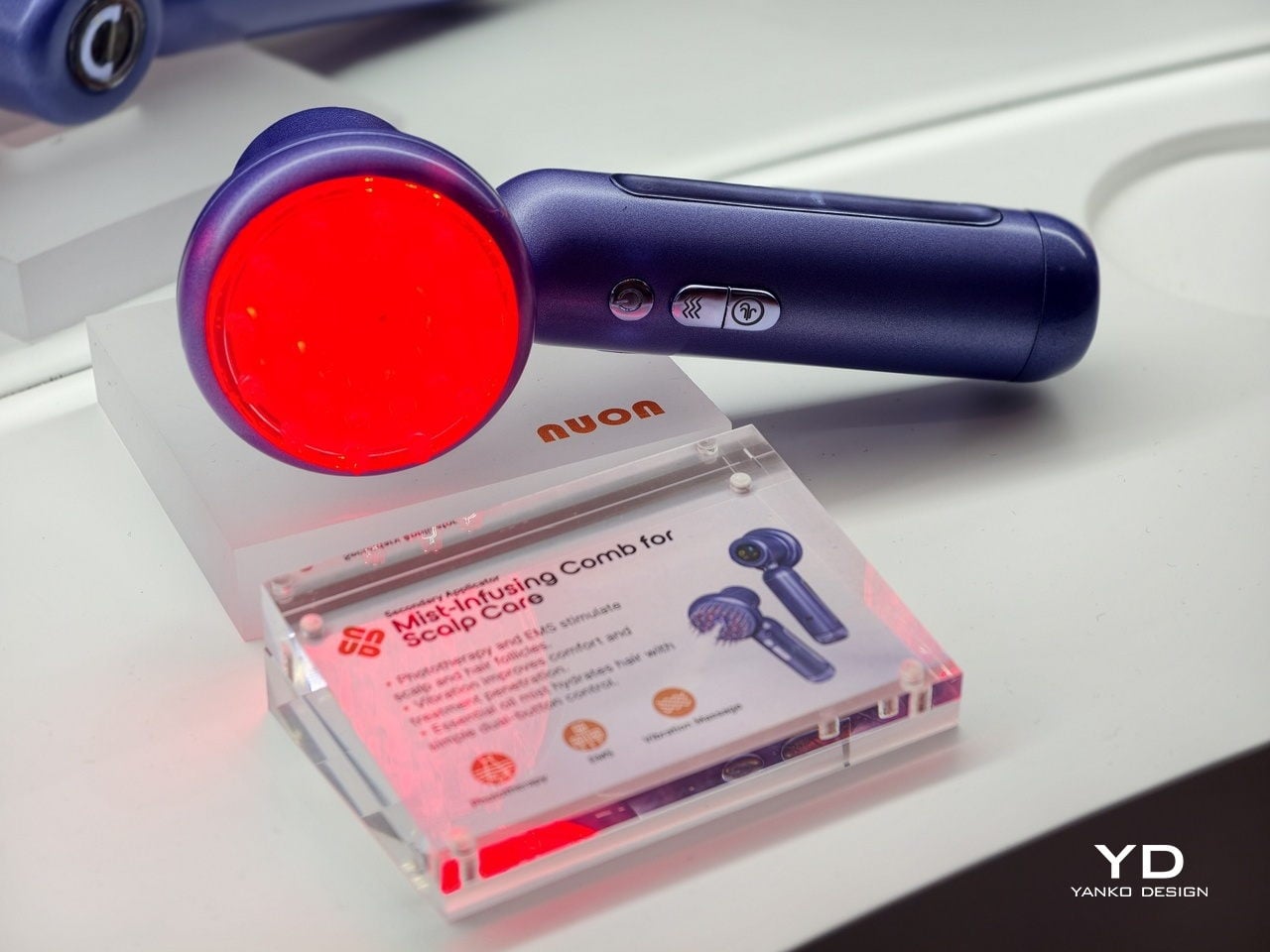
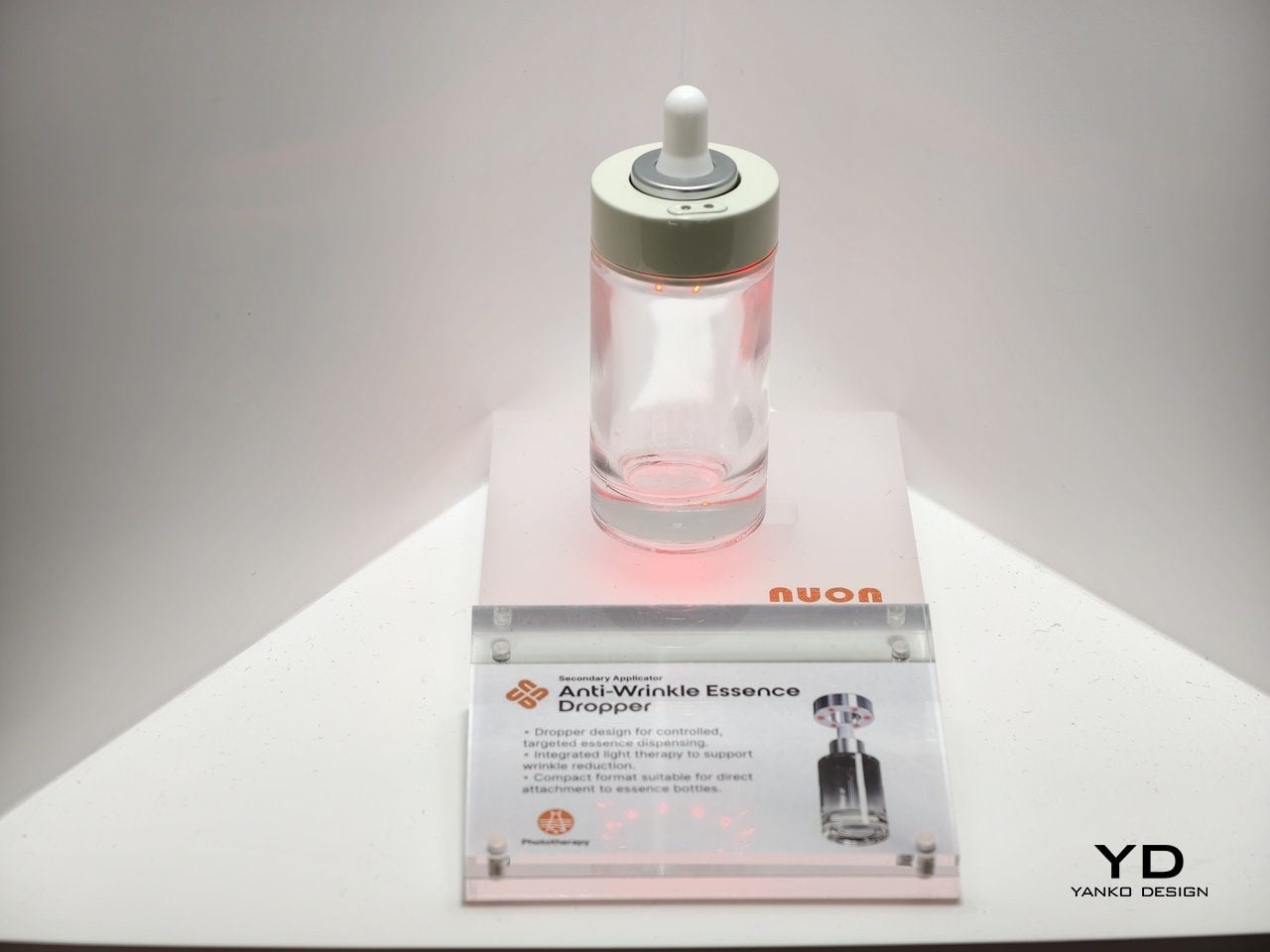
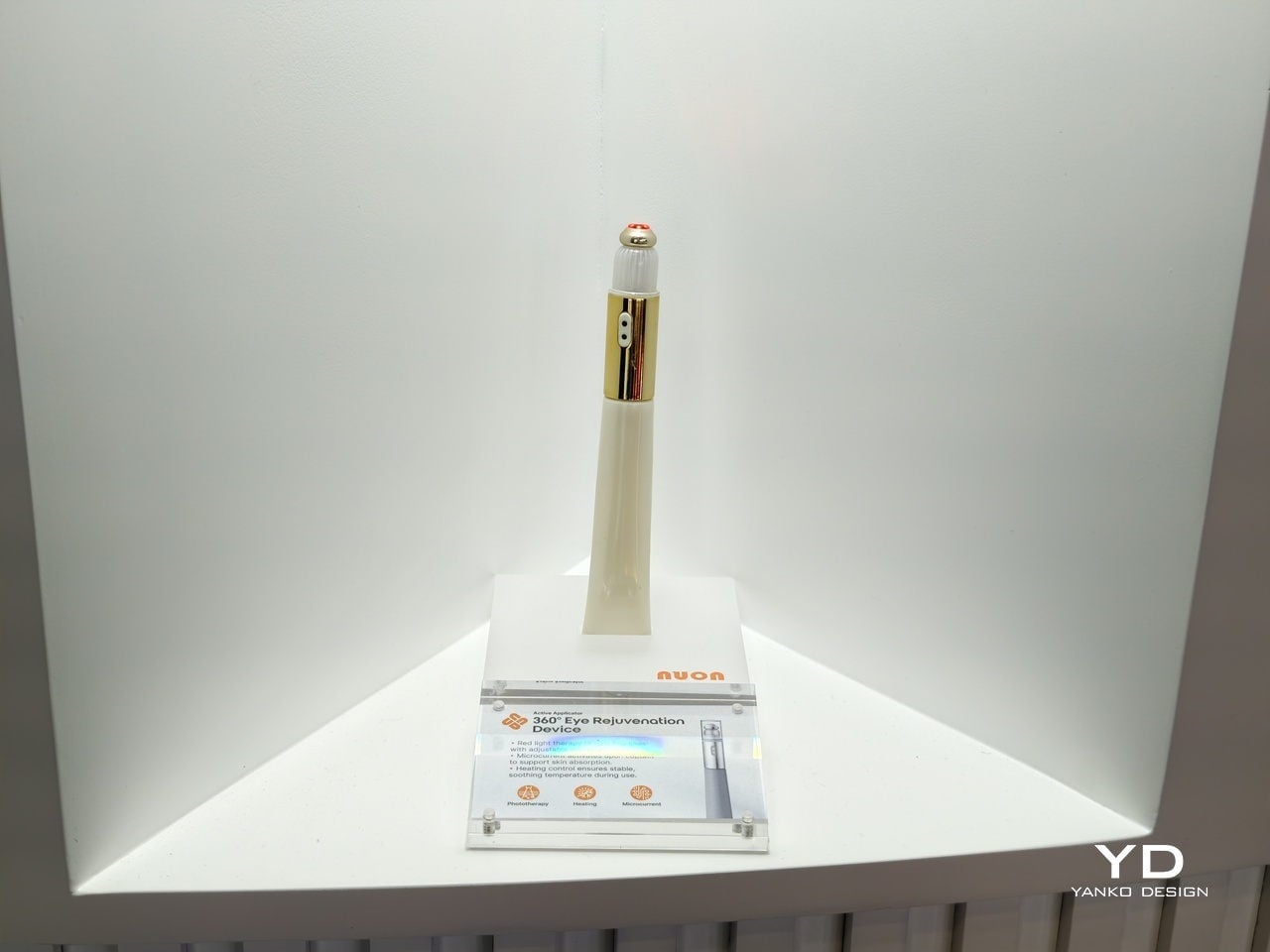
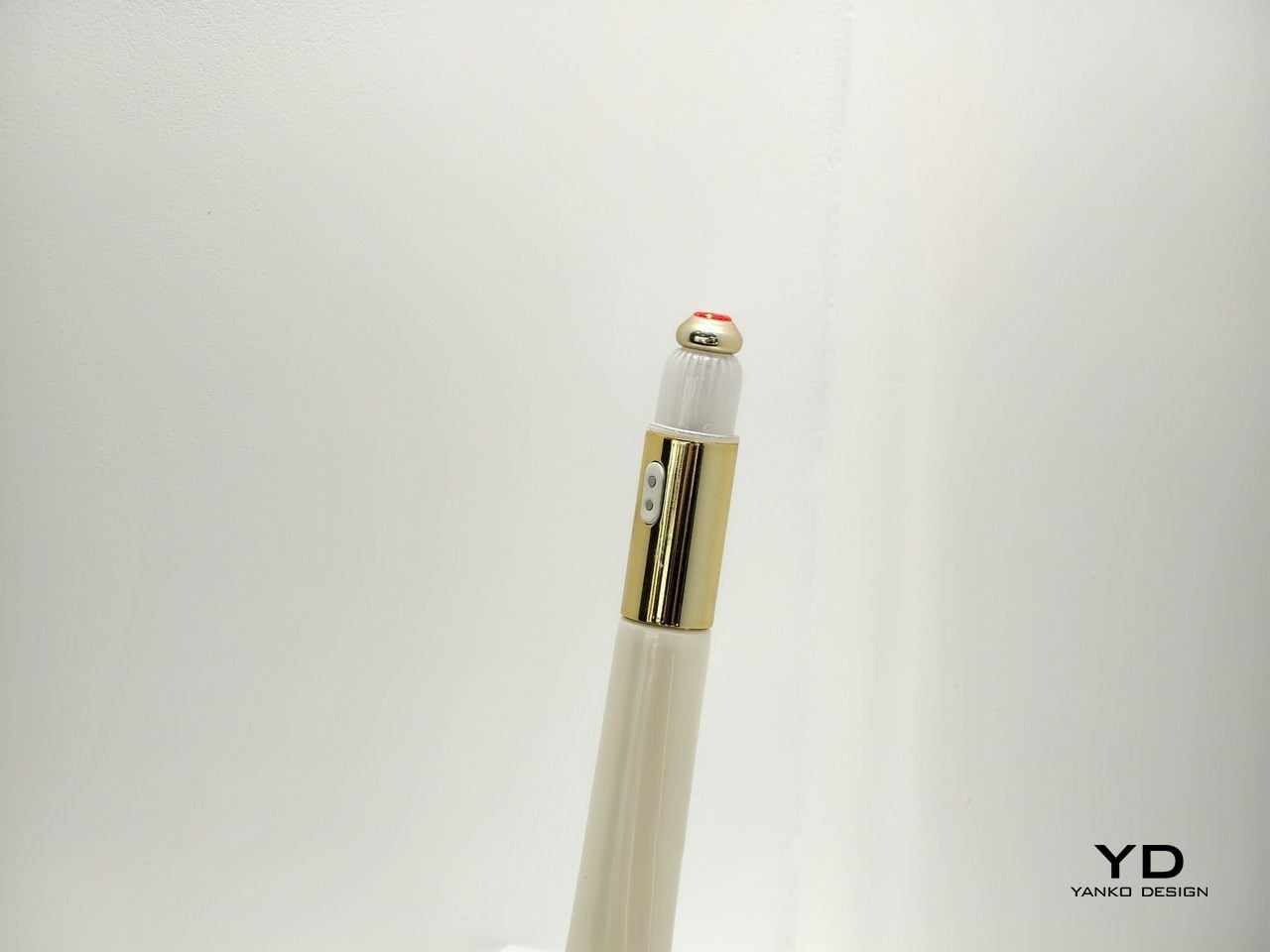
The beauty industry has spent decades perfecting what goes inside the bottle. Formulas have become more sophisticated, actives more potent, ingredient lists more transparent. Yet the objects that deliver those formulas have stayed mostly the same. Glass jars, plastic tubes, pump bottles, they’re passive containers designed to hold product, not enhance it. Meanwhile, beauty gadgets promised professional results at home but ended up in drawers, forgotten.

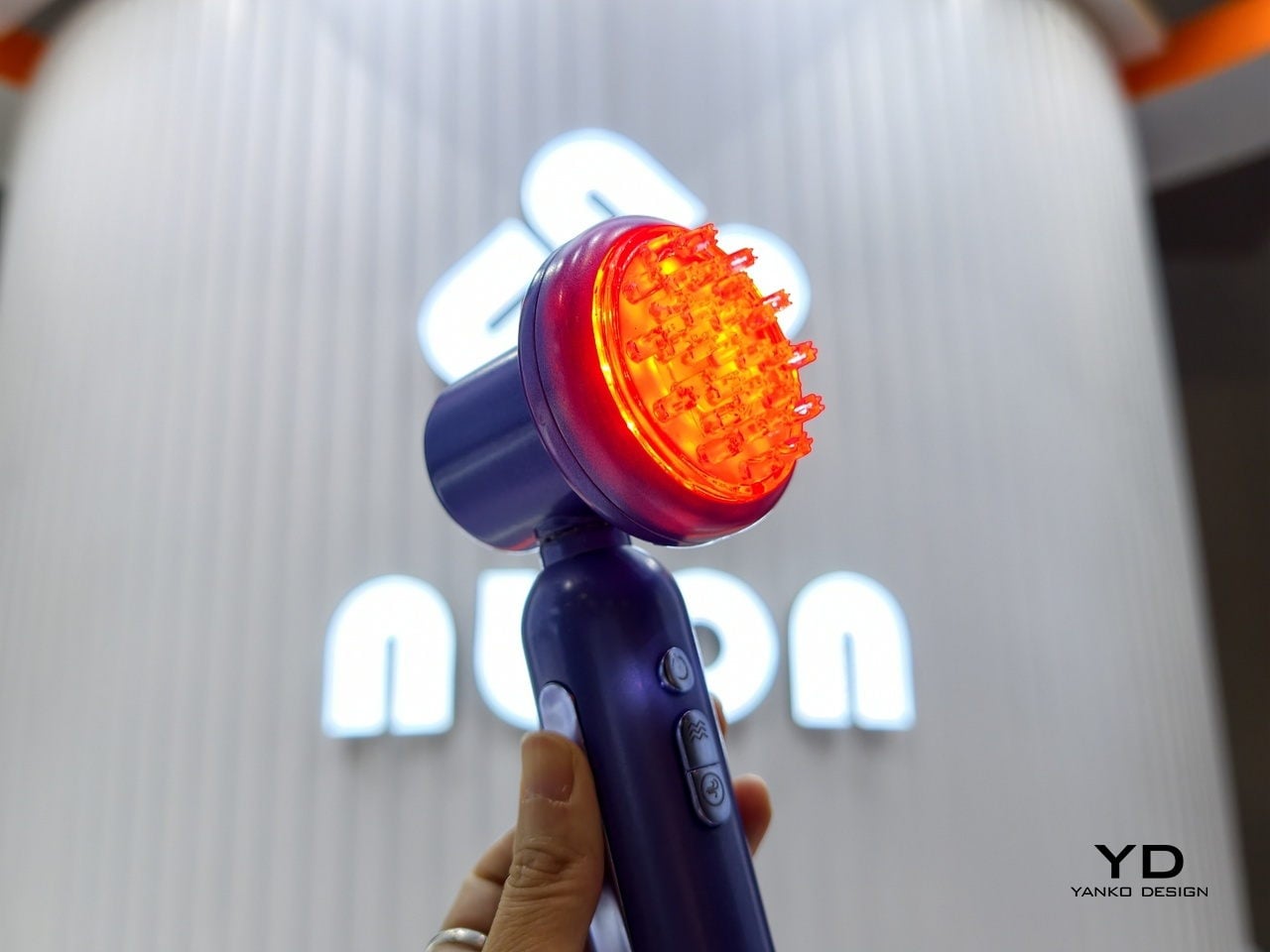
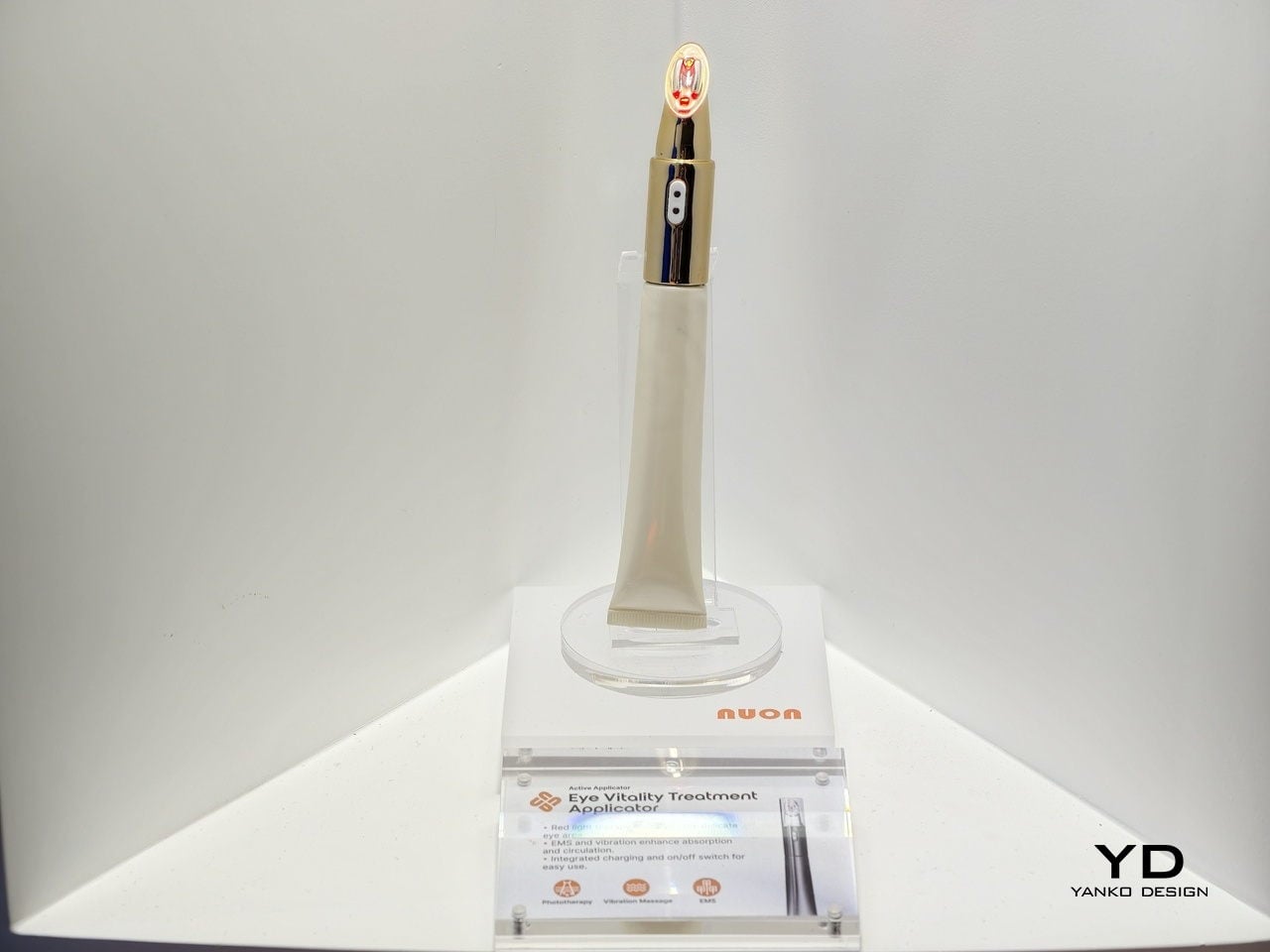
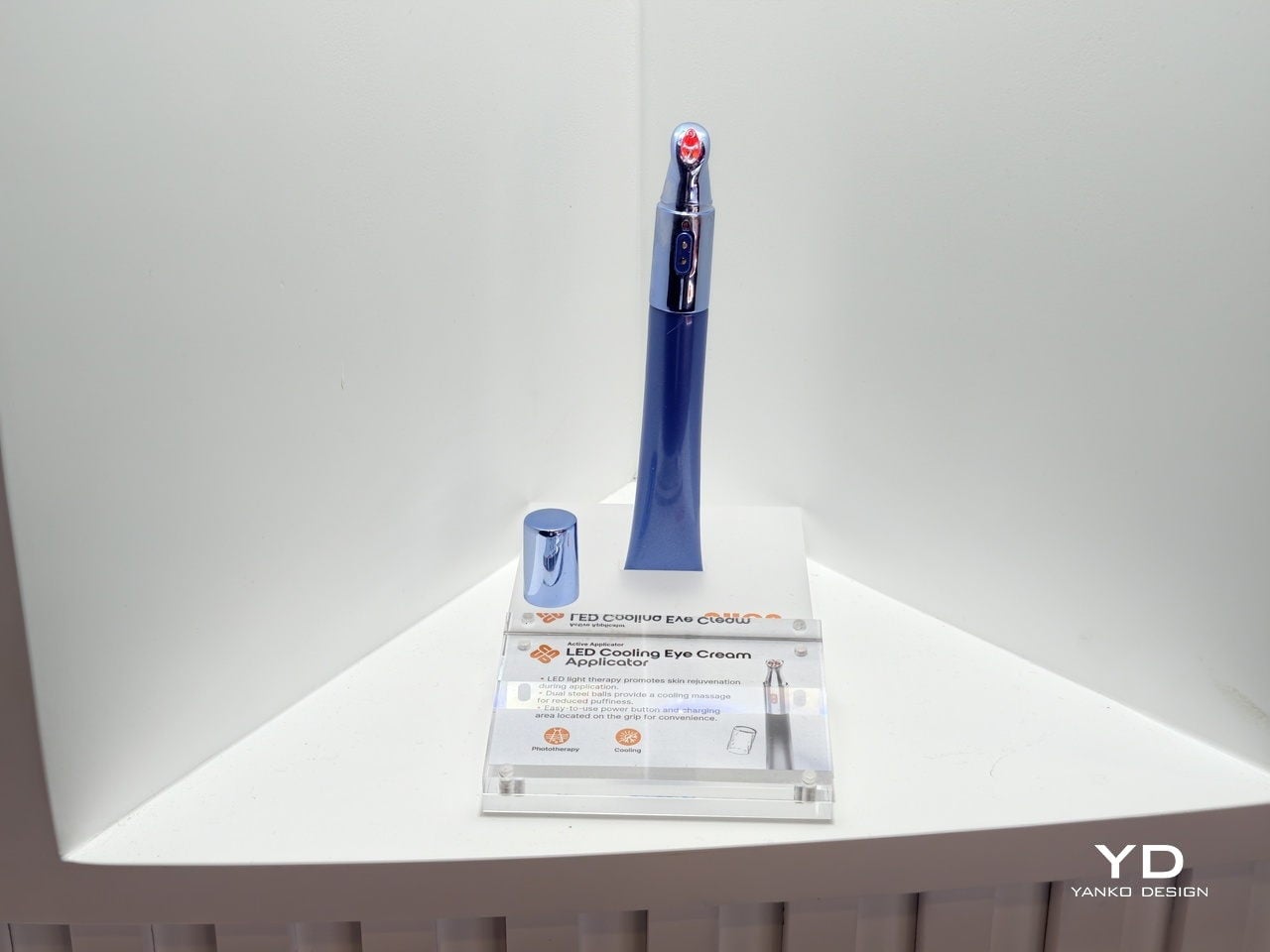
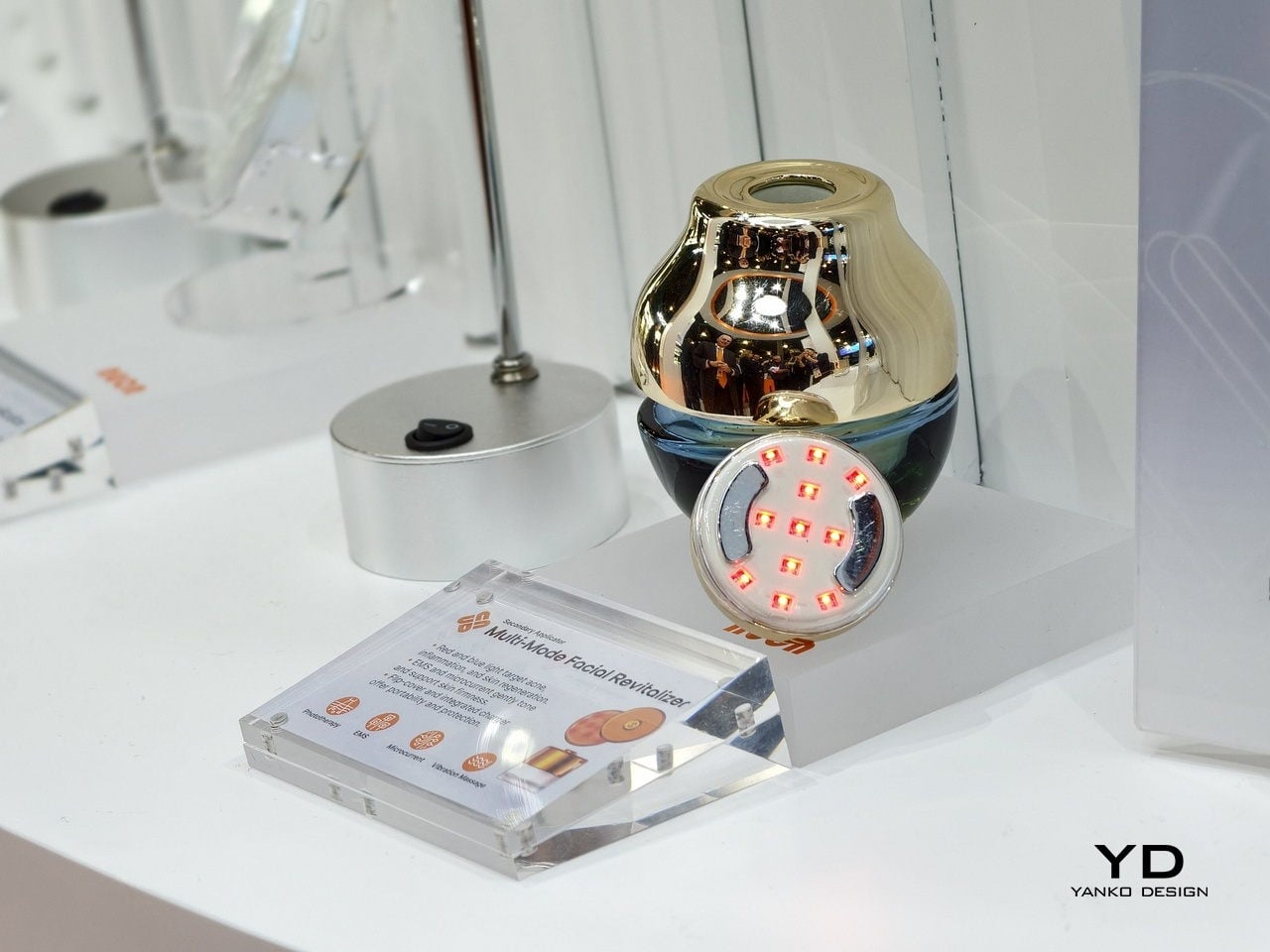
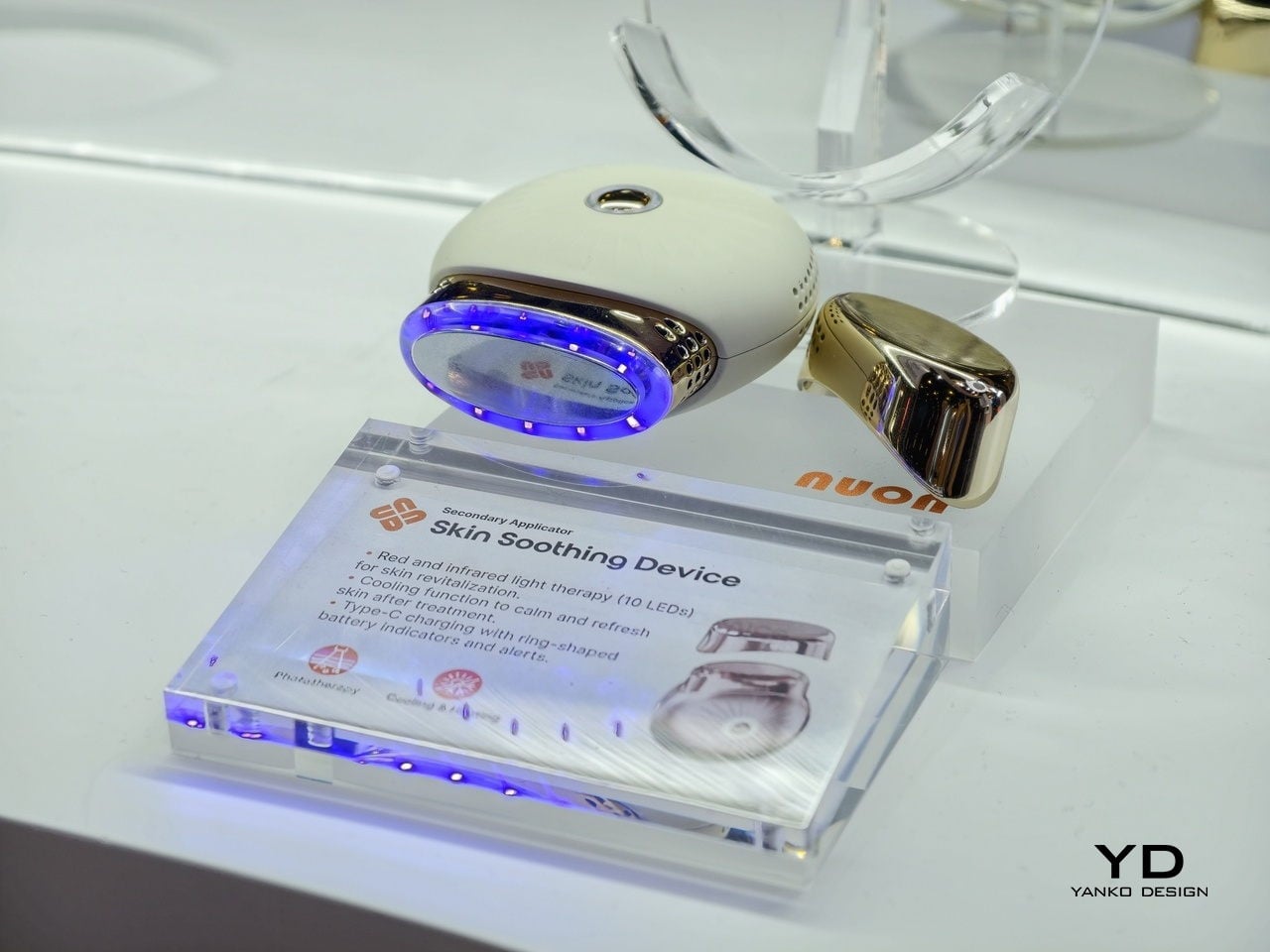
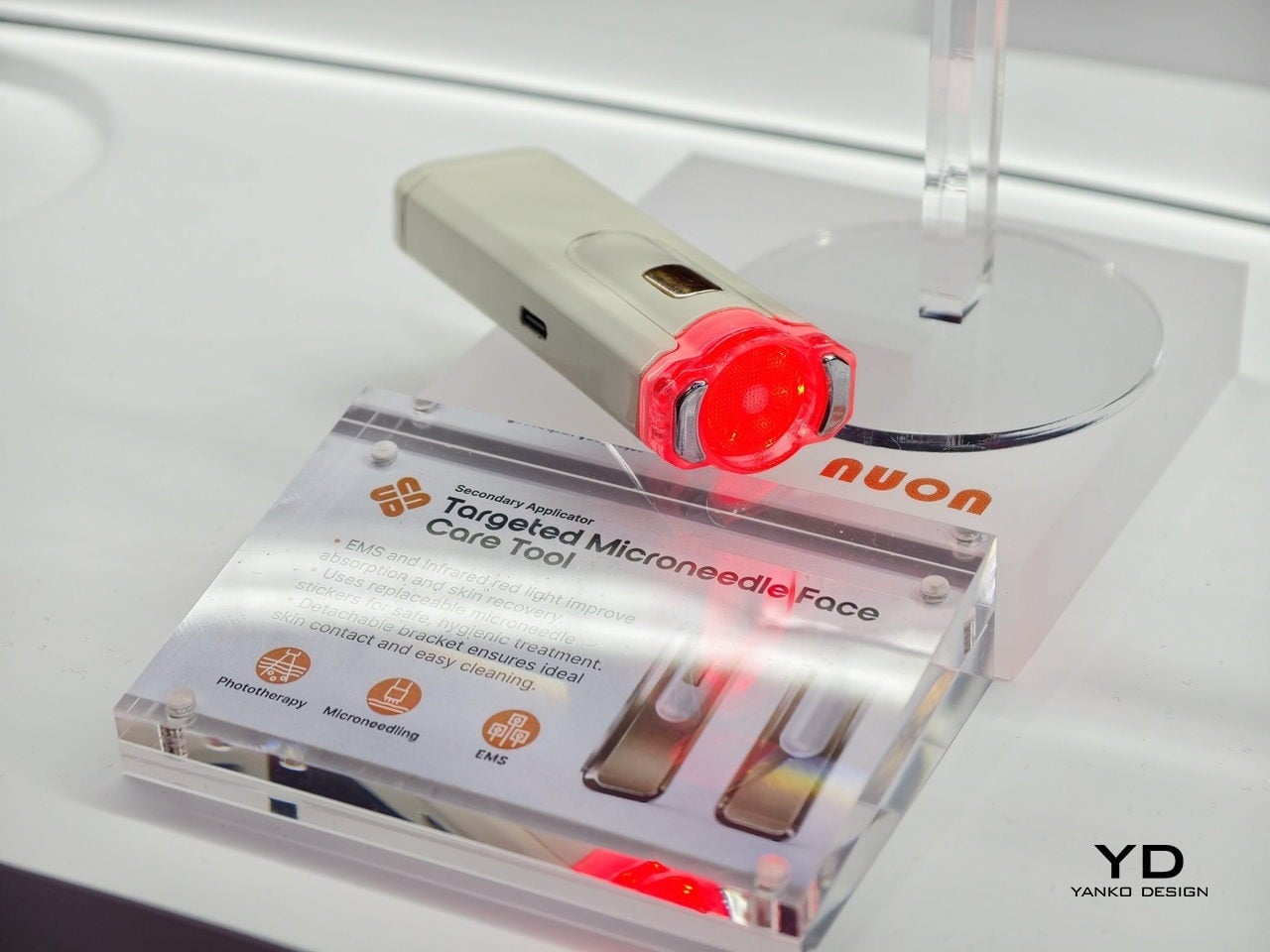
The real opportunity isn’t another breakthrough ingredient or another device. It’s that split second where formula actually meets skin. That’s the insight behind Nuon Medical, a company founded by Alain Dijkstra with roots in medical devices rather than traditional cosmetics. While everyone else obsessed over formulas, Nuon started looking at the packaging itself. We interview Senior Consultant Benny Calderone to get deeper insights into the company’s origins and perspectives.

Designer: Nuon Medical

From Chemical to Physical Innovation

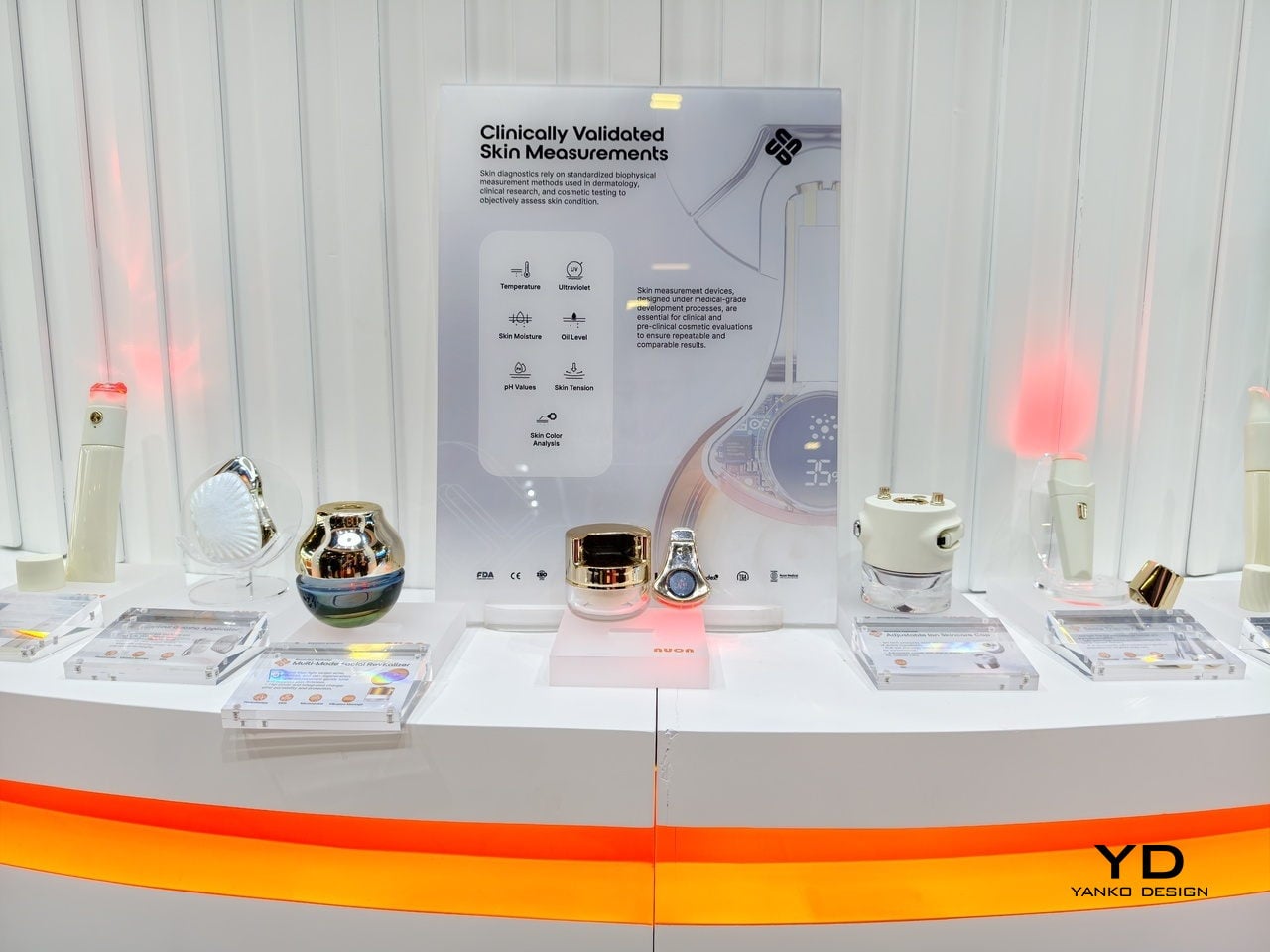
According to Nuon Medical, “For decades, the beauty industry focused on ‘Chemical Innovation’—the juice inside the bottle. Nuon is pioneering the era of ‘Physical Innovation.’ In short: we are solving the ‘Last Inch’ of skincare.” It’s a shift that treats packaging as a performance-critical interface, one that determines whether those actives reach their biological targets or just sit on your skin doing nothing.

Nuon’s journey started with standalone light therapy devices used for hair growth and wrinkle reduction. After nearly two decades making those tools, founder Alain Dijkstra noticed they had a retention problem. They added steps to already crowded routines and mostly ended up unused. For clinical tech to work at scale, it had to disappear into something people already do every day.

By embedding tech into packaging, Nuon eliminated the compliance gap. “We realized that for clinical tech to scale, it must be invisible. By turning the packaging itself into the ‘treatment engine,’ we eliminate the compliance gap.” You’re not being asked to do something new. You’re just upgrading what you already do. From a business angle, this transforms a throwaway bottle into something worth keeping.

Frictionless Intelligence at the Point of Contact

Nuon doesn’t start with sketches or aesthetics. They start with human-factor engineering, figuring out how an applicator should guide contact, path, and speed to deliver the formula correctly every time. The result is what they call frictionless intelligence. “We design for ‘frictionless intelligence.’ If a user has to read a manual, the design has failed,” the company states.

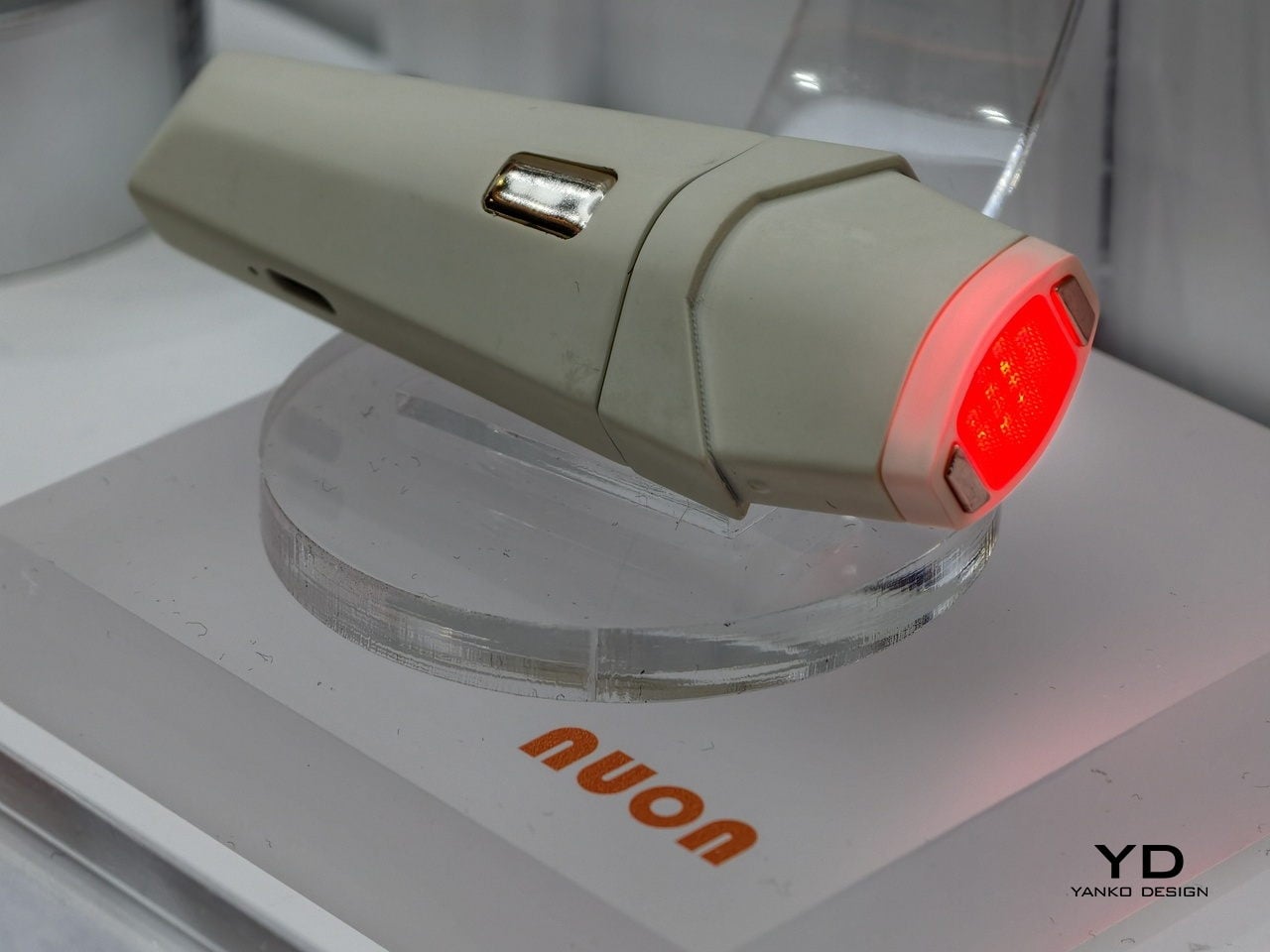
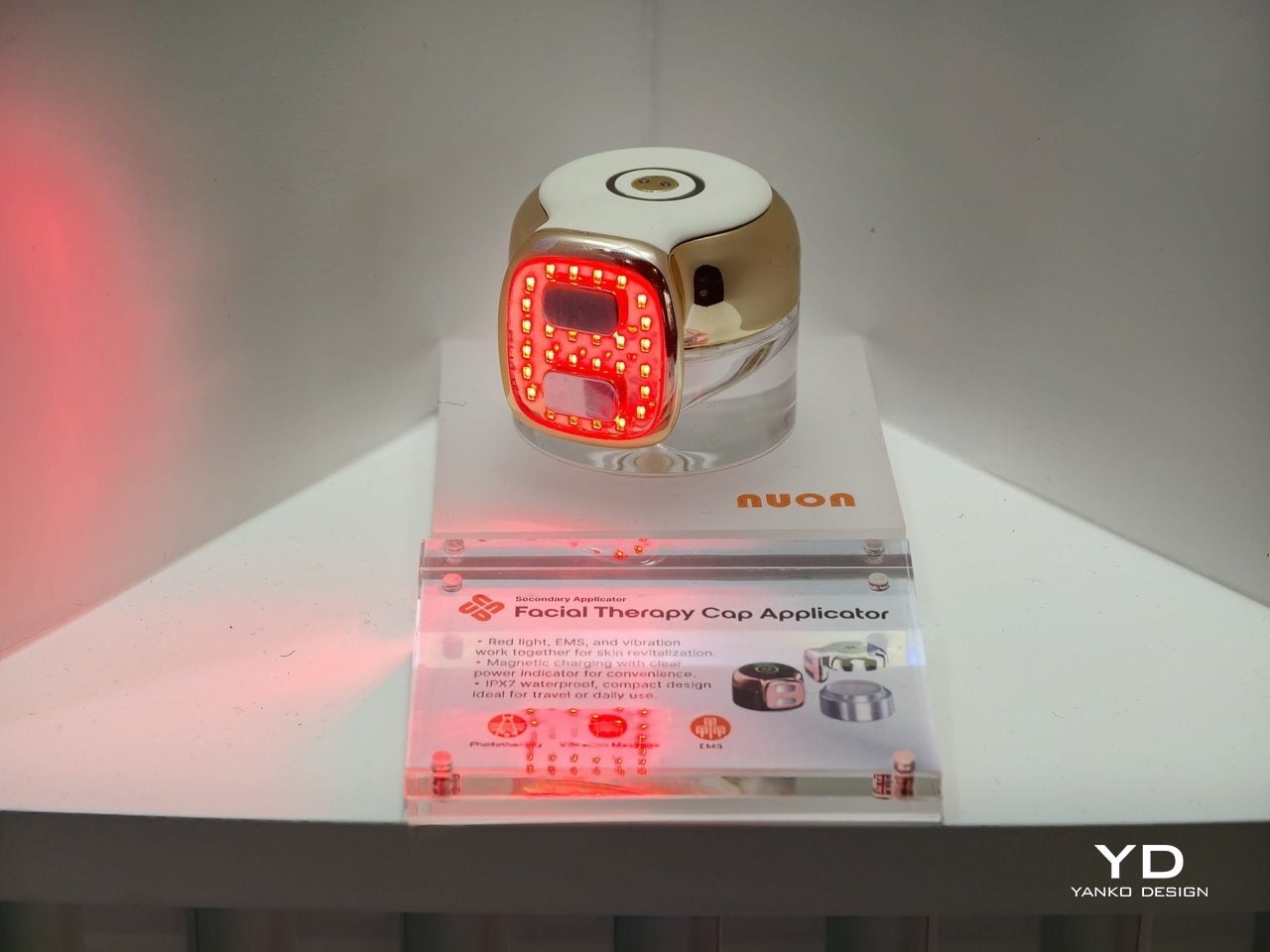
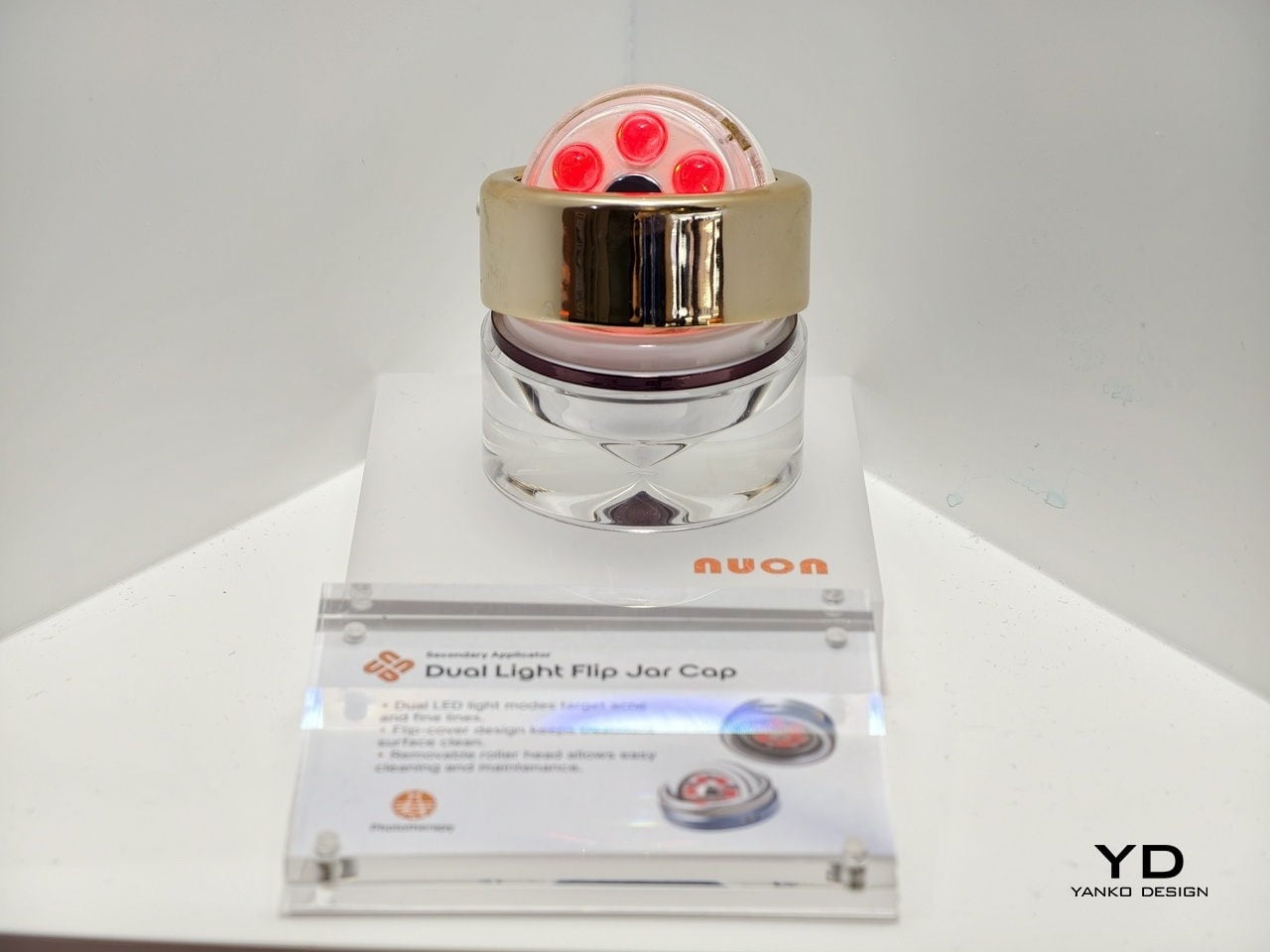
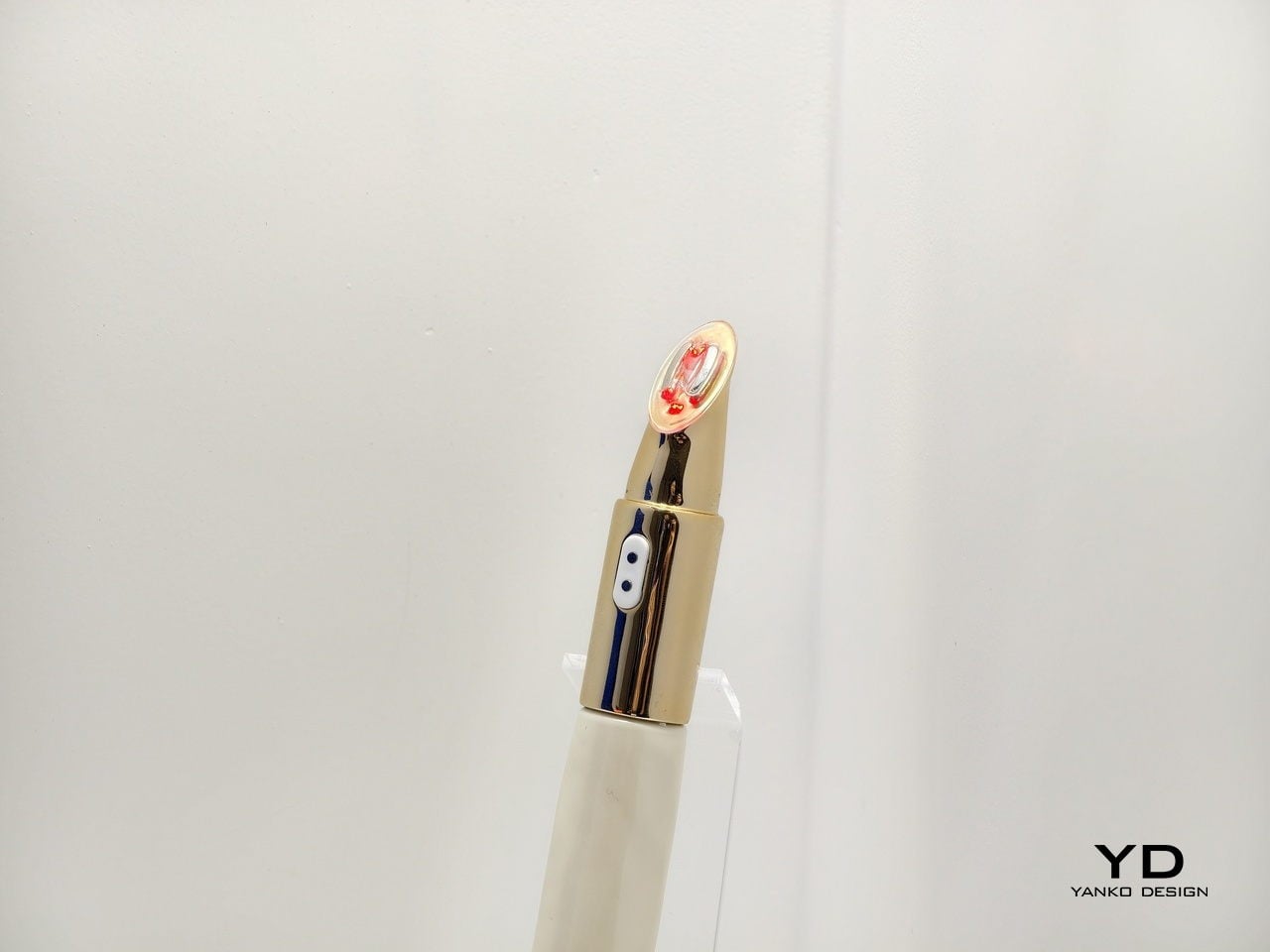
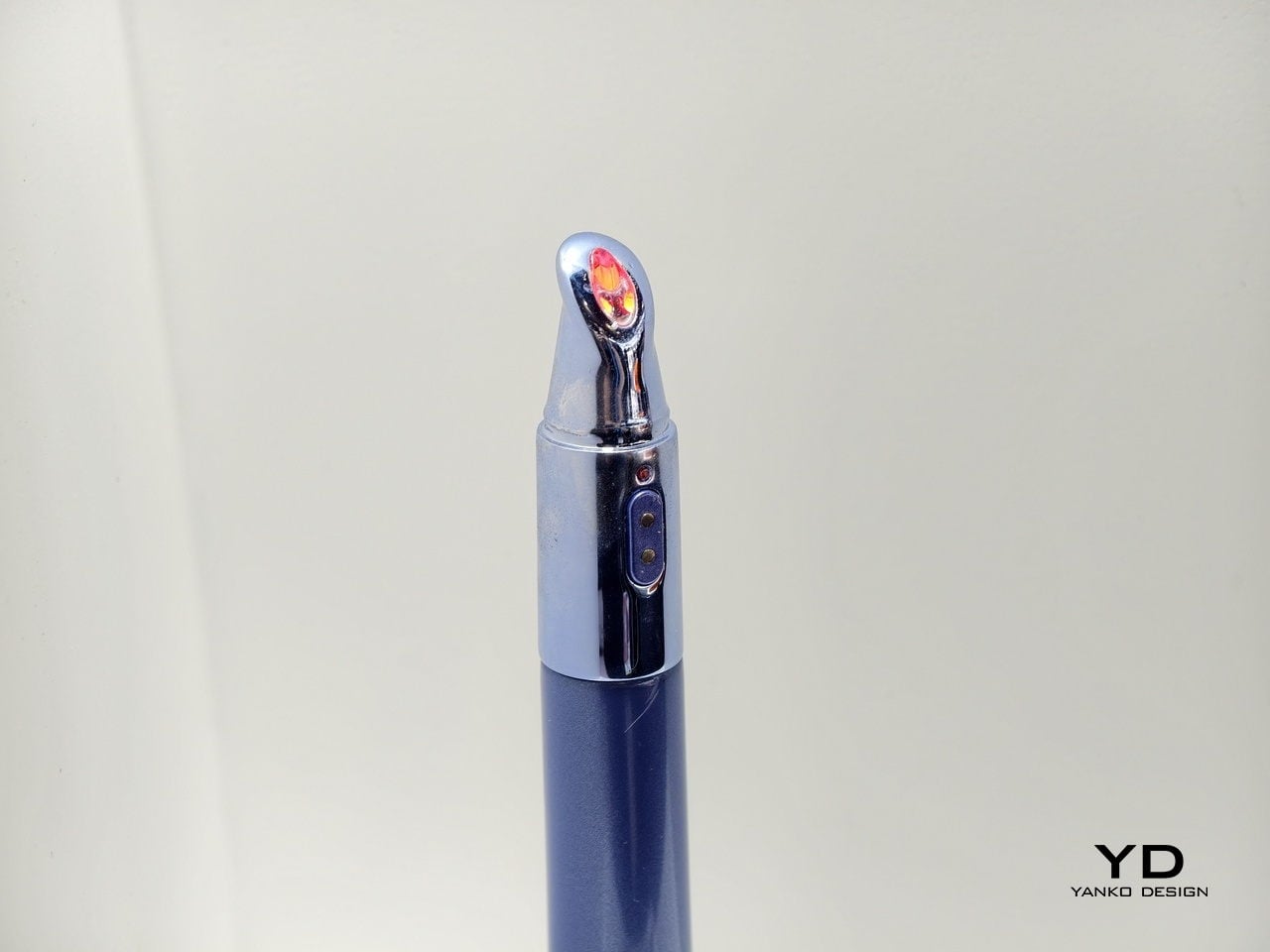
Intelligence gets built into the haptics, the ergonomics, the physical interaction logic itself. The tool quietly guides your motion without you realizing it. The applicator steers where you press, how fast you move, the path you follow, all without instructions. Light therapy, microcurrent, thermal elements, vibration, they’re woven into the interaction, supporting the formula instead of distracting from it.

There’s a tricky balance here. Clinical devices can feel intimidating. Beauty objects need to feel inviting, something you want to pick up every morning. Nuon often prioritizes consistency over intensity. “A tool used daily with proper motion and interaction is far more effective than a high-intensity device left in a drawer,” they note. A lower setting used correctly beats a powerful tool that stays in the drawer.

The Hidden Operating System of Beauty

Nuon isn’t a consumer brand. They’re a B2B partner working behind the scenes with global beauty companies. Their modular tech stack works like an operating system, offering a validated foundation that brands dress up with their own materials. Luxury labels use glass and heavy metals. Mass brands use lighter plastics. The intelligence underneath stays the same.

“Nuon is the ‘Innovation Engine’ behind the world’s leading brands. Our philosophy lives in the UX Framework, not the visual skin,” Calderone explains. Brands can apply their aesthetic identity without messing with the validated technology underneath. “We provide the ‘Intelligence’; they provide the ‘Identity,'” he adds. It’s systems thinking applied to beauty packaging.

Data, Sustainability, and the Death of the Dumb Bottle

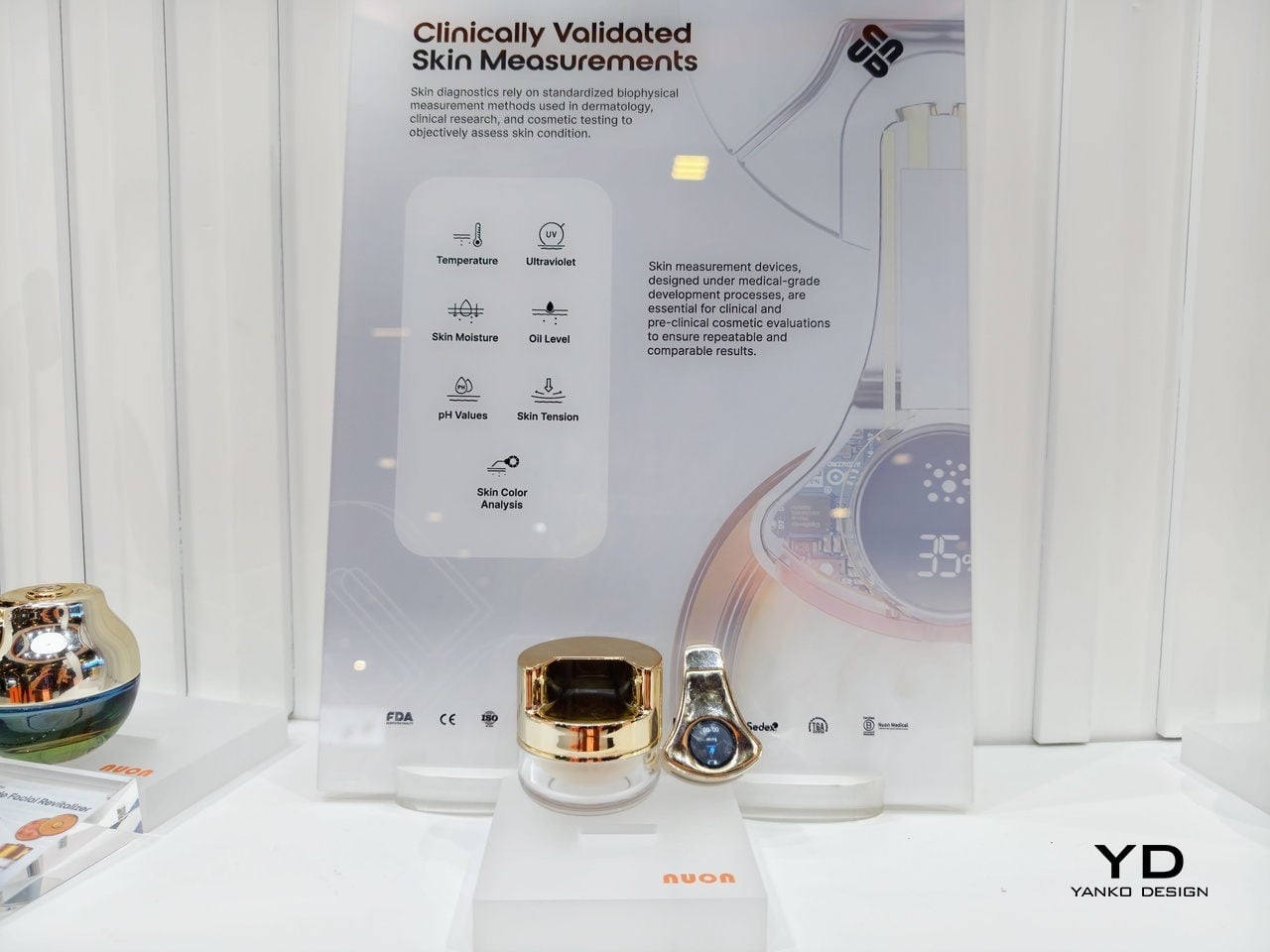
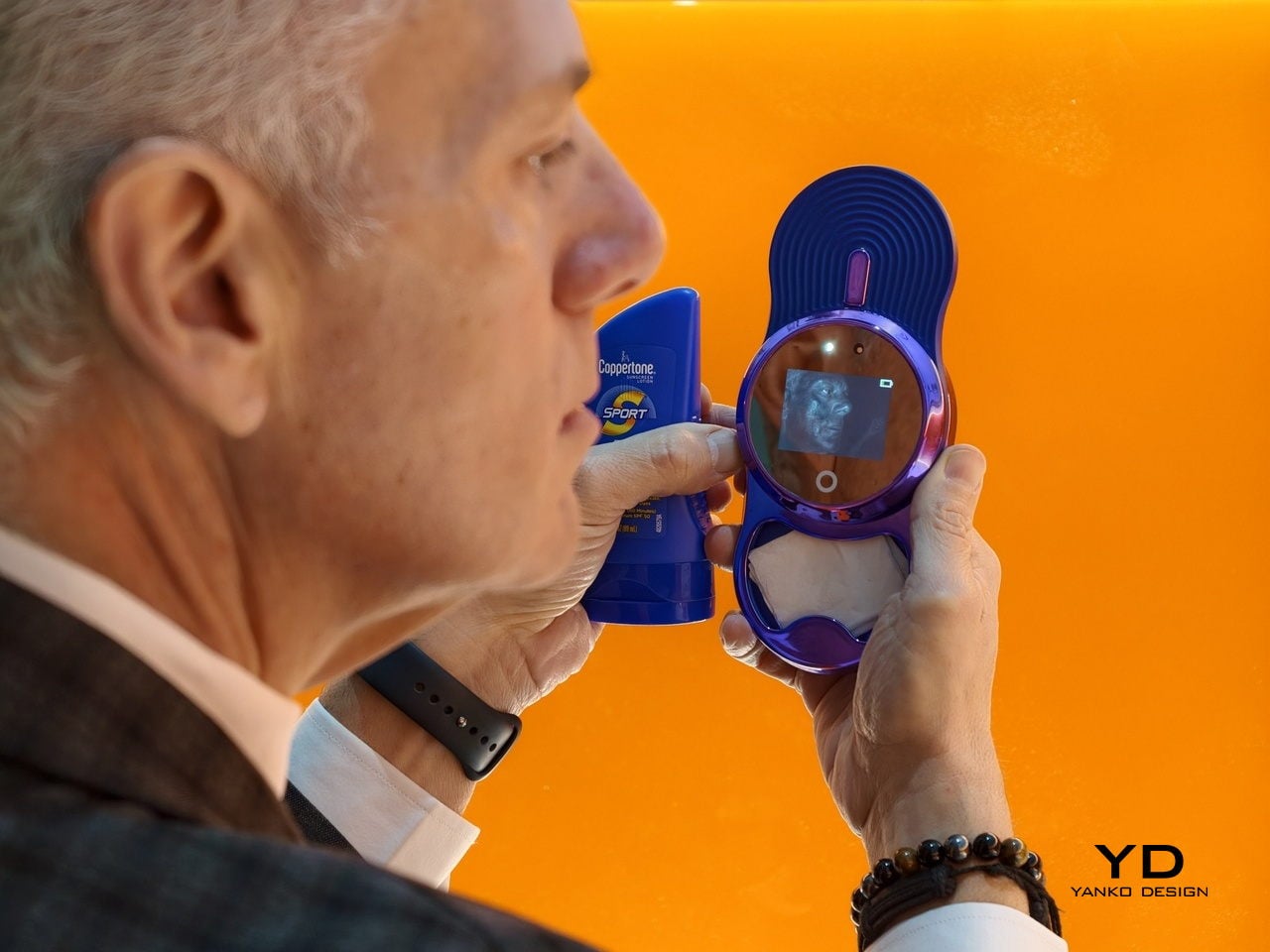
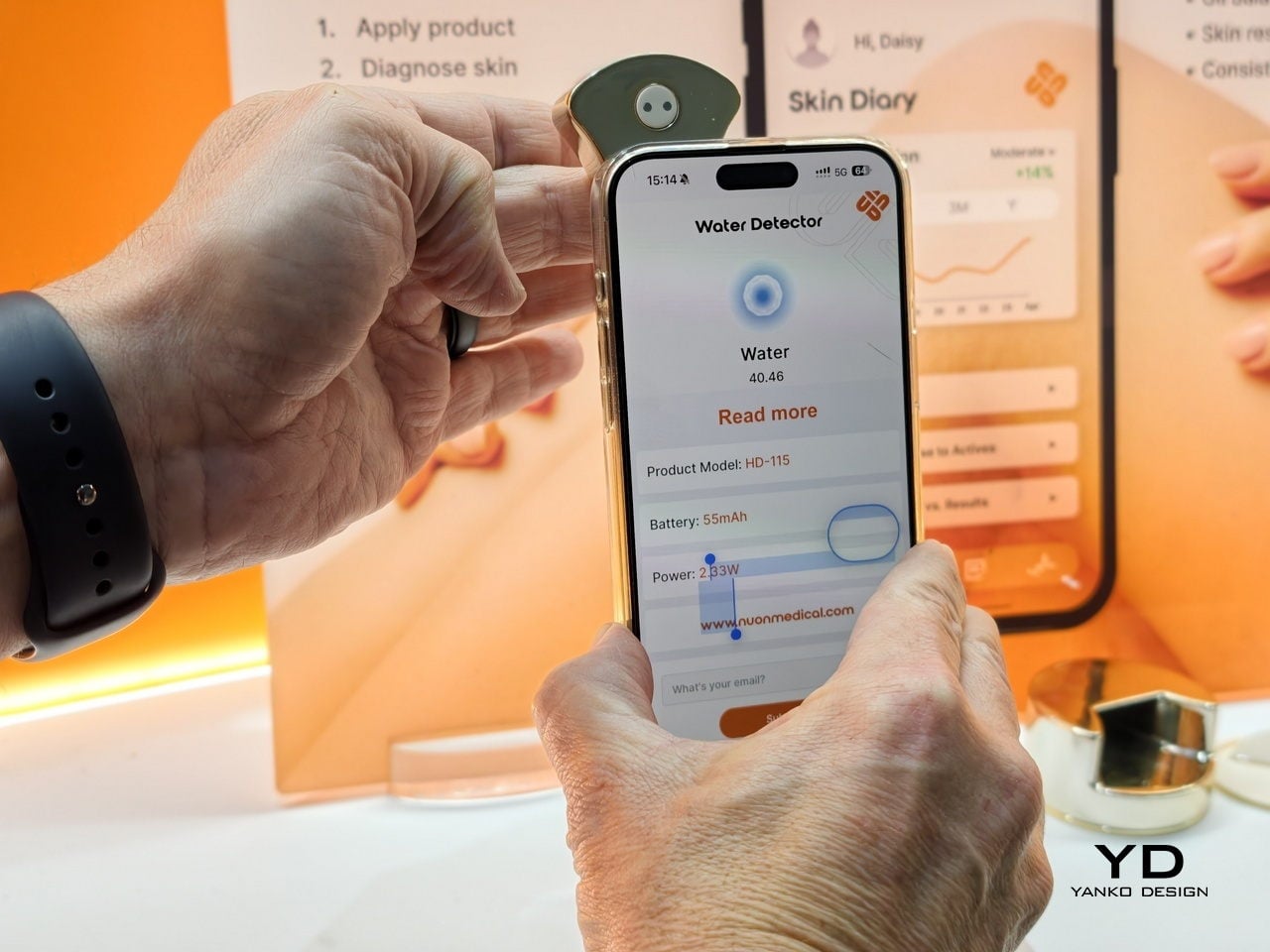
Once packaging gets smarter, it starts collecting data. Nuon’s applicators can measure skin hydration, texture, UV exposure, and more. But the company is deliberate about how that information gets used. “Data should be a concierge, not a surveillance tool,” according to their philosophy. Diagnostics should inform care, not flood you with vanity metrics. Nuon provides privacy-by-design infrastructure where consumers stay in control.

Then there’s sustainability, where Nuon takes a blunt stance. “Sustainability only scales if it improves the user experience. ‘Green theater’ is asking consumers to settle for less; True sustainability is ‘Assetization,'” the company states. They design the high-tech applicator as something durable that you want to keep. The formula becomes a refill that plugs into that base, separating Durable Intelligence from the Circular Consumable.

It’s not sustainability through guilt. It’s sustainable because the design makes refills the logical choice. You’ve invested in the smart hardware, so of course you’re going to buy the refill. Nuon’s vision is bold. “We are witnessing the death of the ‘dumb bottle.’ In a decade, a passive plastic cap will feel as obsolete as a rotary phone.”

Packaging will become responsive tools that sense conditions and guide your hand in one motion. “Scalp and hair care is the next great ‘blue ocean.’ It’s a category where wellness meets clinical results, and users can immediately feel the benefits of microcirculation and stimulation,” Nuon notes. The broader idea is that everyday objects on bathroom shelves are about to become quietly intelligent without looking like sci-fi props.

Companies like Nuon are writing that next chapter from behind the scenes, proving that clinically meaningful technology doesn’t need to sacrifice what makes beauty objects appealing. It’s a shift from containers to interfaces, from passive to active. If Nuon’s right, we’ll look back at today’s plain bottles the way we look at rotary phones, functional once but hopelessly outdated now.

The post Nuon Medical: Why the Future of Skincare Isn’t Another Serum first appeared on Yanko Design.

[syndicated profile] yankodesign_feed

Posted by Gaurav Sood

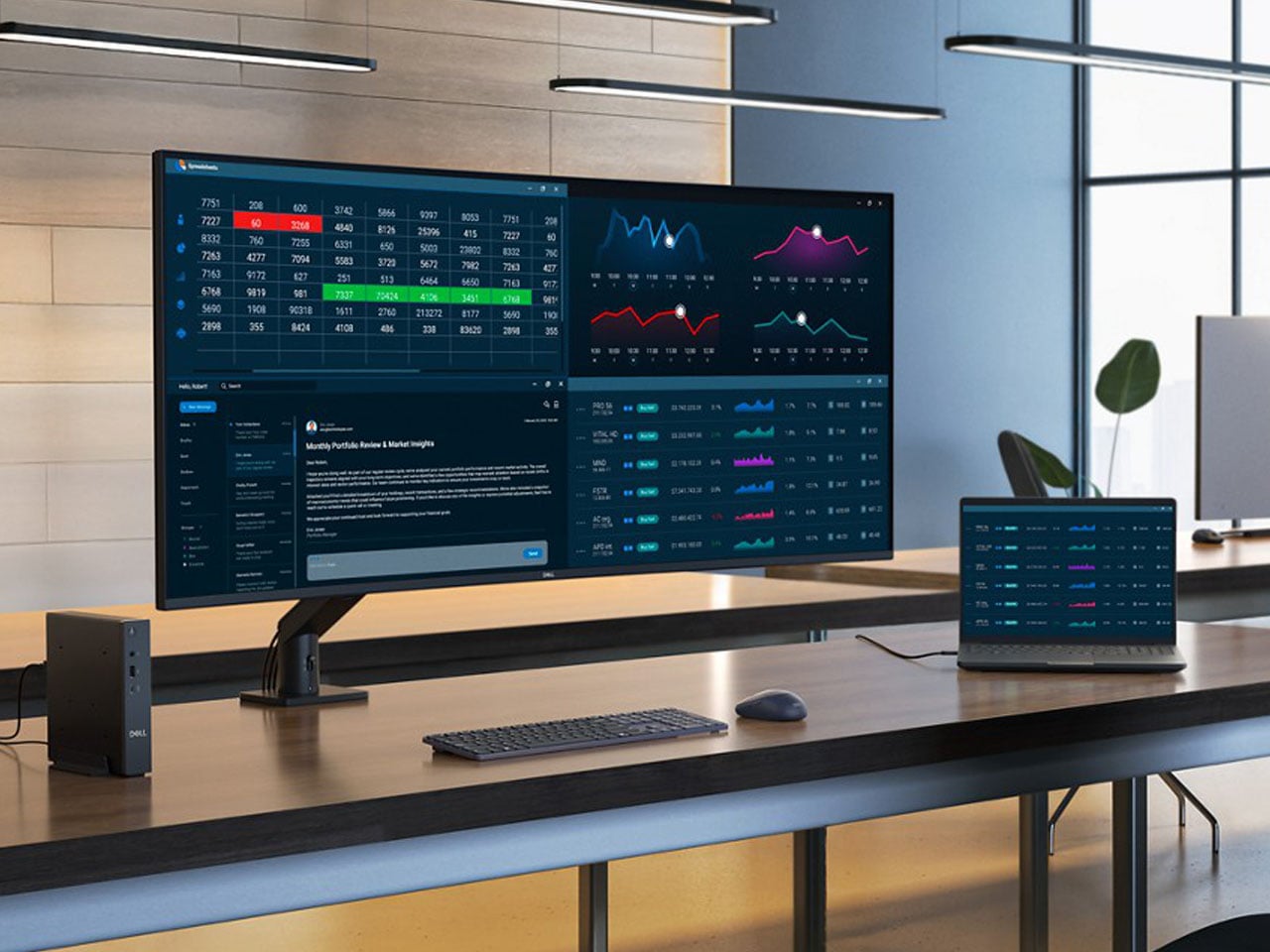
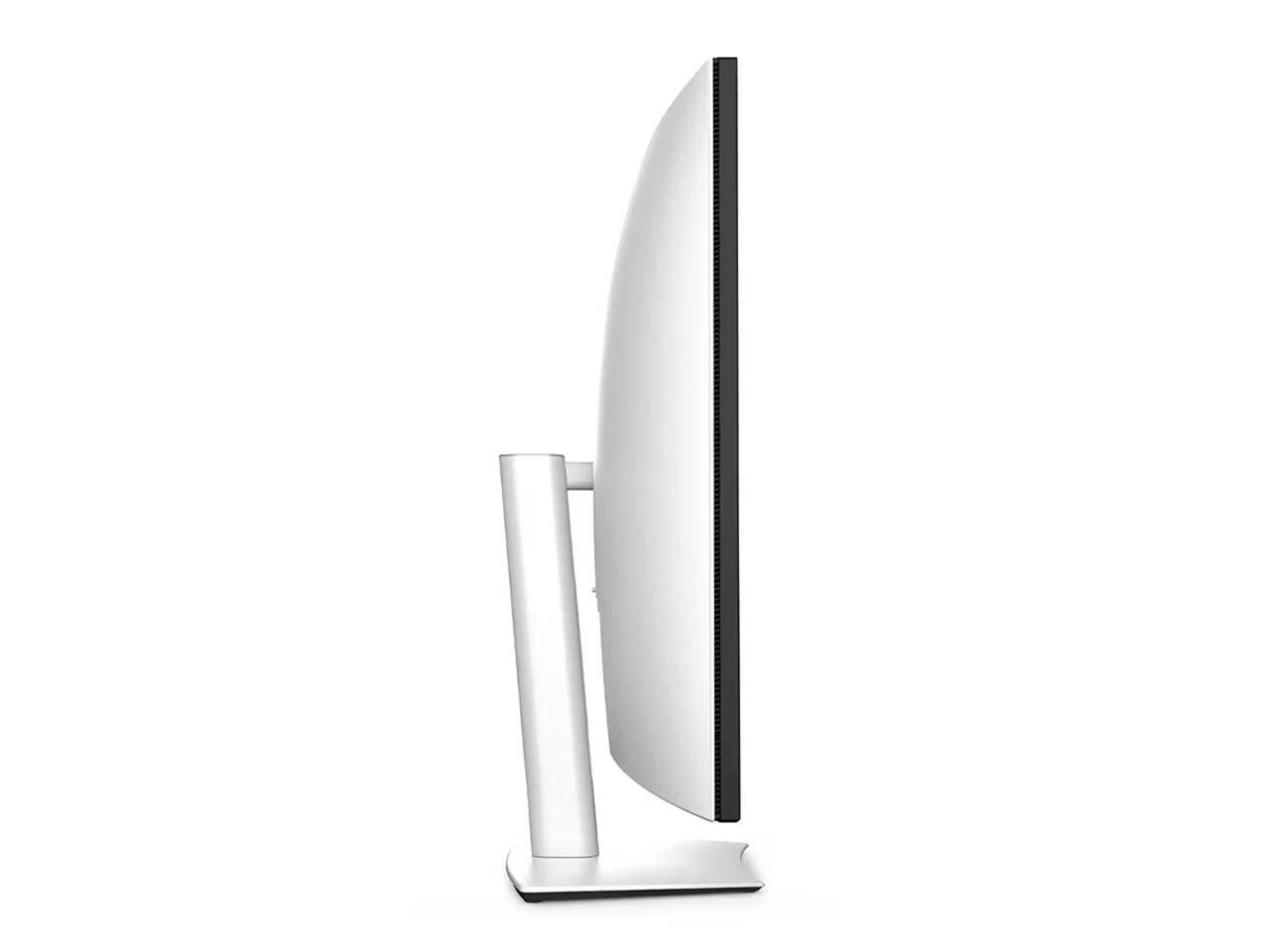
Multimonitor setups have taken over professional and creative spheres in a big way, boosting productivity like never before. Dell has upped the ante at CES 2026 with the world’s first 52-inch ultrawide curved monitor that’s designed for data professionals who demand maximum screen real estate. The 6K IPS Black display is your command center with connectivity options that’ll leave nothing to chance.

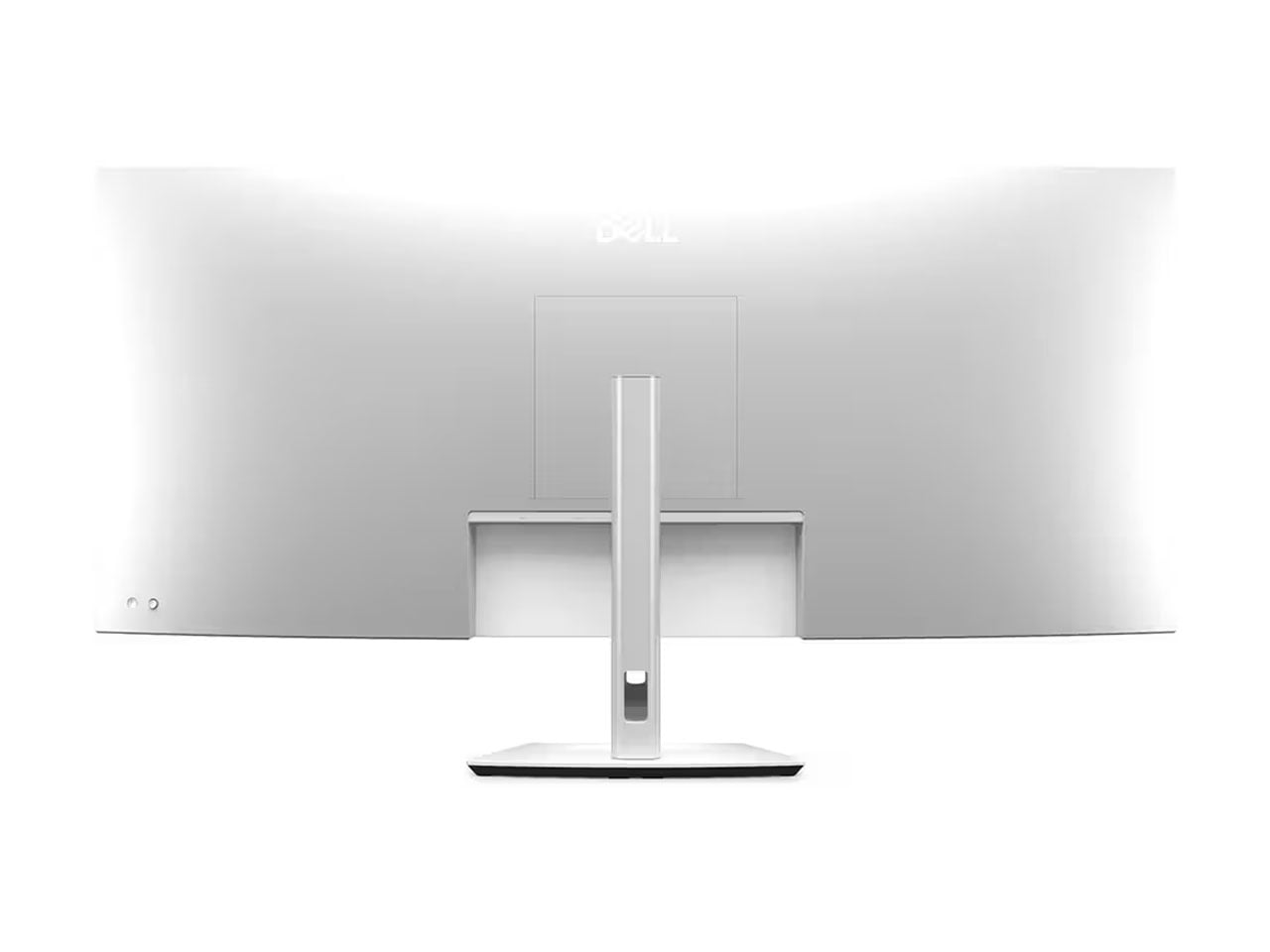
Dell UltraSharp 52 Thunderbolt Hub Monitor is essentially a combination of a 43-inch 4K display with two 27-inch QHD vertical monitors combined into one display. It eliminates the need for multiple monitor setups, the accompanying organizing hassles, and the wire clutter.

Designer: Dell

The numbers are crazy in every aspect with the 52-inch beast. It has an ultrawide aspect ratio of 21:9 compared to the 16:9 used on most monitors. 6,144 x 2,560 resolution (at 129 pixels per inch) and the 120 Hz refresh rate supporting variable refresh rate ensure it displays any kind of content with maximum precision. Gaming is theoretically possible on this, but you’ll need to match it with a beast of a PC. The IPS Black panel might not be as sharp as an OLED, still it delivers deeper blacks, a 2000:1 contrast ratio, and professional-grade color accuracy according to Dell.

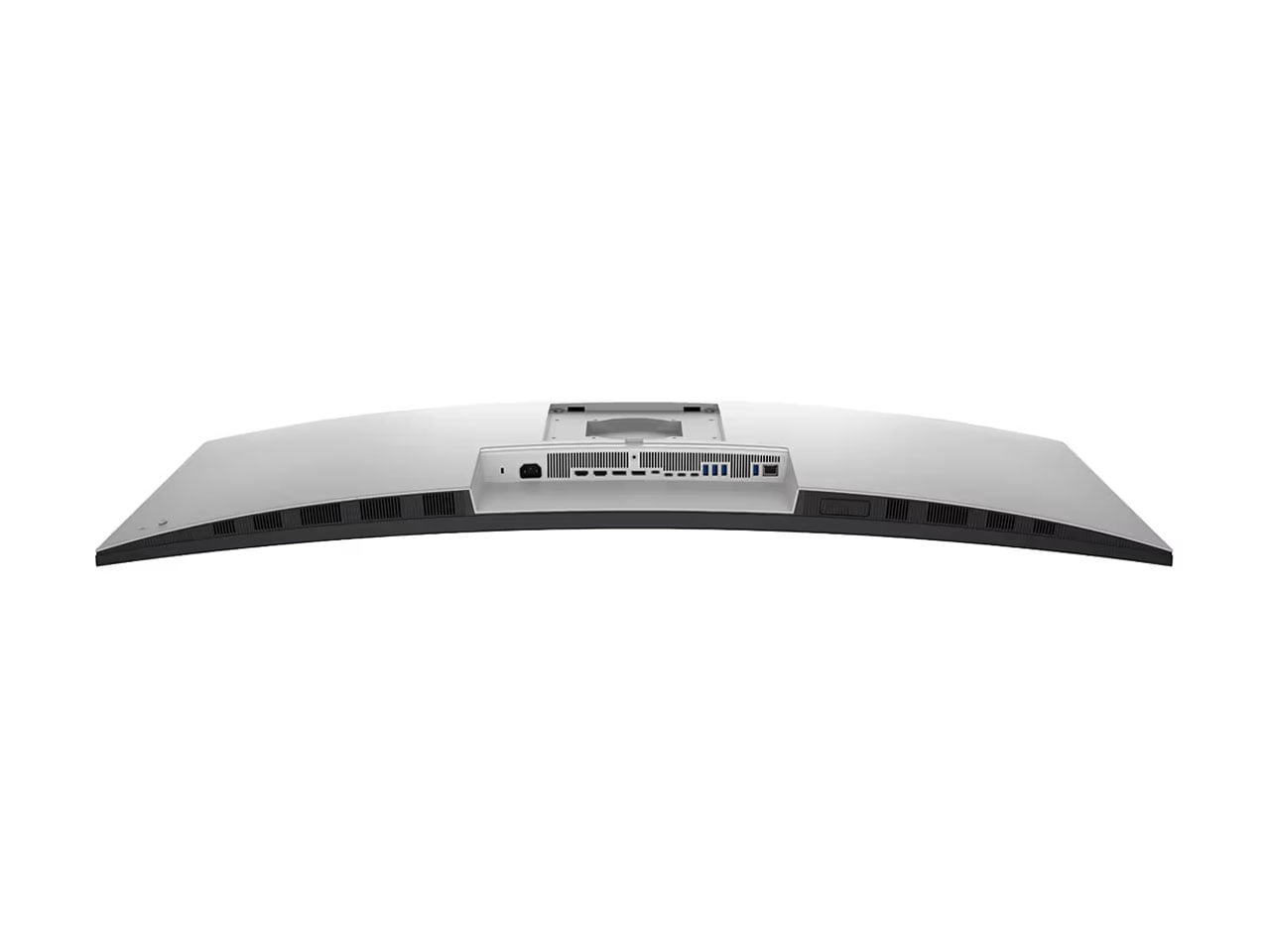
Watching such a big screen for long hours can take a toll on your eyes, and Dell has it covered with the 80 percent less blue light courtesy of the eye-comfort features. The ambient light sensor reduces the strain to a minimum by adjusting the display settings accordingly. Best of all, the monitor connects to four PCs or Macs simultaneously with the two HDMI 2.1 ports, two DisplayPort 1.4 ports, and a Thunderbolt 4 port with support for Power Delivery up to 140W. In addition to these, the monitor features three USB-C 10Gbps upstream ports, four 10Gbps USB-A ports, and an RJ45 Ethernet port. For quick access, the curved monitor has two USB-C ports and a USB-A port on the front. Both these ports support 10Gbps transfer speeds.

When connected to multiple systems, the wide screen can be partitioned into two sections. The KVM (keyboard, video, and mouse) feature allows users to connect their keyboard and mouse independently to the display. The monitor can be height-adjusted by up to 90 mm with support for tilting, swiveling, and slanting positioning for maximum work freedom. The monitor carries a price tag of $2,800, and if you want the stand, that’ll cost an extra $100. Surely, this is not a curved monitor for everyone; still, it is worth every penny for individuals who have required something like this all along.

If this huge monitor is a bit too much, Dell also announced the 32-inch UltraSharp display with 4K resolution and a QD-OLED panel. The 120 Hz refresh rate display has True Black 500 HDR and Dolby Vision support. The Dell UltraSharp 32 4K QD-OLED (U3226Q) is expected to launch in February 2026 for $2,599.

The post Dell debuts world’s first 52-inch curved monitor to replace multimonitor setups first appeared on Yanko Design.

(no subject)

Jan. 8th, 2026 04:26 pm
sorcyress: Drawing of me as a pirate, standing in front of the Boston Citgo sign (Default)
[personal profile] sorcyress
Yesterday I was in a bad mood after my meeting, and also I'm a little sleep-deprived and I've been in a weird mood for a couple days anyways. Also, the band Seeming, who I'd just gotten pretty into one of their albums1 right before winter break, did a "all our pre-2025 music free" as a special, and it felt prudent to nab it2.

Sometimes we can do things the right way though, and so instead of playing mindless phone games, I just put the song du jour on repeat, and got my sketchbook, and drew a picture:

Go Small

Write the song you need to hear. And draw it, I suppose.

art process babbling under here )

Anyways, that's what I did last night, and I'm pleased about it! Maybe I will draw other things sometime this year, I would like that.

~Sor
MOOP!

1: Specifically, Madness and Extinction. BDan recommended it, on one of the times I was looking for Bandcamp Friday recs. After the third time of tossing it into the "after school album rotation" and being all "damn this is really good I should go tell BDan", I finally took actual notice.

2: Technically I did pay-what-you-will at a dollar per album, since that way they get put into my Bandcamp account and I can stream them, instead of just being emailed the mp3s. I really like this set-up! And I went ahead and put the 2025 stuff into my cart to nab at above-cost on the next Bandcamp Friday.

(I appreciate so much that Bandcamp hasn't fully enshittified yet.)

3: Different fun fact! "The Earth is radiantly suicidal" is written three times because it was too off-kilter when I inked it once, and so I wanted to rebalance the picture. I sorta wish I had stuck with twice, since that's how they do repetitions of it in the song, but it's fine.

The Big Idea: Lance Rubin

Jan. 8th, 2026 07:41 pm
[syndicated profile] scalziwhatever_feed

Posted by Athena Scalzi

Many people wish they could return to a specific age in their life and live it all over again. But what if that person didn’t know they were reliving the same year over and over again? New York Times best-selling author Lance Rubin explores the idea of being a teenager seemingly indefinitely in his new novel 16 Forever. Follow along in his Big Idea to see a fresh take on the beloved time-loop trope.

LANCE RUBIN:

It’s no secret that we live in a culture that’s afraid of aging. Thousands of products exist to keep us looking as if we’re frozen in time. “Forever Young” is the name of not one, but two, classic songs. Forever 21 was a popular clothing store for decades. 

But it occurred to me at some point that, if you could find a way to stay eternally young, it would actually be a complete nightmare. (Cue creepy, echo-saturated horror movie trailer version of Alphaville’s “Forever Young.”) 

I said it occurred to me at some point, but I know exactly when it was. 

I was five years old, watching a VHS tape of the 1960 televised Peter Pan musical starring Mary Martin. At the end, Peter comes back to the Darling home, and Wendy…has become an adult. They can’t hang out anymore. So instead, Peter flies off with Wendy’s daughter, Jane. Um, I thought, is this supposed to be a HAPPY ending? Seeing the playful bond between Peter and Wendy SHATTERED because of time? With Jane easily replacing Wendy simply because she’s YOUNG?  

Around the same age, I saw the 1986 Disney film Flight of the Navigator, in which 12-year-old David falls in the woods and wakes up eight years in the future. His younger brother Jeff has become his older brother. Good god, it chilled me to the bone. The jarring role reversal. The visceral terror of time moving on without you. 

And so, I decided to explore these ideas in a novel, with poor Carter Cohen stuck forever at age 16, literally unable to grow up. I’ve always loved a time-loop story, but the idea of a year-long loop, where every character knows the loop is happening except the person it’s happening to, rather than vice versa, seemed unique and intriguing. 

I quickly realized that Carter’s perspective was an inherently disoriented one, seeing as his memory wipes clean every time he leaps back to the beginning of sixteen. It felt like the story wanted to be grounded in another POV too, to better understand the way Carter’s looping—which feels almost like a mysterious medical disorder—affects the people around him. 

So the story is also told by Maggie Spear, the 17-year-old girl who Carter dated and fell in love with during his most recent loop. Once Maggie sees that the boy she loves now has no idea who she is, she decides it’s too painful to start over. 

The experience of writing the first draft started pleasantly enough, as the premise gave me a lot to explore. It was fun to work through what a mess it would be to wake up thinking you were sixteen and then seeing your family had all aged six years without you. It was similarly compelling to think about the devastation of having your boyfriend walk right past you in the high school hallway because he has no idea who you are. 

But when it came to cleaning up the mess these characters were in, I was pretty clueless. 

As my editor David Linker said after reading my first draft, it “really falls apart in the second half.” The worst part about that note was that I knew he was completely correct. 

I had two main struggles with this book. One was accounting for the six years of looping that happens before the novel even begins. Kind of an unwieldy amount of time to work with. I decided to write several chapters from the POV of Carter’s younger-now-older brother, Lincoln, since as a sibling he would have been there for every previous loop. That said, it was still hard to determine what had happened during that time and what was worth sharing with the reader.  

The other struggle involved, well, THE LOOPING. Like, um, why was it happening? And would Carter get out of it? If so, how would he get out of it? How would that connect to the theme of growing up? Would a solution, if there was one, be clear or ambiguous? Literal or figurative? 

Unlike a Groundhog Day loop of twenty-four hours, Carter had to make it through at least an entire year for the reader to see if he was going to make it out of the loop or not. Again, I’d boxed myself into a cumbersome duration of time. Which led to other questions too, like if Carter and Maggie were going to get back together, when in the year should that happen? How could I maintain the necessary tension when the ticking clock was A YEAR LONG? 

So, yeah, imagine the above two paragraphs looping through my brain for months and months, as I paced around my apartment, as I walked to get groceries, as I talked through ideas with my wife Katie. I was, of course, as stuck as my protagonist—draft after draft after draft, unsure if I’d ever be able to write a version of this book I felt good about. 

Ultimately, there were no quick solutions. No lightning bolt moment that solved everything. Instead, there were a series of tiny discoveries and changes that slowly made the book into something better. When my editor read the second draft, he felt it had improved, but it still fell apart in the last third. When he read the third draft, he felt like it was almost there, but not quite. 

And so on and so on. There’s probably a reason writers are so attracted to the time-loop trope—in many ways, it so aptly represents the creative process: living something over and over and over again, trying to make it a little better each time. 

Until finally: you stop looping. And it feels amazing, like you’ve done something impossible. I’m so happy with where the book finally landed and proud of the journey it took to get there. And, just as importantly: I have a deeper understanding of why Peter Pan and Flight of the Navigator made me feel so damn sad when I was five. 


16 Forever: Amazon|Barnes & Noble|Bookshop|Powell’s|Libro.fm|Community Bookstore

Author socials: Website|Substack|Instagram

[syndicated profile] yankodesign_feed

Posted by JC Torres

Cross-language conversations create a familiar kind of friction. You hold a phone over menus, miss half a sentence while an app catches up, or watch a partner speak fast in a meeting while your translation lags behind. Even people who travel or work globally still juggle apps, hand-held translators, and guesswork just to keep up with what is being said in the room, which pulls attention away from the actual conversation.

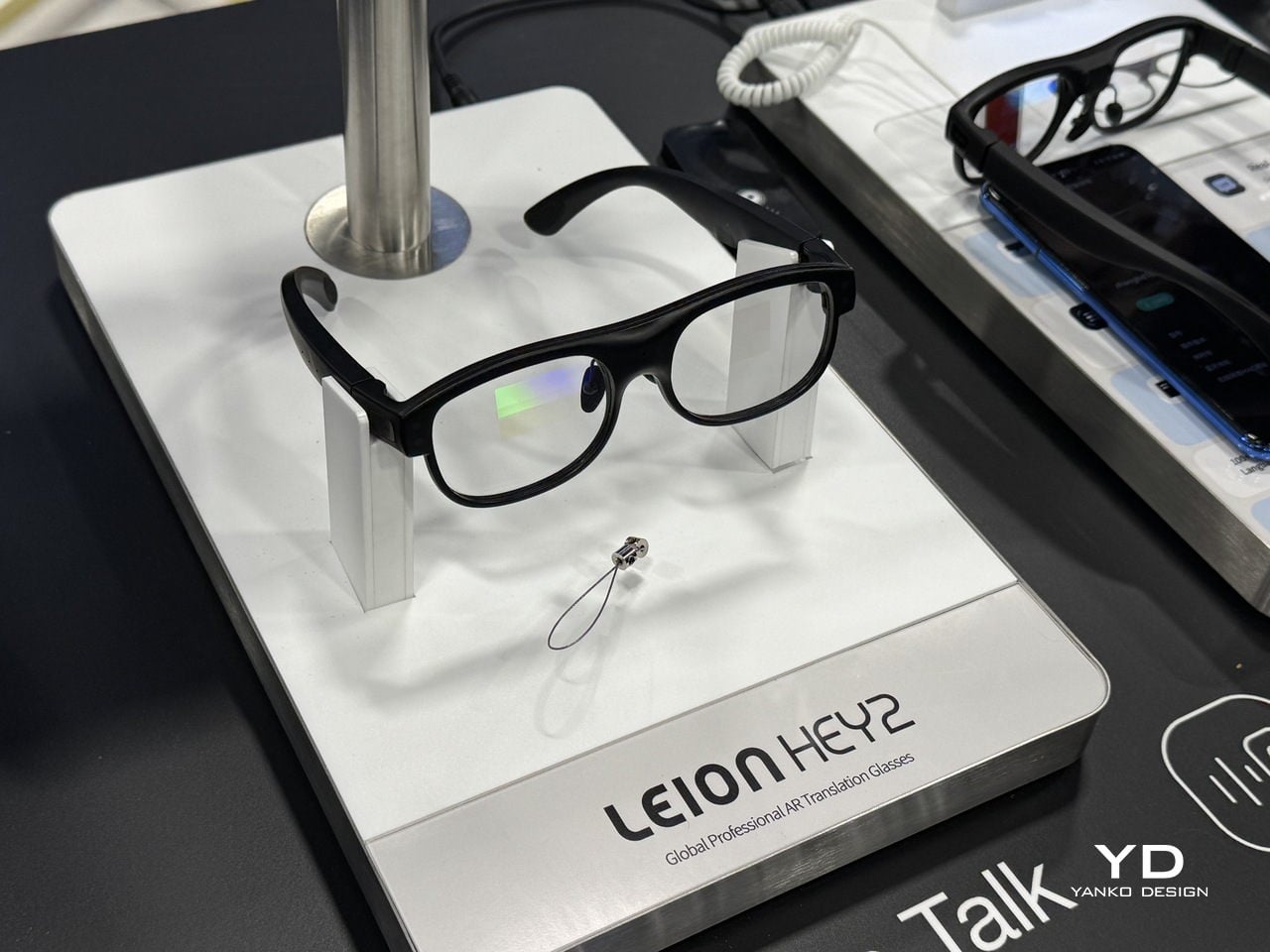
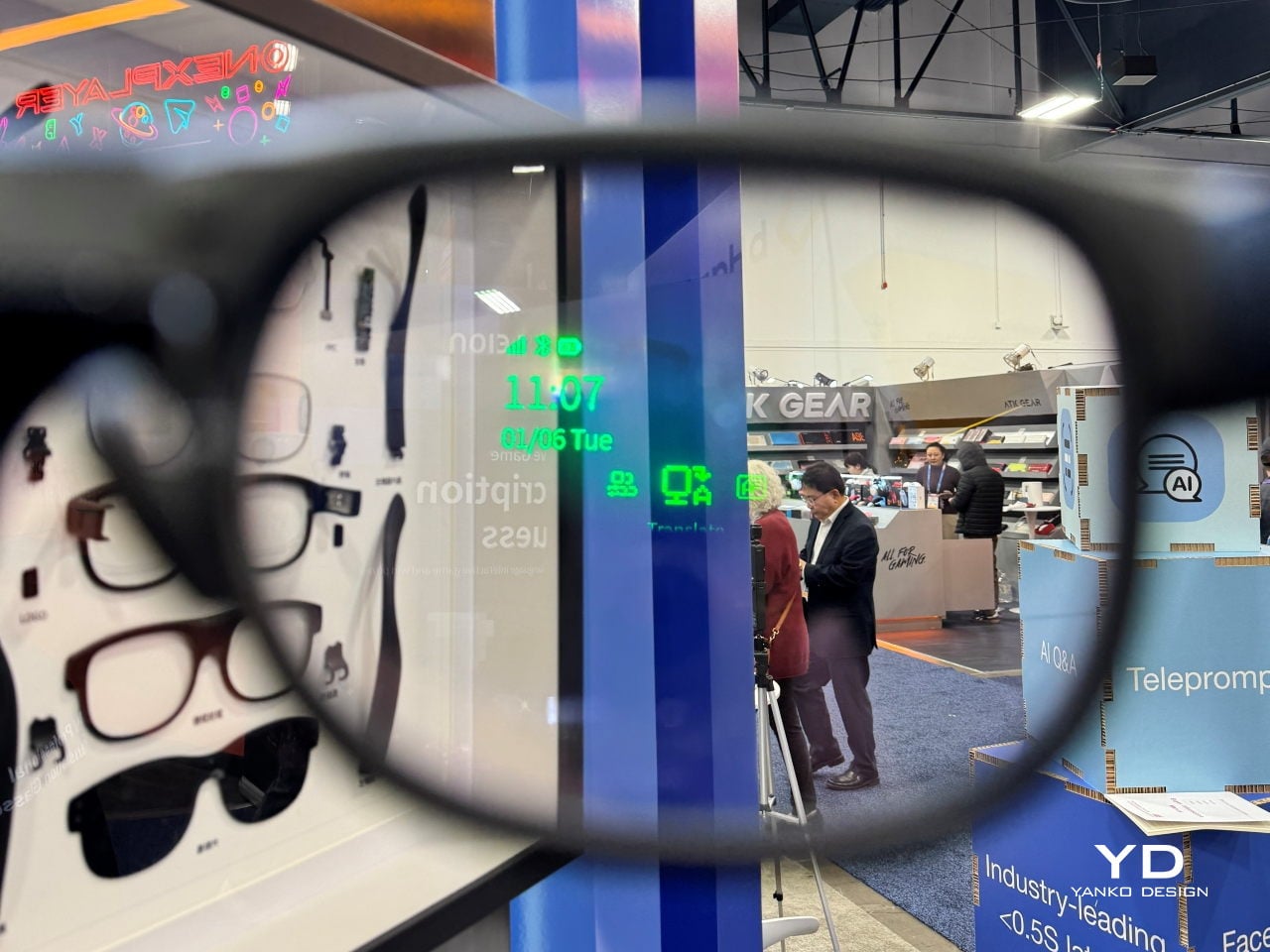
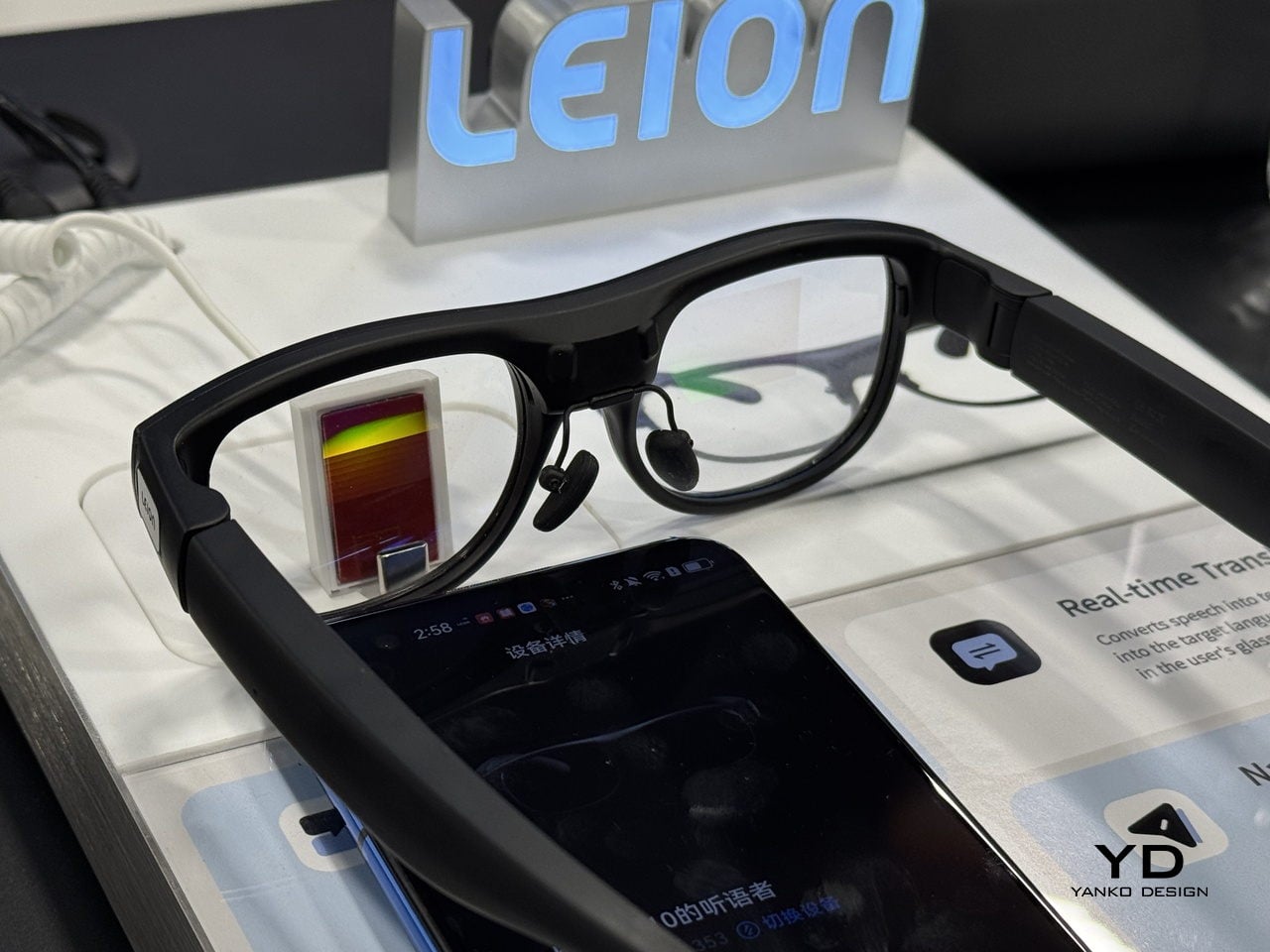
Leion Hey2 is translation that lives where your eyes already are, in a pair of glasses that quietly turns speech into subtitles without asking you to look down or pass a device back and forth. The glasses were built for translation first, not as an afterthought on top of entertainment or social features, and they are meant to last through full days of meetings or classes instead of dying halfway through, when you need them most.

Designer: LLVision

Click here to know more.

Glasses That Care About Conversation, Not Spectacle

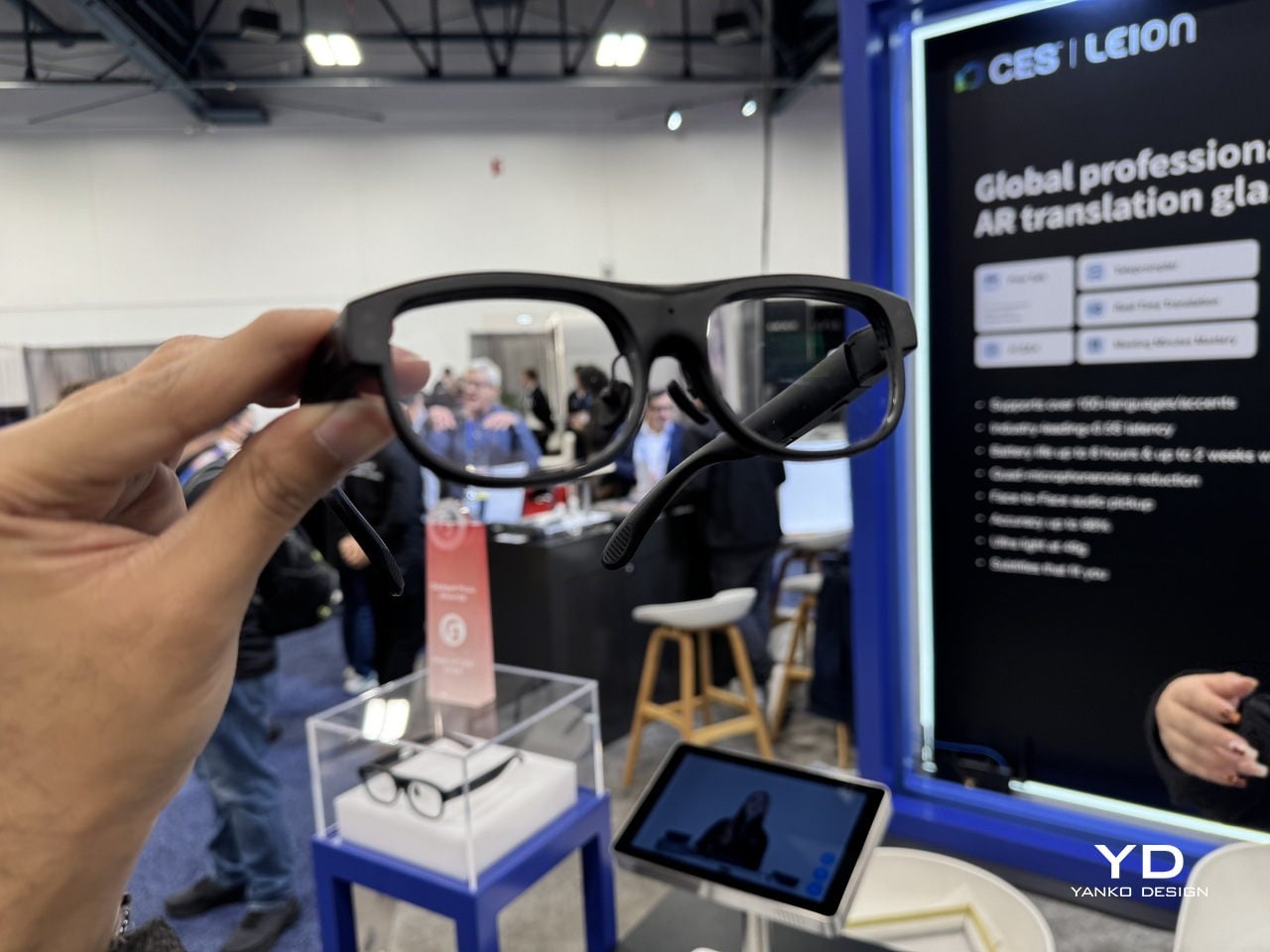
Leion Hey2 is a pair of professional AR translation glasses from LLVision, a company that has spent more than a decade deploying AR and AI in industrial and public-sector settings. Hey2 is not trying to be an all-in-one headset; it is engineered from the ground up for real-time translation and captioning, supporting more than 100 languages and dialects with bidirectional translation and latency under 500 ms in typical conditions, plus 6–8 hours of continuous translation on a single charge.

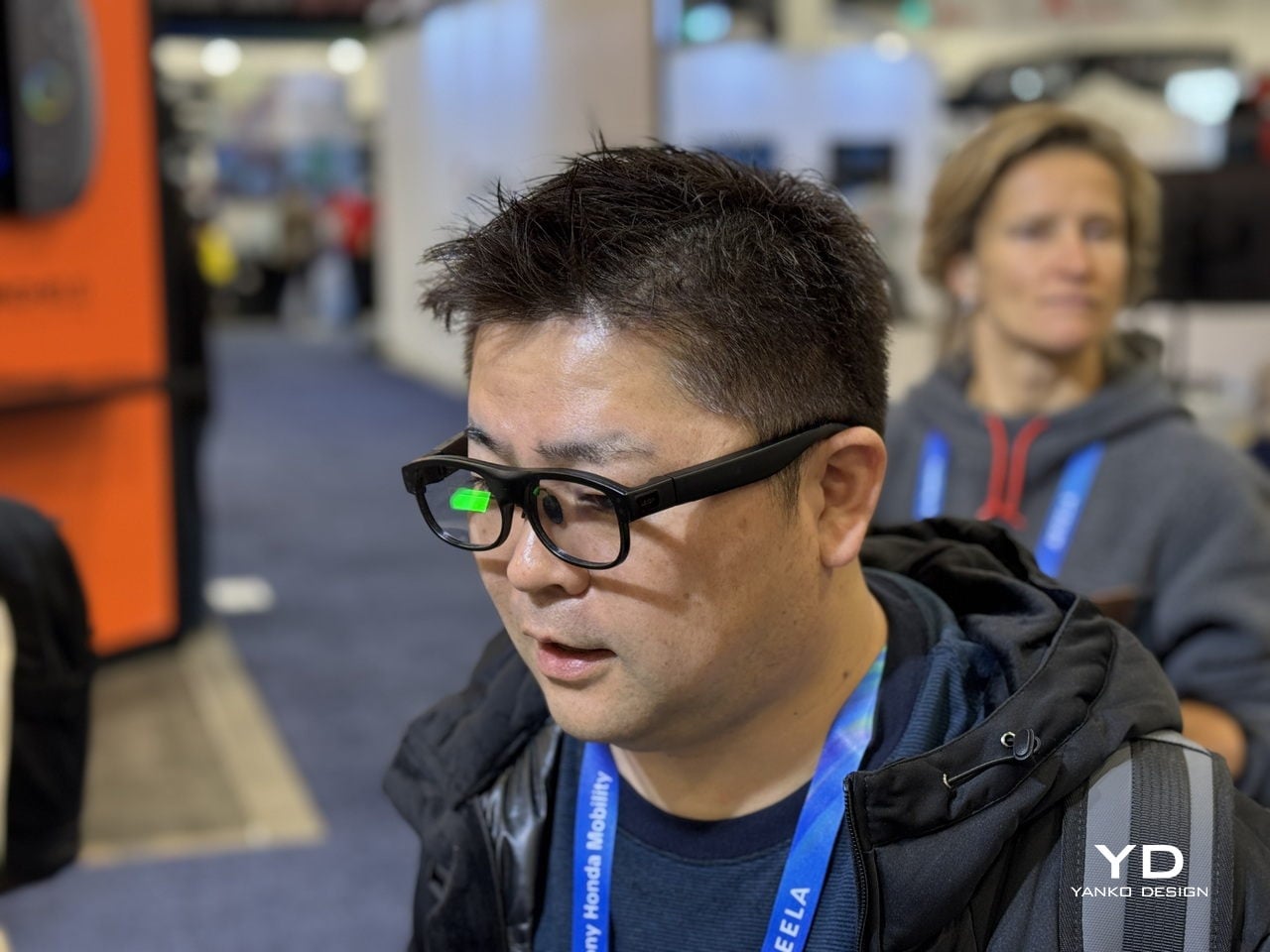
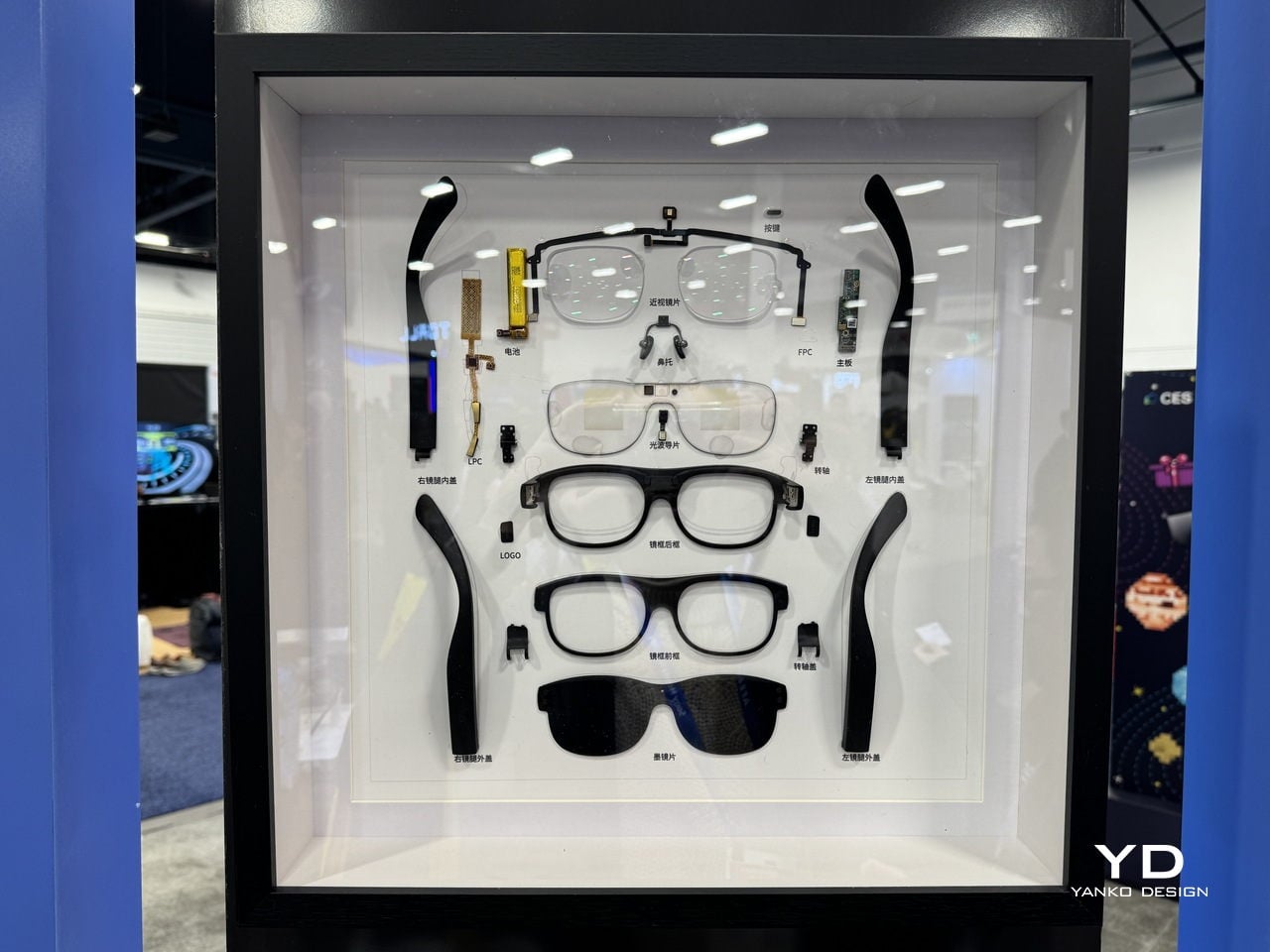
Hey2 is designed to wear like everyday eyewear rather than a gadget. The classic browline frame, 49g weight, magnesium-lithium alloy structure, and adjustable titanium nose pads are all chosen to make it feel like a normal pair of glasses you forget you are wearing. A stepless spring hinge adapts to different faces, and the camera-free, microphone-only design, which follows GDPR-aligned privacy principles and is supported by a secure cloud infrastructure built on Microsoft Azure, helping keep both wearers and bystanders more comfortable in sensitive environments.

Subtitles in Your Line of Sight

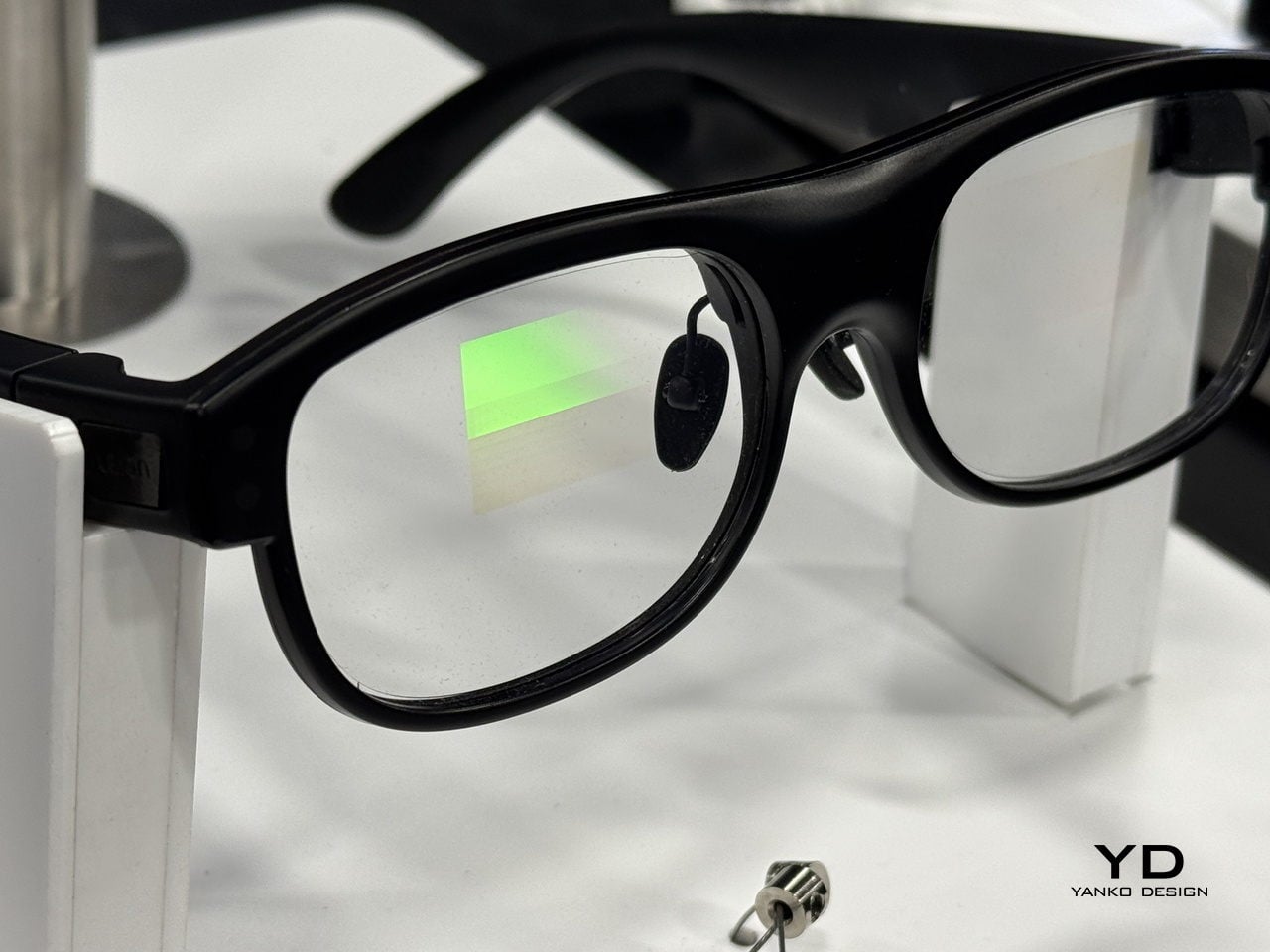
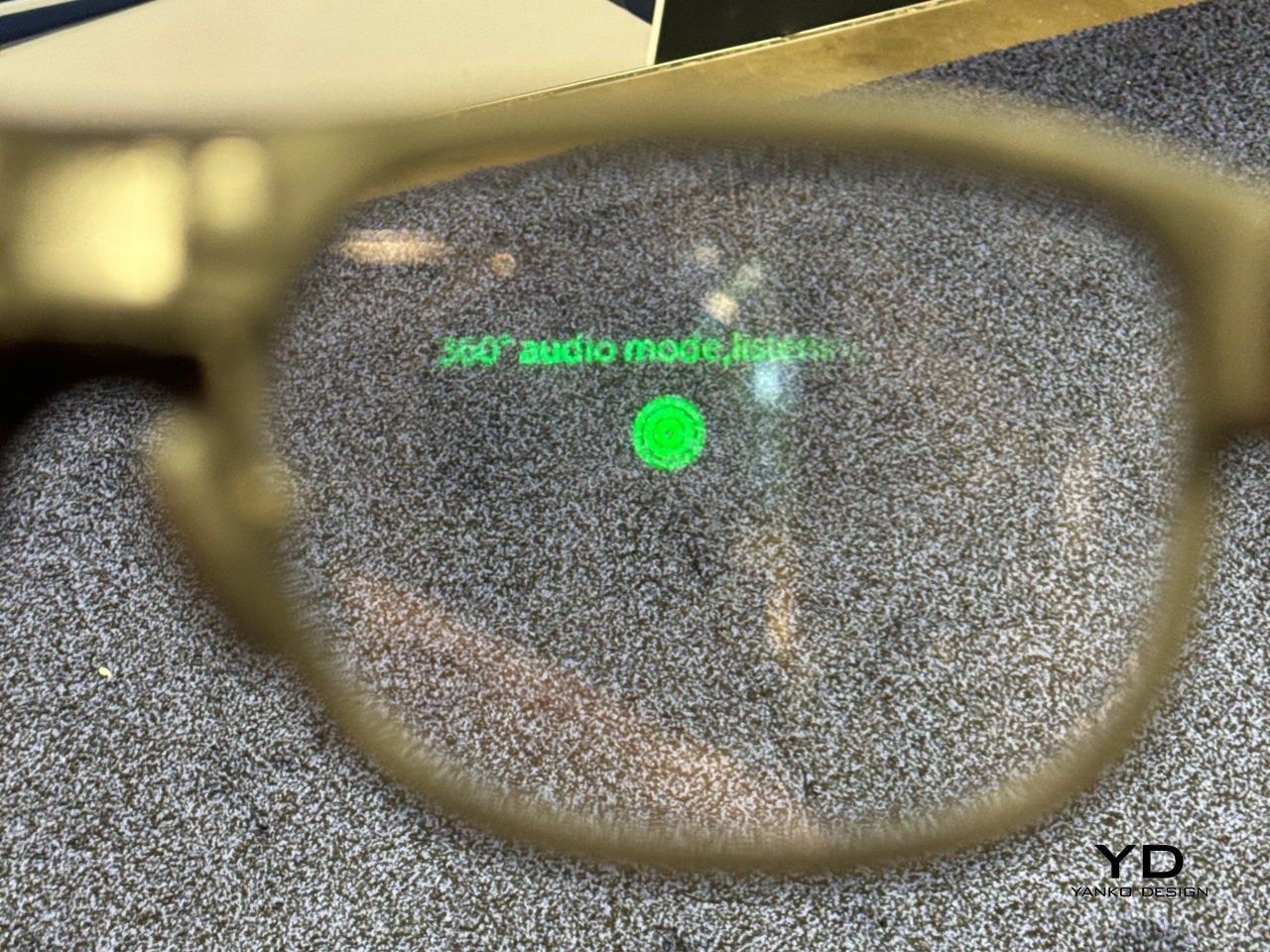
Hey2 uses waveguide optics and a micro-LED engine to project crisp, green subtitles into both eyes, with a 25-degree field of view and more than 90% passthrough so the real world stays bright. The optical engine is tuned to reduce rainbow artifacts by up to 98%, keeping text stable and readable in different lighting conditions, while three levels of subtitle size and position let you decide how prominently captions sit in your forward field of view.

The audio side relies on a four-microphone array that performs 360-degree spatial detection to identify who is speaking, while face-to-face directional pickup prioritizes the person within roughly a 60-degree cone in front of you. A neural noise-reduction algorithm uses beamforming and multi-channel processing to isolate the main voice, which helps in noisy restaurants, busy trade-show floors, or classrooms where questions come from different directions, without forcing you to constantly adjust settings.

Modes That Support Work, Learning, and Accessibility

In translation and Free Talk modes, foreign speech is converted into your language as subtitles in your line of sight, so you can mix languages freely and still follow long-form speech without constantly checking a screen. In Free Talk, Hey2 provides subtitles for what you hear and spoken translation for what you say, turning a two-language conversation into something that feels more like a normal chat than a tech demo, with the charging case extending total use to 96 hours across 12 recharges.

Teleprompter mode scrolls your script in your line of sight and advances it automatically as you speak, useful for lectures, pitches, or keynotes where you want to keep eye contact without glancing at notes. AI Q&A, triggered by a temple tap, taps into ChatGPT-powered answers for discreet look-ups, while Captions mode turns fast speech into clean text, helping students, professionals, and Deaf or hard-of-hearing users stay on top of what is being said, even in noisy environments where handheld devices struggle.

A Different Kind of AR Story

When Leion Hey2 steps onto the CES 2026 stage, it represents a quieter kind of AR story. Instead of chasing spectacle, it narrows the brief to something very human, helping people speak, listen, and be understood across languages and hearing abilities. For a show that often celebrates what technology can do, Hey2 is a reminder that sometimes the most interesting innovation is the one that simply lets you keep your head up and stay in the conversation.

Click here to know more.

The post Leion Hey2 Brings First AR Glasses Built for Translation to CES 2026 first appeared on Yanko Design.

[syndicated profile] askamanager_feed

Posted by Ask a Manager

A reader writes:

I need to partner with a team whose manager rejected me for a job, and I’m struggling to have a positive attitude.

A year ago, I applied to an internal role for which I met 90% of the criteria on the nose. It was a team doing the same work as I did but in another part of the company, and the gap in qualifications was akin to having experience grooming llamas but not alpacas – it’s highly transferrable. I have great performance reviews, scoring the elusive 5/5, and I had completed an internal leadership program that is supposed to highlight me as a candidate for internal roles. I didn’t expect to be handed the role but I did think I was a strong internal candidate and expected, if not an interview, maybe a note from the recruiter or hiring manager about why the skillset wasn’t a fit or what might make me more competitive if another opening came around.

I got crickets. Not even a form rejection. I just happened to see on the site that I was “not selected” and that was that.

Fast forward and I am now working in that business unit, but not on that team. And I’ve learned I will likely be tasked with working with them to create new processes and systems because I have a skill and experience that they do not. The team, manager included, has been perfectly polite and fine to work with. The issue is on my side – every time I provide useful information, help troubleshoot, suggest improvements … a bit of me thinks, “Why should I help you? You didn’t want me before!”

I know it wasn’t a personal affront, but I do feel snubbed and am not sure how to get past it.

Hiring isn’t pass/fail! You could have been entirely capable of doing the job well but someone else was just stronger. Maybe they had more directly applicable experience or an additional skillset that the manager thought the team could benefit from, or it might not even be related the job description at all — it could be something like the person they hired having the right sort of thick skin to deal with some of their difficult customers (or direct experience with a particular customer, or a particular kind of tact, or all sort of other traits that you wouldn’t necessarily know from the outside they cared about). Or they might have already had a candidate in mind who they wanted to hire — like someone who they’d worked with before or who they knew through networking or had interviewed for another job previously.

Ultimately, you can’t really know. There are so many possible reasons for why they didn’t interview you that it’s not very useful to speculate. But when it’s an internal role, you can ask! Realistically, it’s probably too late now since a year has gone by, but ideally when they didn’t interview you last year, you could have contacted the hiring manager and asked for feedback on how to be a stronger candidate for their team in the future. Who knows, you might have heard “we’ve been trying to hire this candidate for years and they were finally available and realistically we weren’t going to pass them up so we didn’t want to waste your time” or “it wasn’t emphasized enough in the job description, but we really wanted skill X for this role” or all sorts of other things that might have left you with a much better understanding of what happened.

Since it’s a little late for that conversation now, the best thing you can do is to just figure that there’s some explanation along those lines that would make sense — or at least makes sense to them — and that it wasn’t an intentional slight or a devaluing of what you offer.

And for what it’s worth, it’s not out of line for them to seek help from you now! You work for the same company, you presumably have useful skills that are relevant to what they’re doing, and the fact that they recognize that and want to collaborate with you doesn’t mean they clearly made the wrong call earlier. It means that you have things of value to offer — but that’s not the same thing as being the best hire for their very specific set of circumstances and needs last year.

The post I need to partner with a team that rejected me for a job appeared first on Ask a Manager.

brief note

Jan. 8th, 2026 12:36 pm
yhlee: Alto clef and whole note (middle C). (Default)
[personal profile] yhlee
Terminated my SFWA membership as of today (modulo administrative steps), which I wrote and requested. My contact was friendly and efficient.

I requested this for multiple reasons, of which the recent Nebula-and-AI rules change handling fiasco was only the latest. I'm done.

To sf/f writer-folk, good luck out there.

I'm running an infection and I have work to do; comments disabled.
[syndicated profile] askamanager_feed

Posted by Ask a Manager

Remember the letter-writer who was struggling to get their email inbox under control? Here’s the update.

I was the person who was overwhelmed by my inbox and was looking for help to manage high volume comms. Overall, the chaos of busy season was definitely easier to manage this year, even though the volume of email did increase up to around 300+ a day in the peak season, likely because I have been in my role longer so more people know me and like to ask me stuff. I really appreciated the commentariat suggestions and would love anyone to add any more systems and hacks – and to those who manage 1000+ emails a day, I take my hat off to you!

What worked:

* Having set times for smashing out emails. I liked to do a batch first thing in the morning and just after lunch, with a final half hour at the end of the day. I tried to use my standing desk for this – for my health, but also as it gives a sense of urgency? Almost like I’m running!

* Blocking those set times in my calendar. Sometimes I have to shift them, but in busy season having a dedicated reply time was essential. I also blocked a time for lunch so I either didn’t get meetings at a regular time slot each day or I moved the lunch to make sure I have it, and I would go sit outside or have a little jump around.

* This ties into ADHD and other neurospicy divergents – having a break and resetting my brain meant that I could work at higher capacity for more of the day. I tried to lean into my biorhythm when I could. For the same reason, I try to avoid meetings at 3pm – this is the worst time to pitch anything to me! I am twice as likely to say no or just generally be uncollaborative.

* Turning off my email when I needed focus time. I already kill as many notifications as I can, but even having it open and silent was distracting. It helped when I could to make my tasks into silos instead of multitasking, which is well known to sap everyone’s brain power.

* Using Quick Parts/ Templates either in app or on a Word doc – putting info that I was asked for over and over again that rarely changes into templates that I could autofill, e.g. the style guide with links to logo files.

* Not replying too quickly! Pick your battles. I found that with some emails, if I deliberately left them for a couple hours, other people would jump in and do the working out on my behalf. Don’t be too eager to be the one to fix stuff if you are busy!

* Judicious use of out-of-office: if I was off-site or super busy, I would let people know with auto-replies and defer them to another day or even another week to focus on deadline-driven priorities. An example was saying that I would only be replying to emails around “key deadline” this week, and all other enquiries would be attended to next week. Sometimes I even ask if they can reach out again after X date so I don’t have to backtrack.

* Once a month I reset to a kind of zero inbox-ish. (I’ll likely never be truly zero inbox again!) I would change the filter on the inbox to “from” instead of “date received.” This would allow me to see at a glance what had been dealt with from each person and what was outstanding that still needed to be picked up or given a bump to keep it moving. It’s a great way to clear out old emails and pick up missed items.

* Still using a physical notebook: small daily tasks, random thoughts to ask my boss, reminders of upcoming meetings, it was definitely still useful to have this and flick through it to see what needed ticked off. Especially for anything that was a small task and didn’t need to go into the project management software, or things that were not high priority but needed the input of three other people.

What didn’t work:

* Full disclosure — the list above has a few things that sound like I was amazing but I was definitely erratic with lots of this, I am definitely learning as I go. The silo tasks was hit and miss, the replying too quickly is definitely a key area to improve, my breaks policy was best practice only. I wasn’t always able to do all of these tactics at all times but I could definitely see the benefits when I did use them. When I’m tired, best practice falls away quickly if it’s not a habit.

* I tried to use a system of flags and “to do” on Outlook to monitor and keep on top of tasks, and it was too complex and dropped off under pressure.

* The biggest impact was one that can’t circumvent all or even any of the hacks — this year I was sick a lot less than last year. For Reasons, I was much healthier this year so didn’t have so many days with brain fog, or days out of the office that turned into two days out and so forth. Unfortunately, in the relentless busy season there is no way to catch up on absences.

What I want to try next year:

* Using new digital tools. LLM/AI garner a spectrum of opinions but there are definitely new tools coming through that should help us busy folk. Using automations to pick up on missed tasks. Tidying meeting notes so I can focus more in the session and type more roughly. Using automations to upload daily reports directly into our data management software, and using automations there to analyse it and email it back to me! I am keen to see what they develop in this space in so many ways.

* Doing the reset to zero inbox by sorting by name once a week, preferably on a Thursday so that I stay on top of small tasks a bit better. This was really a gamechanger and clearing out the inbox so I know where I am at makes a huge difference to my mental clarity. Big tasks make it into our project management software but there are a lot of things that are more work than needed to turn into a task.

* Giving it to someone else: training my direct reports with more nuance so that I can hand over more things to them.

That’s my wrap for the year, please do share your hints and tips!

The post update: how can I get my email inbox under control? appeared first on Ask a Manager.

Venezuela

Jan. 8th, 2026 12:16 pm
aurumcalendula: gold, blue, orange, and purple shapes on a black background (Default)
[personal profile] aurumcalendula posting in [community profile] thisfinecrew
It looks like there were two bills regarding Venezuela introduced yesterday:

H.Con.Res.68 - To direct the removal of United States Armed Forces from hostilities within or against Venezuela that have not been authorized by Congress.

https://www.congress.gov/bill/119th-congress/house-concurrent-resolution/68

and

S.3595 - A bill to prohibit the use of funds for the deployment of United States military or intelligence personnel in Venezuela for certain purposes.

https://www.congress.gov/bill/119th-congress/senate-bill/3595


(I saw the AP mention that a war powers resolution to limit further attacks on Venezuela advanced in the Senate, but I'm unclear if that referred to either of these)

ETA (1/9/2026): I think this is the resolution mentioned by the AP:

S.J.Res.98 - A joint resolution to direct the removal of United States Armed Forces from hostilities within or against Venezuela that have not been authorized by Congress.

https://www.congress.gov/bill/119th-congress/senate-joint-resolution/98/
petra: Barbara Gordon smiling knowingly (Default)
[personal profile] petra
Drabbles and limericks for people who requested them:
Chrestomanci
due South + Murderbot
due South + Venom
Interview with the Vampire (TV)
KPop Demon Hunters
Pride and Prejudice
Singin' in the Rain
Slough House
Star Wars

Prompt me if you would you like something in one or more of my fandoms. I may not get to you today, but we can have Even More Joy Day tomorrow!

(no subject)

Jan. 8th, 2026 04:53 pm
beccaelizabeth: Zatanna's hand, in fishnet glove, reaching out with fingers spread. (hand Zatanna)
[personal profile] beccaelizabeth
Today I reread all 4 graphic novels of 7 Soldiers of Victory.
Ambitious project. Lots of different styles. Some of it worked better for me than other parts.
Mister Miracle's story is really wild. Good stuff.
Frankenstein I couldn't click with, the art or the messy violence.
I reread it for Zatanna. Good stuff but it reminded me how comics take months to cover what a single episode of TV would have time for. I feel like I've read the pilot of a spin off show I'd really like to watch. But also that I want to see her age and step outside the past's long shadow.

I do not know if I want that enough to try reading more comics. They're such a grab bag.

I mostly feel like I've been reading the wrong genres offering the wrong solutions. The violence is the problem and the stories keep offering it up as the solution. Magic battles where you realise your own power and interconnectedness and freedom and possibility are a definite improvement, but then what?

I feel like I might be able to actually write a story if I could come up with a decent answer to that.

So I'm glad I reread it but I feel a bunch of stuff, and like the pondering space between issues on a regular publishing schedule could really be filled by thinking on a lot of parts of these comics.
[syndicated profile] yankodesign_feed

Posted by Aki Ukita

PROS:


  • Versatile camera system with great low-light performance

  • Comfortable ergonomics

  • Comprehensive AI features

CONS:


  • Some users will prefer a completely flat screen instead of the gentle curve.

  • Slower shutter speeds, especially in low light

  • No teleconverter-style telephoto option like some close rivals offer

RATINGS:

AESTHETICS
ERGONOMICS
PERFORMANCE
SUSTAINABILITY / REPAIRABILITY
VALUE FOR MONEY

EDITOR'S QUOTE:

The Honor Magic 8 Pro feels like a carefully considered flagship, not a spec stunt. It mixes bold battery life, a genuinely comfortable design, and a playful yet reliable camera system with impressive low light performance, then adds long-term software support to tie it all together.

You might already have seen the Honor Magic 8 Pro, and you might already know all the specs. You might have caught its debut in China or noticed it arriving in parts of Asia and the Middle East last year. Now, Honor is finally bringing this big battery, big camera flagship to Europe, where it steps onto a larger global stage.

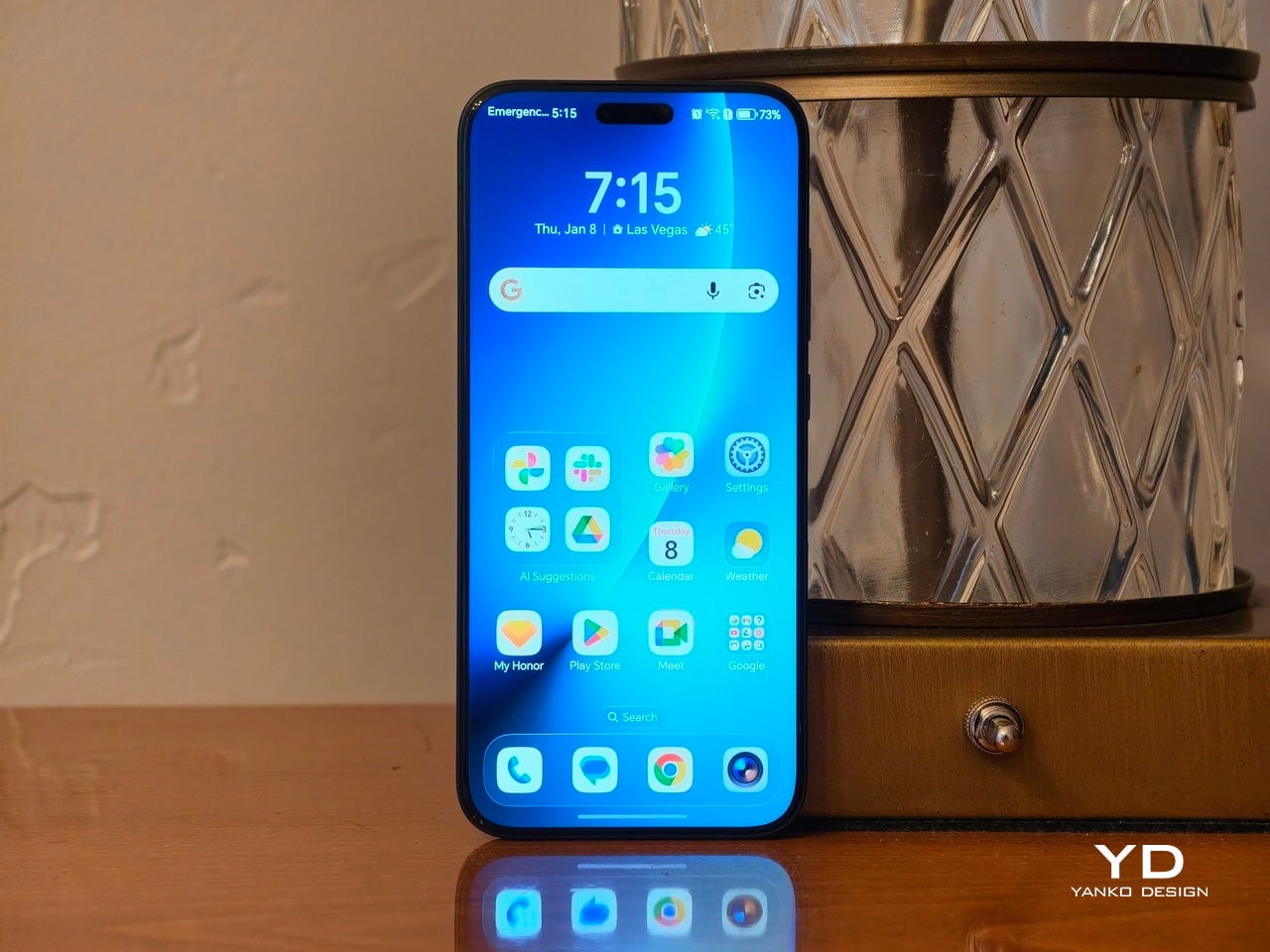
On paper, the Honor Magic 8 Pro is all about a trio of promises. It leans on a suite of AI features that aim to make the phone feel smarter and more helpful in the background. It builds around a camera system that claims strong low-light performance and long-range telephoto power. It wraps everything in a premium OLED display that is bright, sharp, and clearly meant to impress the moment you turn it on.

Aesthetics
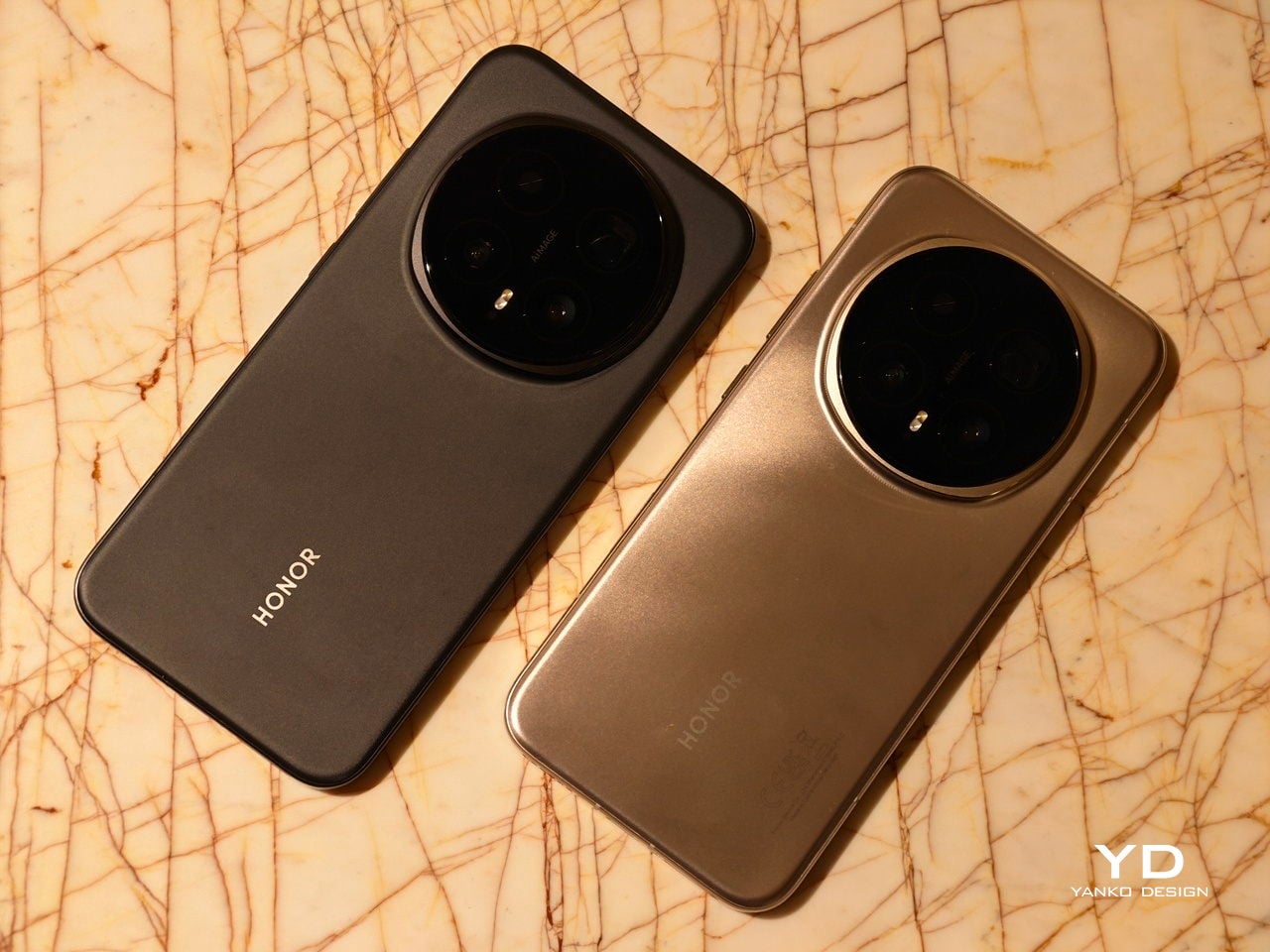
At first glance, the Honor Magic 8 Pro looks like a confident evolution of modern flagship trends rather than a radical break. It will look very familiar if you have seen the Honor Magic 7 Pro, with a similar silhouette and camera layout that signal continuity rather than reinvention. The proportions, curves, and overall stance feel like a refined second draft rather than a fresh sketch, which can be reassuring if you liked the previous generation.
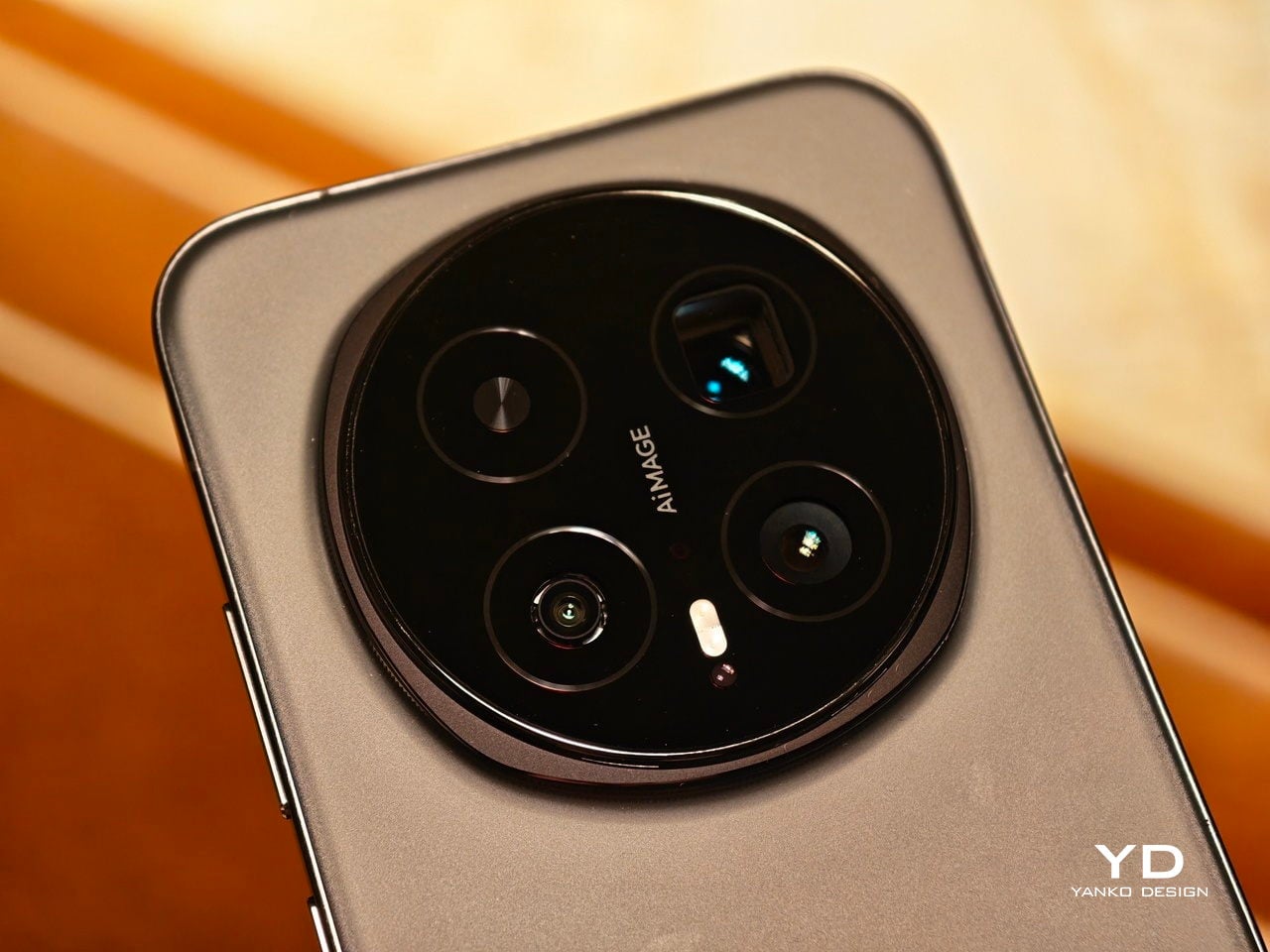
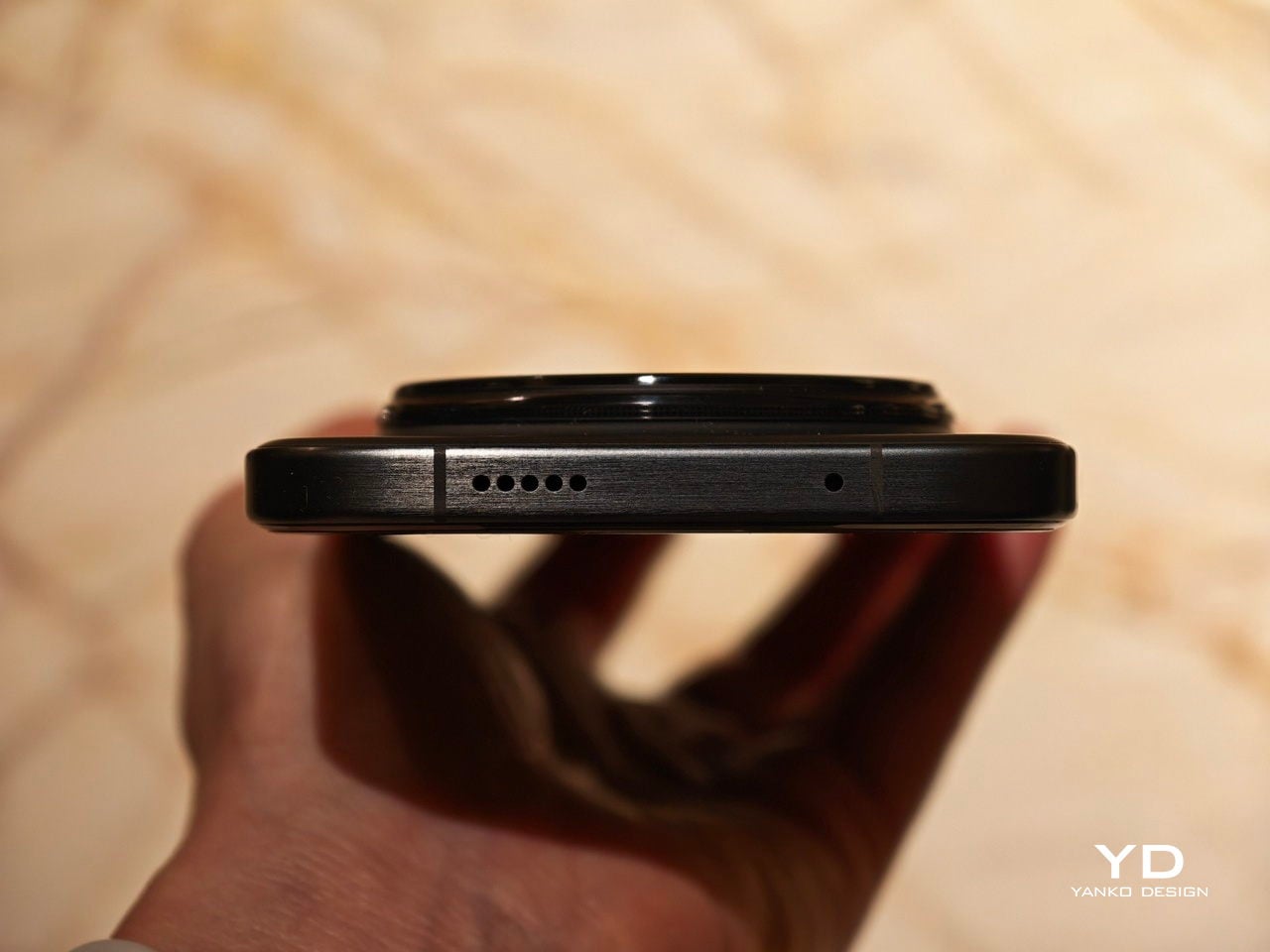
Honor uses a large camera island that feels more like a sculpted element than a simple bump, and the overall back design reads as deliberate and composed rather than purely functional. The round camera unit sits on a raised, rounded square plate with ring chamfers, which adds depth and a sense of jewelry-like layering when light hits the edges. The black camera unit houses four circles, three of which are actual cameras, plus a small oval-shaped LED flash that tucks neatly into the composition instead of looking like an afterthought.
Color choices for the Magic 8 Pro include Sunrise Gold, Sky Cyan, and Black. The black unit I received features a matte, frosted glass-like finish that feels understated and professional in the hand. The other two color options also use a matte finish, but they add a subtle wave-like pattern, which gives the phone a more playful, tactile character. All three color variants use a color-matching camera island base and side frame, which helps the phone read as a single, continuous object rather than a sandwich of mismatched parts.

Ergonomics

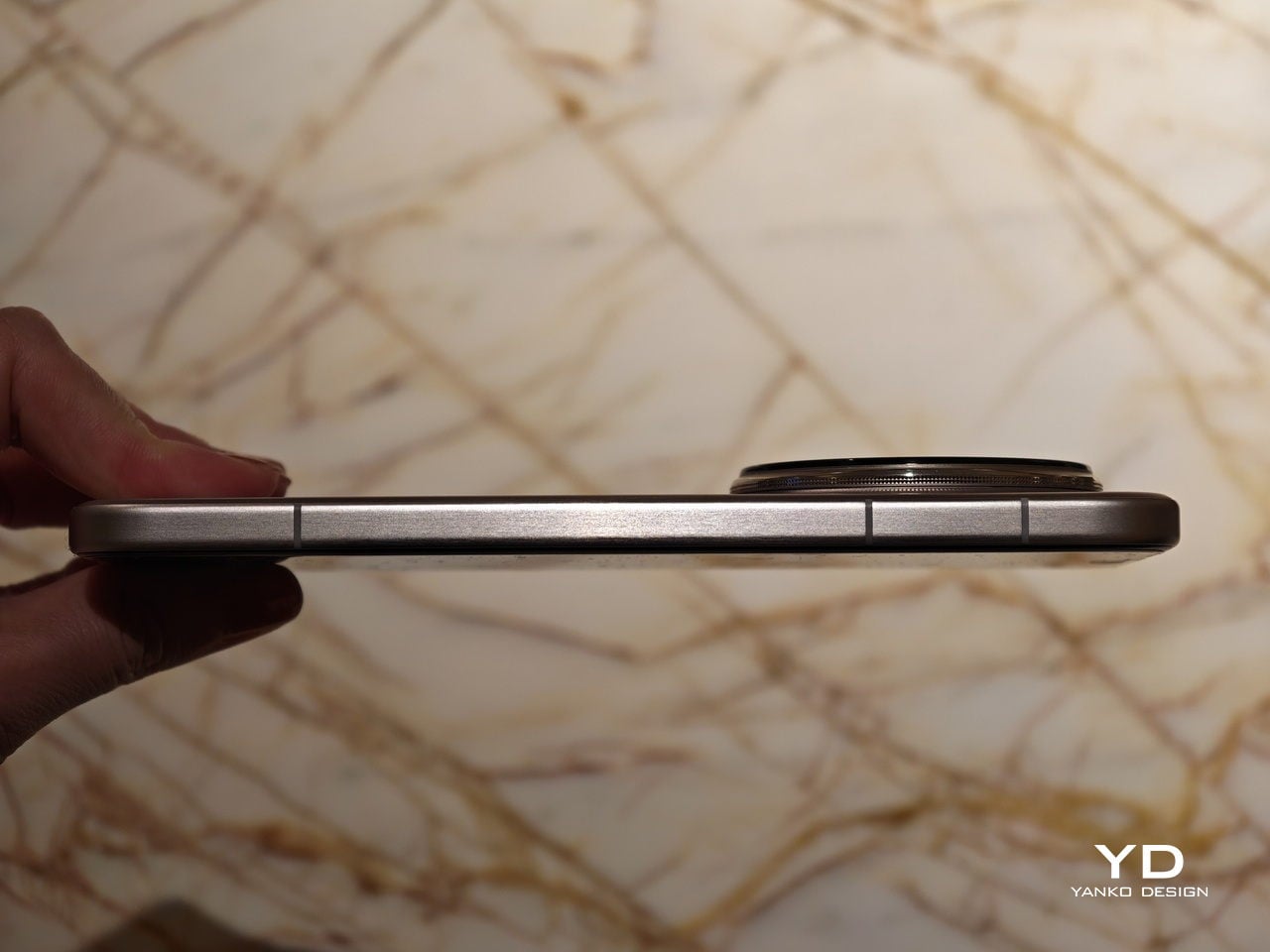
The Honor Magic 8 Pro measures 161.15 mm x 75 mm x 8.4 mm, and weighs 213 g, which puts it on the lighter side of premium flagship smartphones in this size class. The slightly narrower width and relatively low weight make one-handed use more manageable than you might expect from a phone with such a large display and battery. Honor also sticks with a curved screen while many premium flagships have moved back to flat panels, yet the curve here is very slight, so it feels like it borrows the best parts of both approaches without the usual drawbacks.
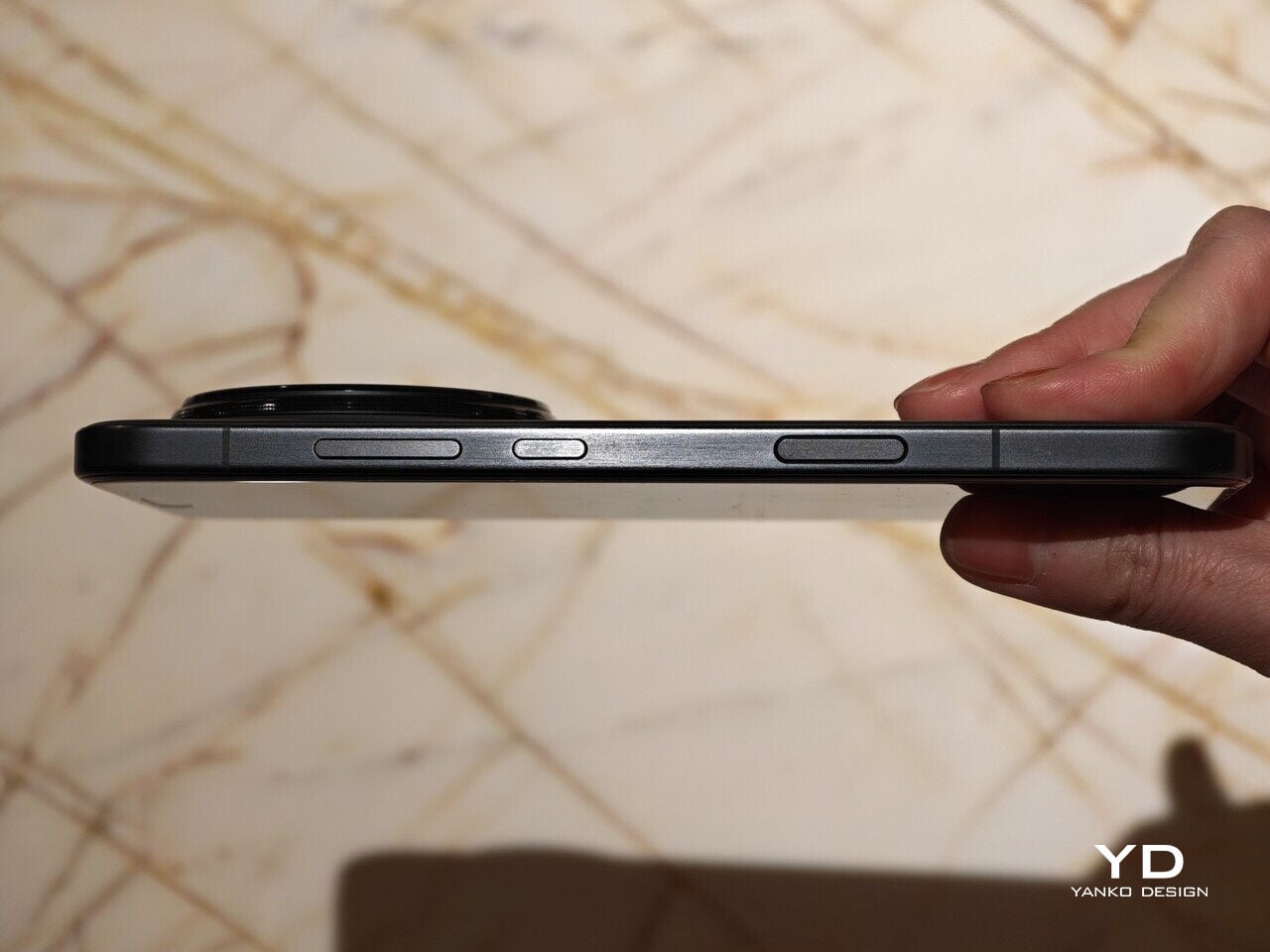
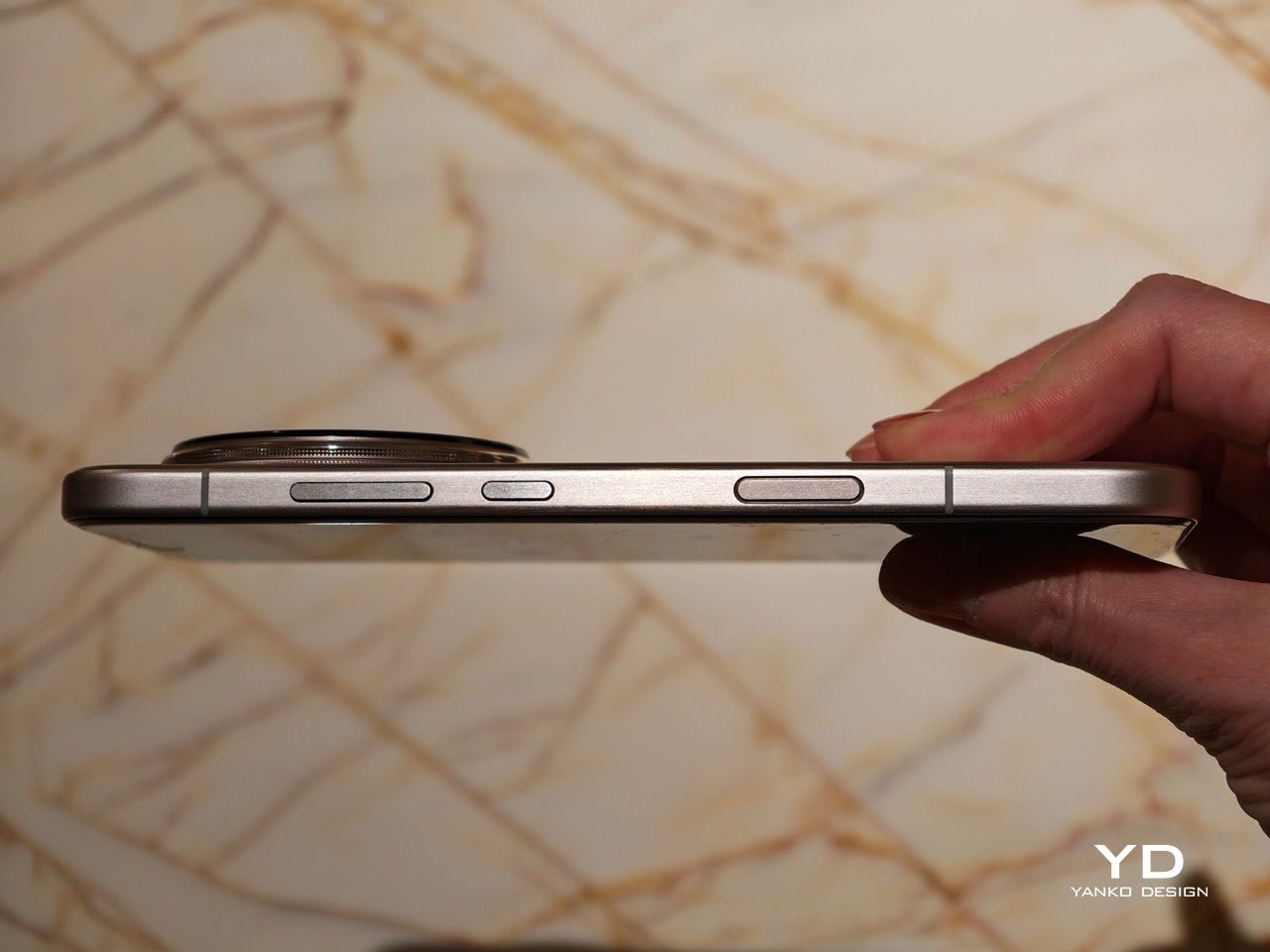
The curvature of the side frame and back is carefully tuned, which matters a lot for comfort over a full day. The edges of the otherwise flat side frame curve just enough to soften the contact points without creating a slippery, knife-like profile that digs into your palm. The back panel has a gentle bow that nestles into your hand and helps the phone feel slimmer than the numbers suggest, even when you use it without a case.

Button placement is conventional, with the volume rocker and power button located on the left side where your fingers naturally rest. These are joined by a new AI button placed just below, which works a bit like the camera button on an iPhone and gives you quick access to Honor’s smart features. The AI key is slightly raised and has a distinct click that helps avoid accidental presses, and the ultrasonic fingerprint scanner sits high enough on the display that unlocking and general use feel smooth and natural.

Performance

Honor gives the Magic 8 Pro a 6.71-inch LTPO OLED panel with a 1.5K resolution of 2808 x 1256 px and a 120 Hz refresh rate. The company claims 6,000 nits of HDR peak brightness and 1,600 nits of global peak brightness, and while you will not see those numbers all the time, outdoor visibility is excellent even under strong sunlight. In everyday use, the screen feels crisp, fluid, and bright enough that you rarely have to think about legibility or glare.
The panel supports 1.07 billion colors and covers 100 percent of the DCI P3 wide color gamut, so photos and video look rich and saturated without instantly blowing out detail. Color profiles and temperature sliders let you nudge the tone toward either punchy or more neutral, depending on your taste. It is an easy display to enjoy, whether you are scrolling social feeds, reading long articles, or watching HDR content in a dark room.

Honor also pushes very hard on eye comfort. The Magic 8 Pro stacks features like 4320 hertz PWM dimming, Circular Polarized Display 2, Chip Level AI Defocus Display, Dynamic Dimming, Circadian Night Display, Natural Tone Display, and Motion Sickness Relief. These are meant to reduce eye fatigue, support healthier sleep patterns, and adjust color temperature more intelligently over the course of the day.

Audio gets similar attention. The Magic 8 Pro features dual speakers with a large 8 cubic centimeter sound chamber and Honor’s own spatial audio algorithms, which together offer a richer and deeper sound than you might expect from a slim phone. Volume is strong enough for video watching and gaming, and there is a satisfying sense of width and body to music and dialogue.
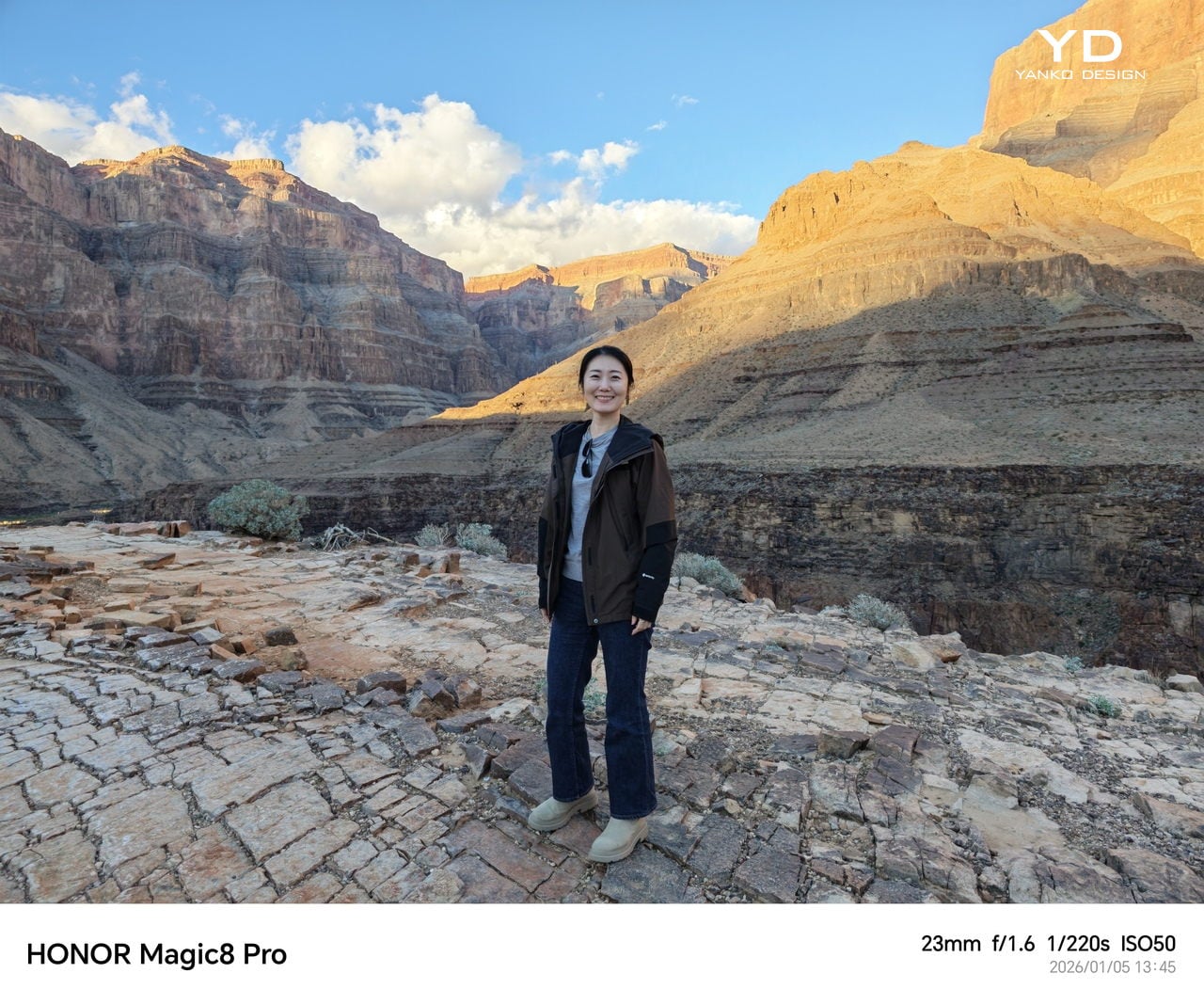
Portrait Mode

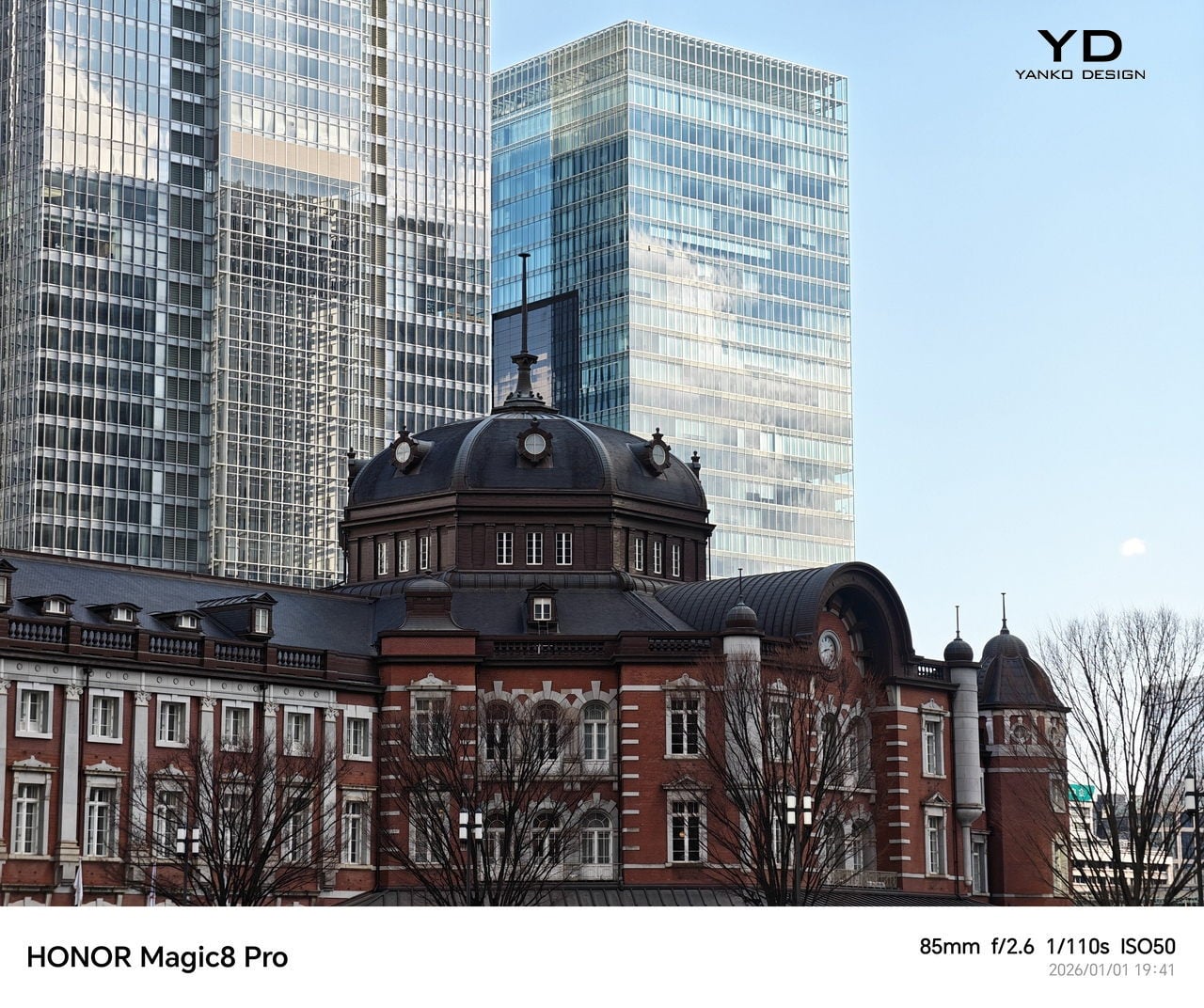
The Honor Magic 8 Pro’s camera system is built to impress on paper and feels very capable in real use, especially once the light starts to drop. At the hardware level, you get a triple rear setup built around a 50 MP main camera with an f/1.6 aperture, a 1/1.3 inch sensor, optical image stabilization, and CIPA 5.5 rated shake compensation. This is joined by a 50 MP ultra wide with an f/2.0 aperture and a 122 degree field of view, plus a headline-grabbing 200 MP telephoto with an f/1.6 aperture, a 1/1.3 inch sensor, optical image stabilization, and CIPA 5.5. Turn it around, and you find a 50 MP front-facing camera for selfies and video calls. Beyond the hardware, Honor has pushed its AiMage system with upgraded image engines that aim to improve detail, color, and low-light performance across all lenses.


The main camera and the telephoto handle most everyday scenes well, with good dynamic range, pleasing color accuracy, and a natural look that avoids heavy over-sharpening. Skin tones in particular look natural, which helps portraits feel more believable and less filtered, even when taken with the phone. Focus is quick and decisive in most situations, so you can frame and shoot without feeling like you are waiting on the phone.

Ultra-wide

In low light, the processing leans toward brightening the entire scene, often making it look noticeably more illuminated than what you actually see with your own eyes, while highlights stay well controlled, so streetlights and signs do not immediately blow out. The trade-off is that shutter speeds tend to be on the slow side, whether you use Night mode or stick with the standard Photo mode, yet stabilization works very well, so handheld shots still come out sharp more often than you might expect from the exposure times involved.


Honor also layers on a few creative tools that make the camera feel more playful. Magic Color gives you professional-like color tuning in a single tap, letting you mimic golden hour warmth or blue hour coolness even when you are not shooting at those exact times of day. Moving Photo now includes Motion Trail, Motion Clone, and Slow Motion effects, which let you capture a bit of motion around your subject and then stylize it without leaving the gallery, so everyday scenes can turn into something closer to a mini motion poster.

Video recording is similarly flexible, though not perfect, with the main camera able to shoot up to 4K at 120 frames per second, while the rest of the rear cameras and the front-facing camera are capped at 4K at 60 frames per second. Stabilization and exposure are solid, but colors can look a bit washed out compared to still photos, and while there is a Log recording option for more serious creators, it is limited to the main camera and only up to a 2x zoom range.

Magic Color – Warm Sunset

Motion Clone

Motion Trail

Inside the Magic 8 Pro, Qualcomm’s latest top-tier processor, the Snapdragon 8 Elite Gen 5 chipset, paired with 12GB of RAM and 512GB of storage, handles everything you throw at it. It is built for high performance in both traditional workloads and AI-heavy tasks. Day-to-day navigation feels snappy, with apps opening quickly and multitasking between social networks, messaging, and media happening without visible stutter. Even with many background apps, the phone maintains a fluid feel that matches its premium positioning.

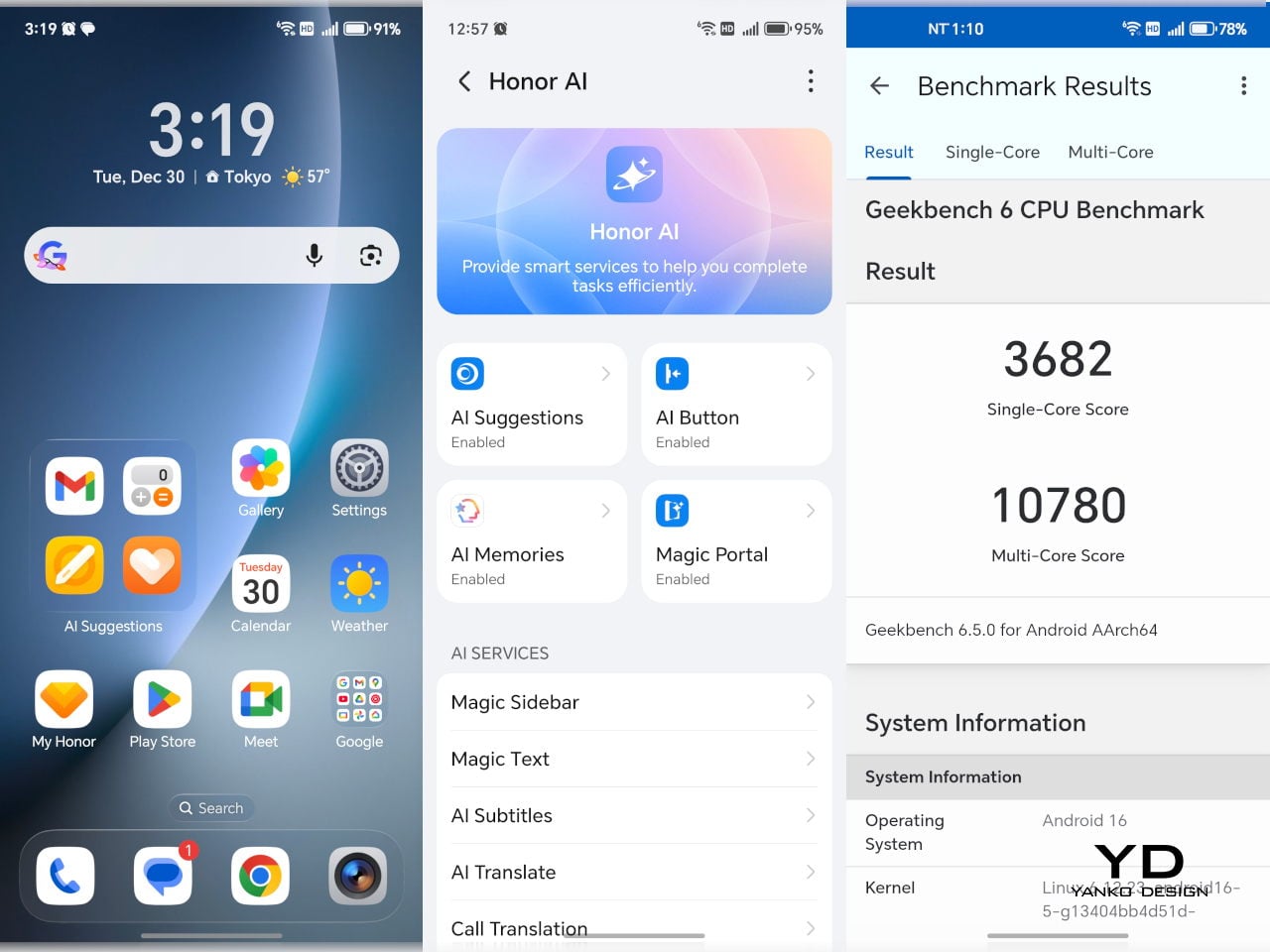
Honor gives the Magic 8 Pro a dedicated AI button and plenty of AI features, including tools for image editing and productivity. A long press on the AI button analyzes whatever is on screen and suggests context-aware actions such as Circle to Search, AI Photo Agent, AI Summary, and Blur Private Info. It does not always guess exactly what you want, yet it genuinely reduces the number of steps between seeing something on screen and acting on it, which makes AI feel like a physical part of the phone rather than just another icon in the app drawer.
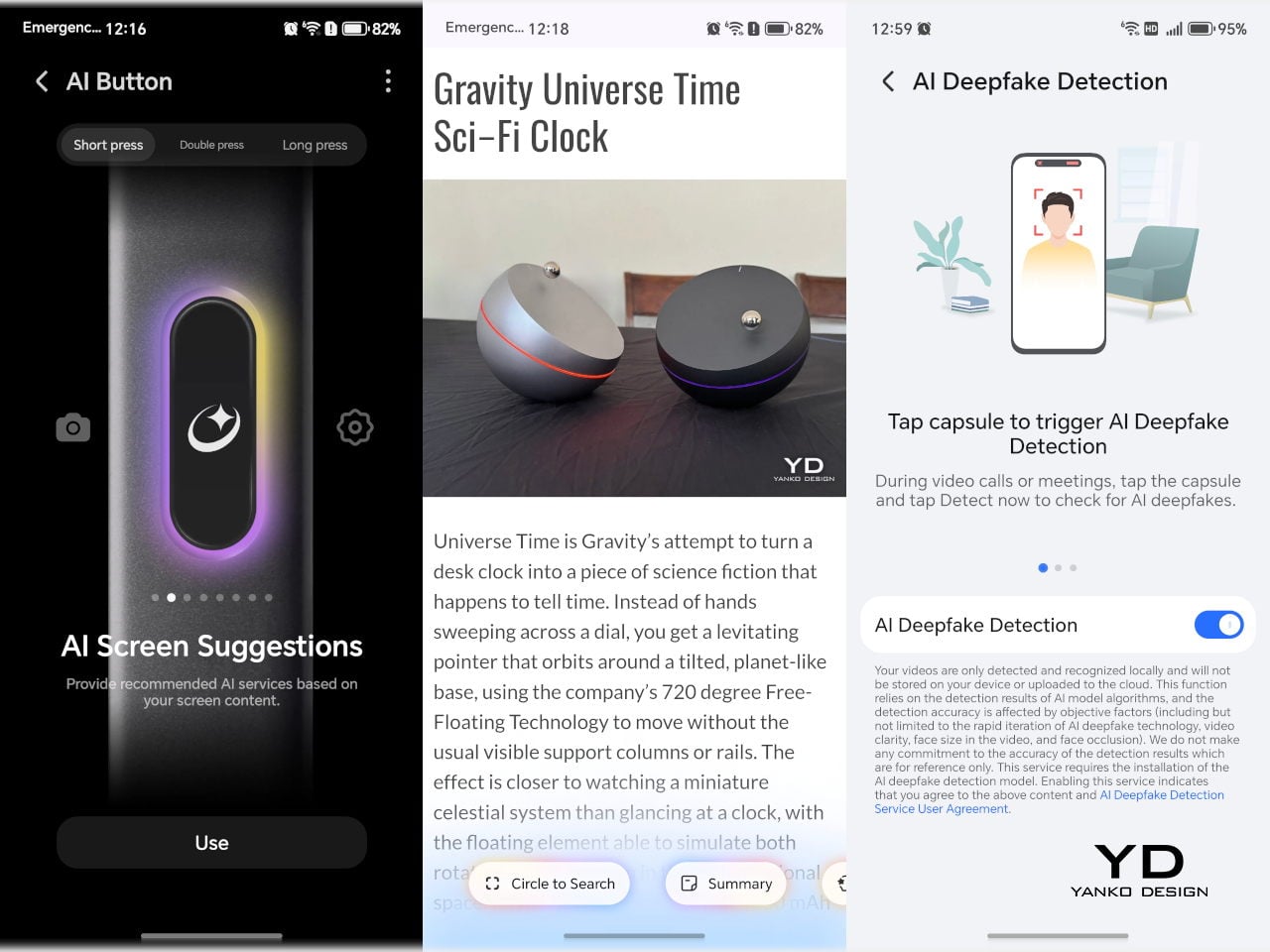
If you do not fancy AI, you can still customize its behaviour, so a single press, double press, or press and hold can trigger different actions. That flexibility turns the AI button into a handy shortcut for whatever you use most, whether that is voice control, the camera, or a specific app you open dozens of times a day. Over time, it starts to feel less like a novelty and more like a small, well-placed tool that quietly adapts to your habits rather than forcing you into a specific way of using the phone.
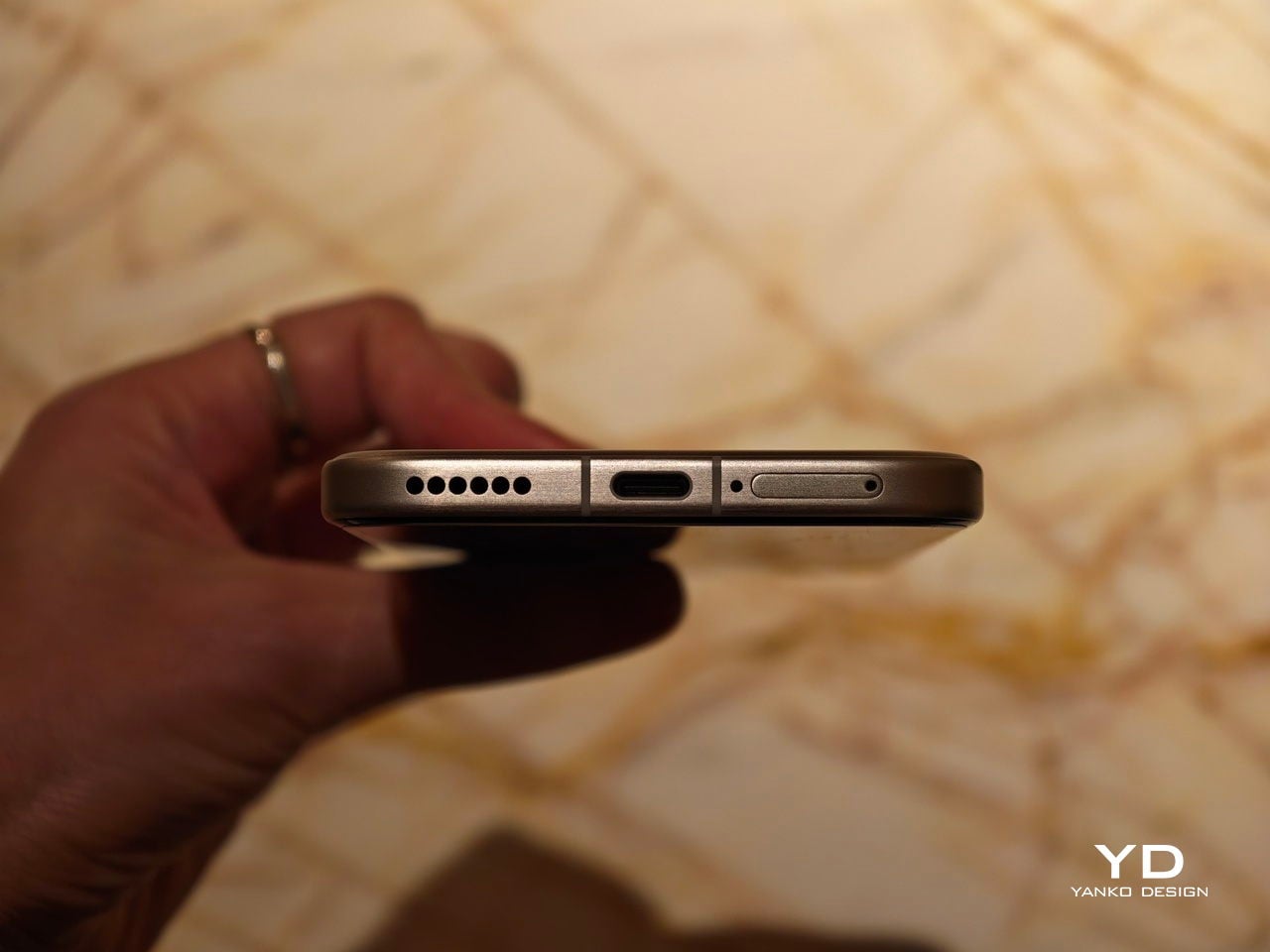
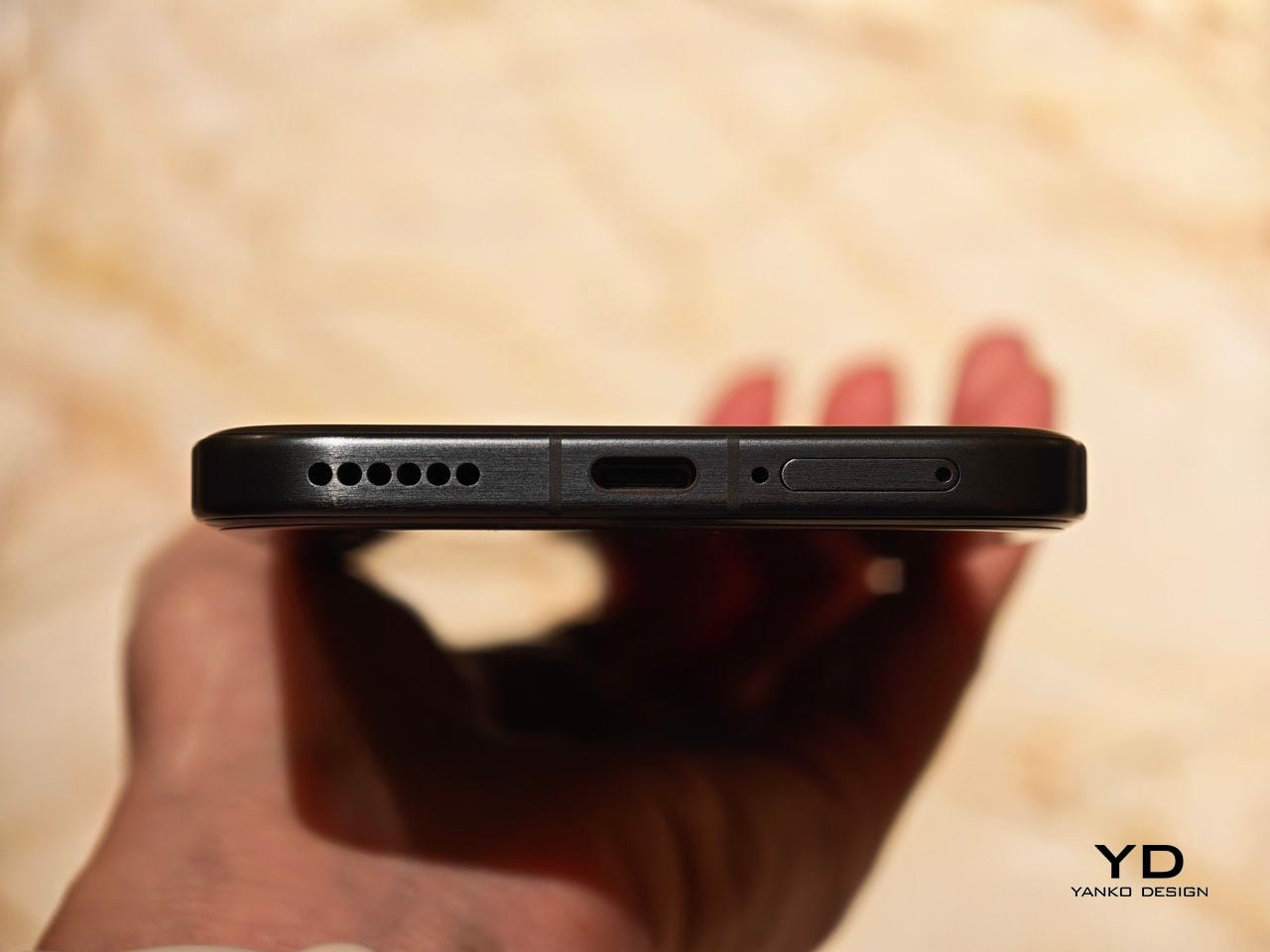
The Magic 8 Pro packs a 6,270 mAh silicon carbon battery, which is still huge by flagship standards even if it is not quite as oversized as some of the more extreme phones on the market. In everyday use, that capacity translates into very comfortable endurance, with enough headroom to get through a heavy day and, for lighter users, even stretch into a second. Charging is handled by HONOR SuperCharge at up to 100 W wired and up to 80 W wireless, so topping up never feels like a chore, whether you plug in or drop it on a stand.

Sustainability

Honor approaches sustainability on the Magic 8 Pro through durability and longevity rather than bold recycled material claims. The phone carries IP68, IP69, and IP69K ratings, so it is protected against dust, immersion, and even high-pressure water jets, which makes it easier to treat as a true everyday object instead of something fragile. On the front, the HONOR NanoCrystal Shield promises up to ten times better drop resistance than conventional glass and is backed by an SGS 5 Star Drop Resistance Certification, which should help it survive the usual pocket and desk-level accidents with fewer scars.
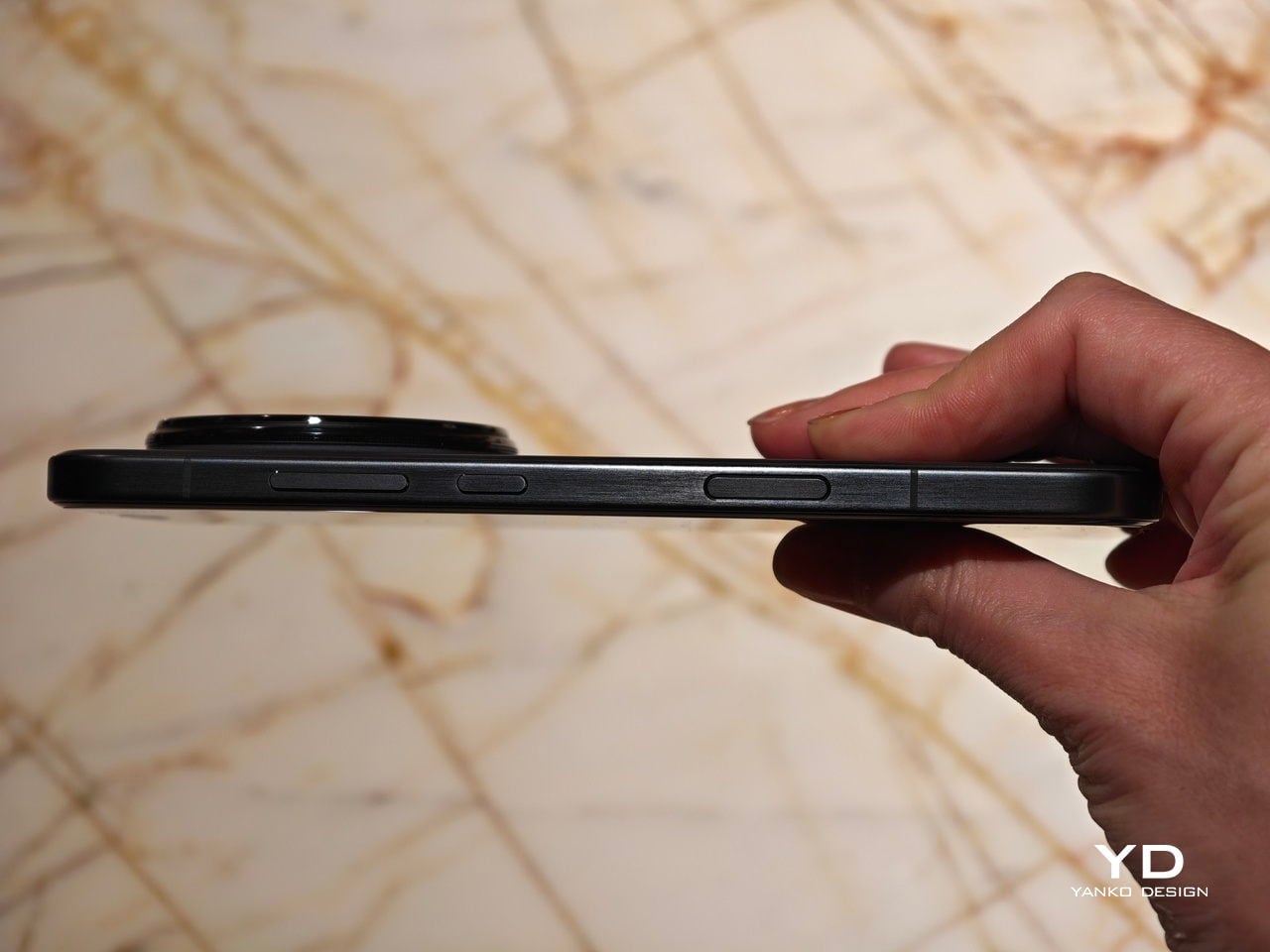
Software support is the other major part of the story. Honor promises seven years of OS updates for the Magic 8 Pro, which puts it among the longest supported Android phones and encourages you to keep it far beyond a typical two or three-year cycle. Combined with the robust build and strong water resistance, that long support window turns the Magic 8 Pro into more of a long-term device and less of a short-lived gadget, which is a practical, user-friendly angle on sustainability.

Value

In the UK, the Honor Magic 8 Pro is priced at £1,099.99, around $1,350, for the model with 12 GB of RAM and 512 GB of storage. That puts the phone firmly in the ultra-premium flagship space, yet the pricing is aggressive in a quiet way when you line it up against the obvious rivals. An iPhone 17 Pro Max with 512 GB of storage sits noticeably higher on the price ladder, and a Samsung Galaxy S25 Ultra with 512 GB tends to land in a similar or slightly higher bracket once you match storage. Honor counters with a bigger battery, a well-balanced, great-performing camera system, and very fast wired and wireless charging, which helps the package feel competitive even without the same brand pull.

If you look at closer competition, the Magic 8 Pro sits more naturally alongside phones like the Vivo X300 Pro and Oppo Find X9 Pro. All three offer well-rounded flagships with industry-leading camera performance and a strong focus on telephoto. Both the Vivo X300 Pro and Oppo Find X9 Pro add teleconverter-style lenses for extra flexibility, while Honor leans on well-integrated AI features, a display with one of the most complete eye comfort feature sets on the market, and long software support to make its case.
Verdict

The Honor Magic 8 Pro feels like a very confident statement from Honor. It is not chasing a single headline spec at the expense of everything else. Instead, it combines a sleek design, a genuinely comfortable in hand feel, a bright and eye-friendly display, and a camera system that is both capable and fun, then backs it all with a huge battery and long-term software support.

It is not perfect. Video colors could be richer in some scenarios, the shutter can feel slow, and the price is firmly in ultra-premium territory. Yet when you look at the full package, especially the 6,270 mAh battery, the long OS support, the AI implementation, and the well-tuned cameras, the Magic 8 Pro stands out as one of the more thoughtful big flagships of this cycle. If you want a phone that looks and feels high-end, lasts all day and then some, and leans into AI without feeling gimmicky, this is a very easy device to recommend.
The post Honor Magic8 Pro Review: Brilliant Night Shots, Big Battery, Built to Last first appeared on Yanko Design.

[syndicated profile] yankodesign_feed

Posted by Ida Torres

A few years back, I had to bring some members of a birding community around the place I was working at that time. I got to experience firsthand what it is that they actually do. And while I probably would not take up birding as a hobby, it is indeed interesting to observe, take pictures, and talk about all those birds out in the wild with people who were super into it.

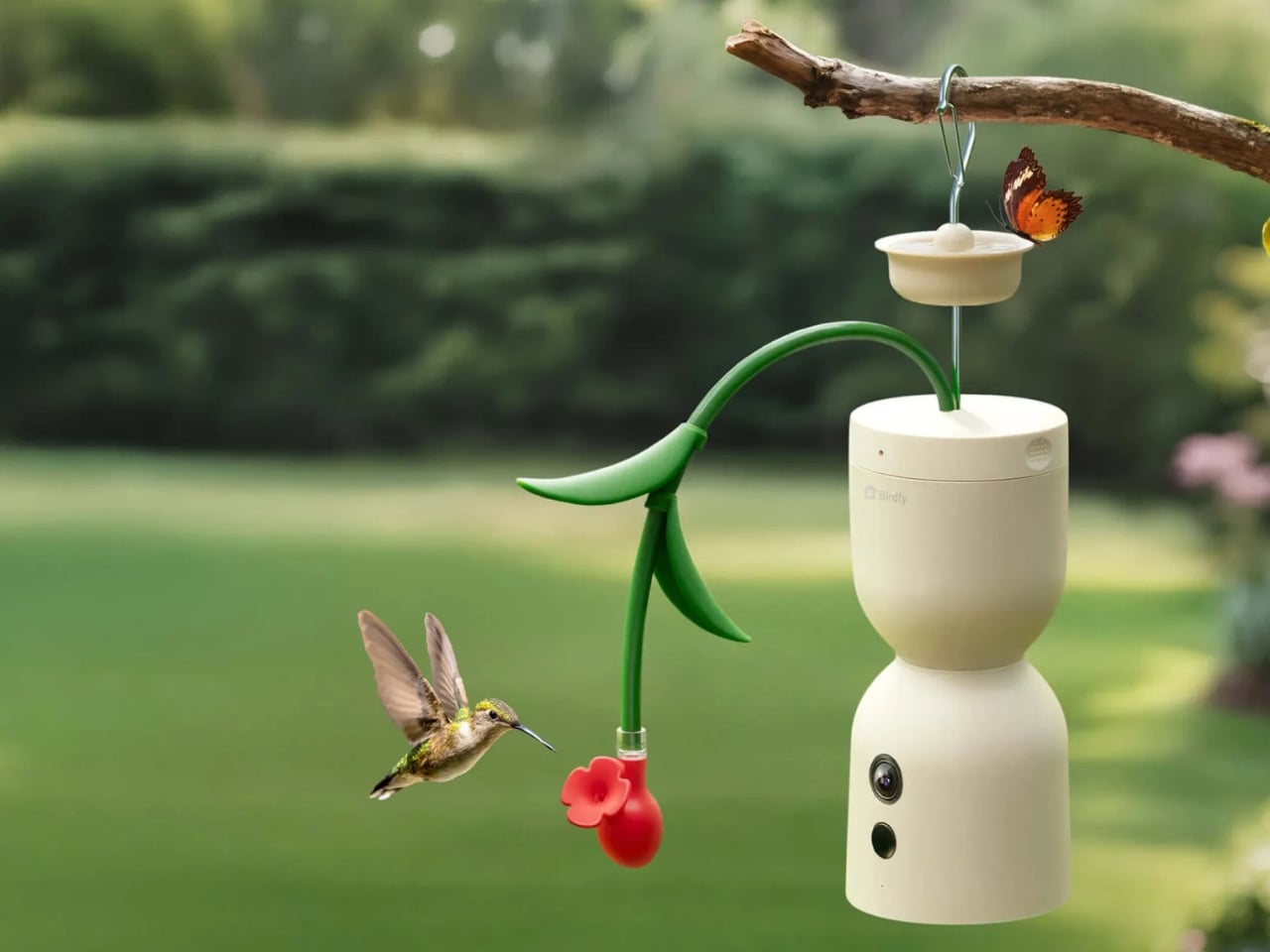
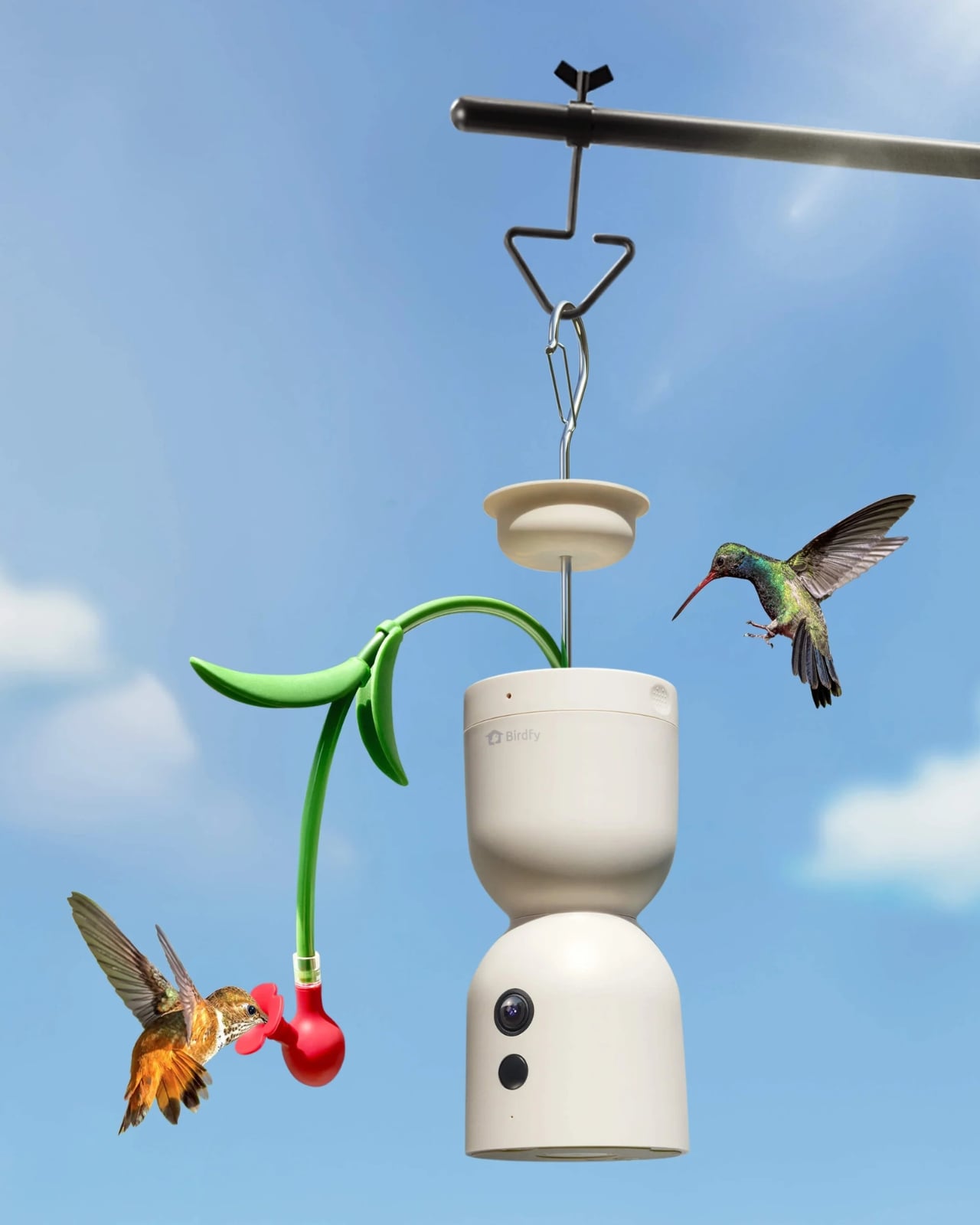
The Birdfy Hum Bloom was just unveiled at the ongoing CES 2026, and it’s something that will definitely interest those who are into birding, specifically hummingbirds. It’s a bird feeder that also doubles as a camera to capture the natural artistry of these birds in full 4K motion. This device seems to be a game-changer for hummingbird lovers as well as a place for said birds to rest and get fed while still enjoying their natural habitat.

Designer: Birdfy

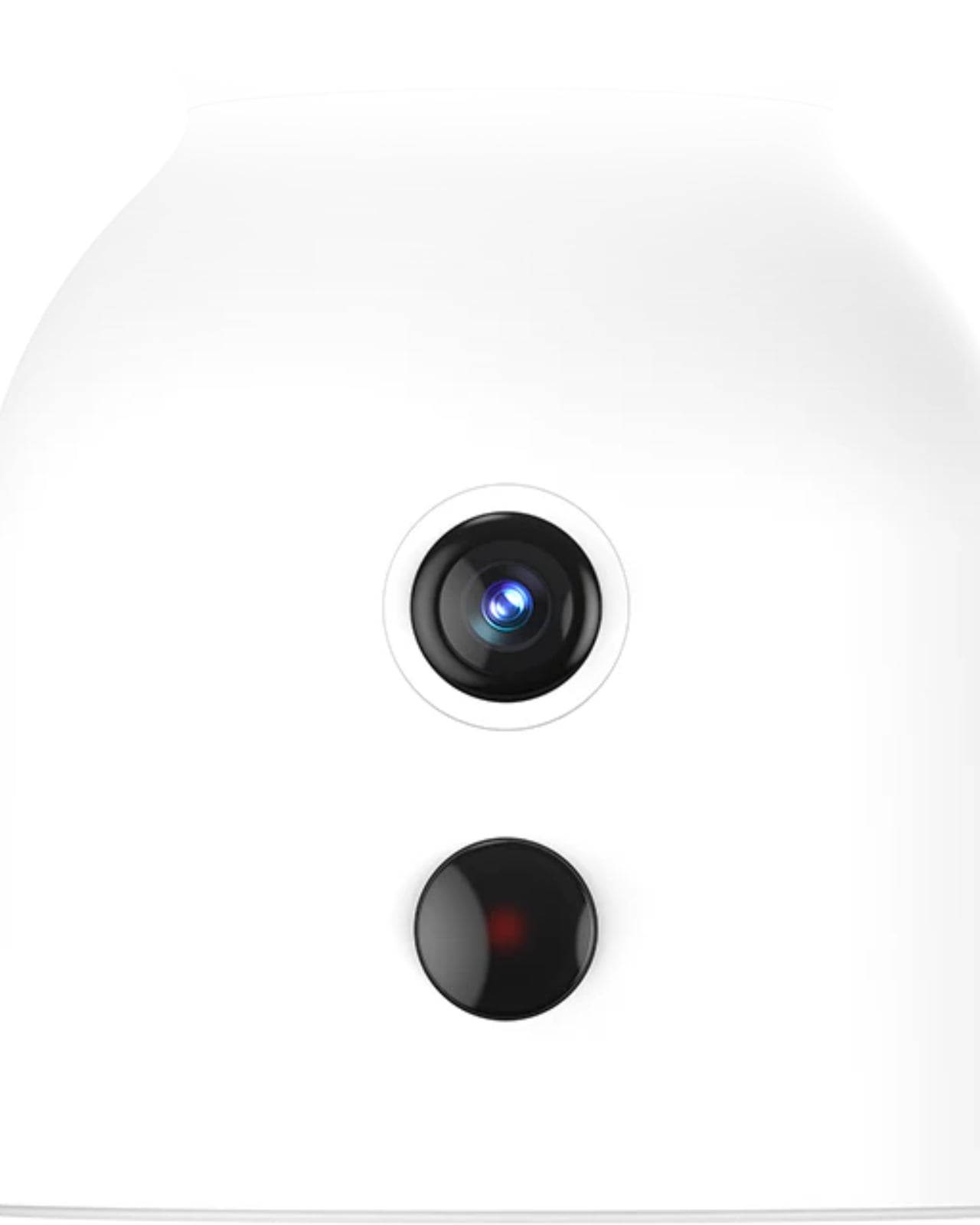
In the eyes of the hummingbird, the Hum Bloom looks like a regular bird feeder where they can rest and get their nectar from. But it actually sports an 8-megapixel camera that is able to capture 4K video at 20fps. You can switch it to slow-motion mode to get a more magical 120 frames per second so you can see the hummingbird’s mesmerizing wing movements in stunning detail. They say even traditional cameras cannot do this with the hummingbirds that flap their wings between 50 to 80 times per second when hovering.

This device also comes with Birdfy’s OrniSense AI technology, which is able to recognize over 150 hummingbird species (TIL that there are that many hummingbird species). You’ll only get notifications on your connected device when the motion sensors detect hummingbirds in flight, and you won’t get alerts every time it senses movement, unless it’s the aforementioned birds.

Don’t worry though, as this bird feeder isn’t just a gadget with a camera. The hourglass-inspired shape and floral color choices mimic actual flowers that naturally attract the hummingbirds. It’s not just backyard decoration but “a revolutionary smart feeder for discovery.” It also has nectar level sensors so you get alerted when you need to refill it and also notifies you when you need to refresh it. The flower-inspired design makes it easy to refill compared to traditional feeders. You won’t get pesky unwanted visitors as it also has a built-in ant moat to keep them away.

The Hum Bloom goes beyond aesthetics with its leak prevention system, ensuring your patio or deck stays clean and the nectar stays where it belongs which is inside the feeder. One of the most thoughtful features is the integrated solar panel with battery backup. This means you don’t have to worry about constantly charging or replacing batteries, which is especially important since hummingbirds are most active during daylight hours when the solar panel is working at its best.

Through the Birdfy mobile app, you can access all your footage, create clips of your favorite moments, and learn detailed information about the species visiting your feeder. It’s like having a personal hummingbird documentary studio right in your backyard. The AI doesn’t just identify the birds; it provides educational content so you can learn more about these fascinating creatures.

The device is expected to launch in Q2 of 2026, though pricing hasn’t been announced yet. Given its advanced features and premium positioning, it will likely be a significant investment, but for serious hummingbird enthusiasts and nature lovers, the unique capabilities may well justify the cost.

Thinking back to my time with that birding community, I now realize how much they would have appreciated technology like this. Birding requires patience, the right timing, and often expensive camera equipment to capture quality images. The Hum Bloom eliminates much of that complexity as it does the waiting for you, captures the perfect moments automatically, and requires minimal maintenance thanks to its smart sensors and solar power. Whether you’re a seasoned birder, a nature photography enthusiast, or simply someone who enjoys watching wildlife from the comfort of home, the Birdfy Hum Bloom represents an exciting intersection of technology and nature.

The post This 4K Bird Feeder Captures Hummingbirds at 120fps in Slow Motion first appeared on Yanko Design.

Construction Time Again

Jan. 8th, 2026 03:46 pm
[syndicated profile] scalziwhatever_feed

Posted by John Scalzi

After a delay when the route from the manufacturer to us was literally closed by winter weather, all the components for Krissy’s new garage have arrived and the final construction has begun. One of the advantages of this type of construction is that it’s relatively quick to set up; the should have the whole thing up and insulated in a couple of days, after which time this garage will be the new home of our ride-on lawn mower and Krissy’s dad’s old pick up, which she has kept in meticulous shape and which still runs great.

Obviously I will post when the thing is completed, but I thought this early morning, snapped-when-I-took-the-dog-out shot was a pretty cool in-progress moment. I know Krissy will be happy when her new garage is done, and also, when all the construction mess is gone.

— JS

[syndicated profile] askamanager_feed

Posted by Ask a Manager

Inspired by yesterday’s letter about someone who vastly overshared personal mental health details with clients, let’s talk about oversharing at work!

Over the years we’ve heard about oversharing in the forms of a colleague who showed an explicit slideshow of her baby’s birth, a boss who kept sharing drama between his current wife and his ex-wife, a coworker who felt the need to share that her husband didn’t like her Brazilian bikini wax, a brand new hire who kept asking everyone whether he should cheat on his wife, and much more.

Let’s discuss workplace oversharing in the comment section.

The post let’s discuss TMI: when coworkers overshare at work appeared first on Ask a Manager.

[syndicated profile] yankodesign_feed

Posted by JC Torres

The modern desk holds a laptop, phone, tablet, earbuds, maybe a camera or handheld console, all needing power at different times. The usual sprawl of wall warts, USB hubs, and cables creeps across the surface, claiming outlets and desk real estate. Most charging solutions still assume you have infinite outlets and space under the table, even though desks keep shrinking while the number of things competing for power keeps climbing.

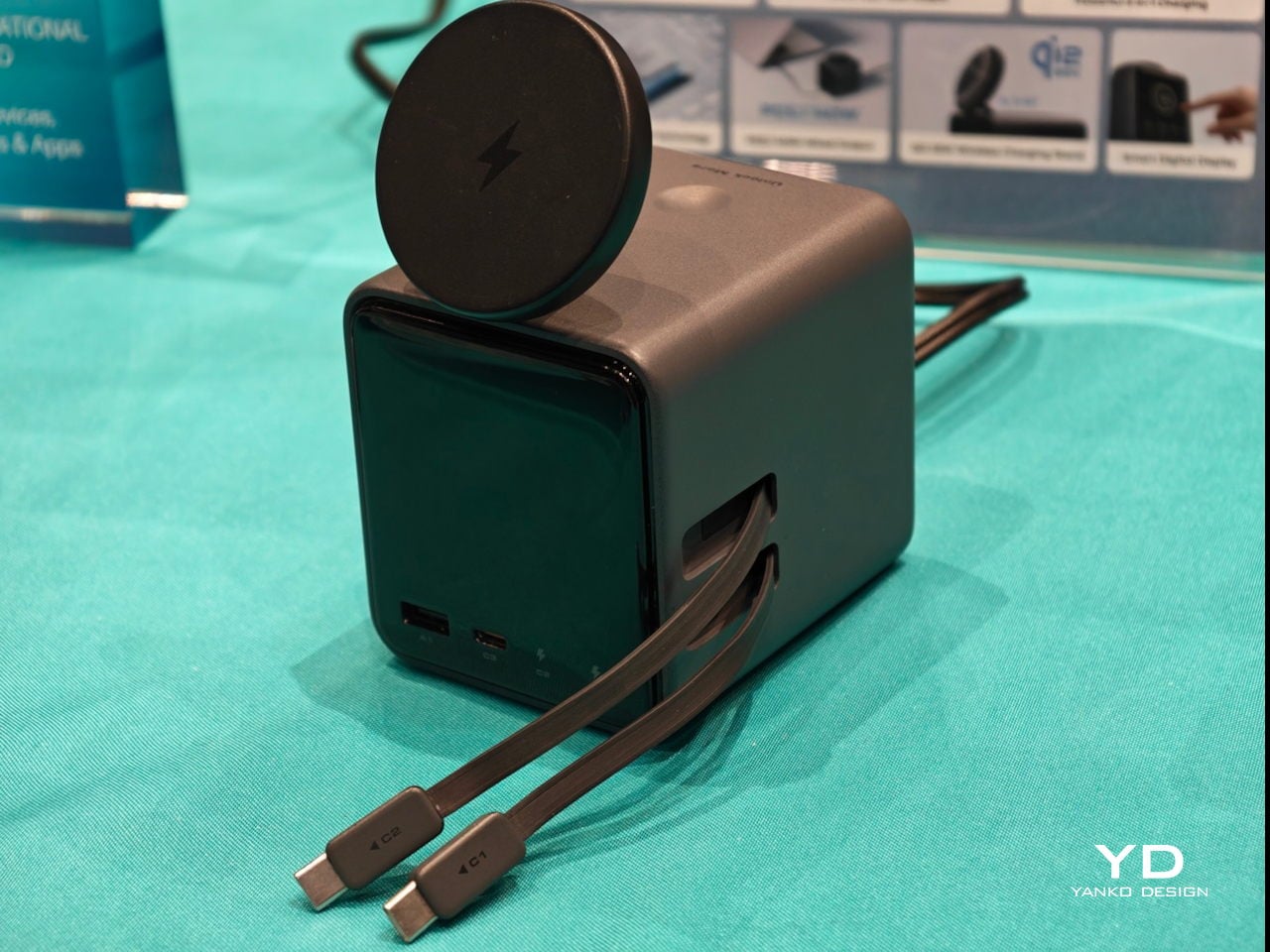
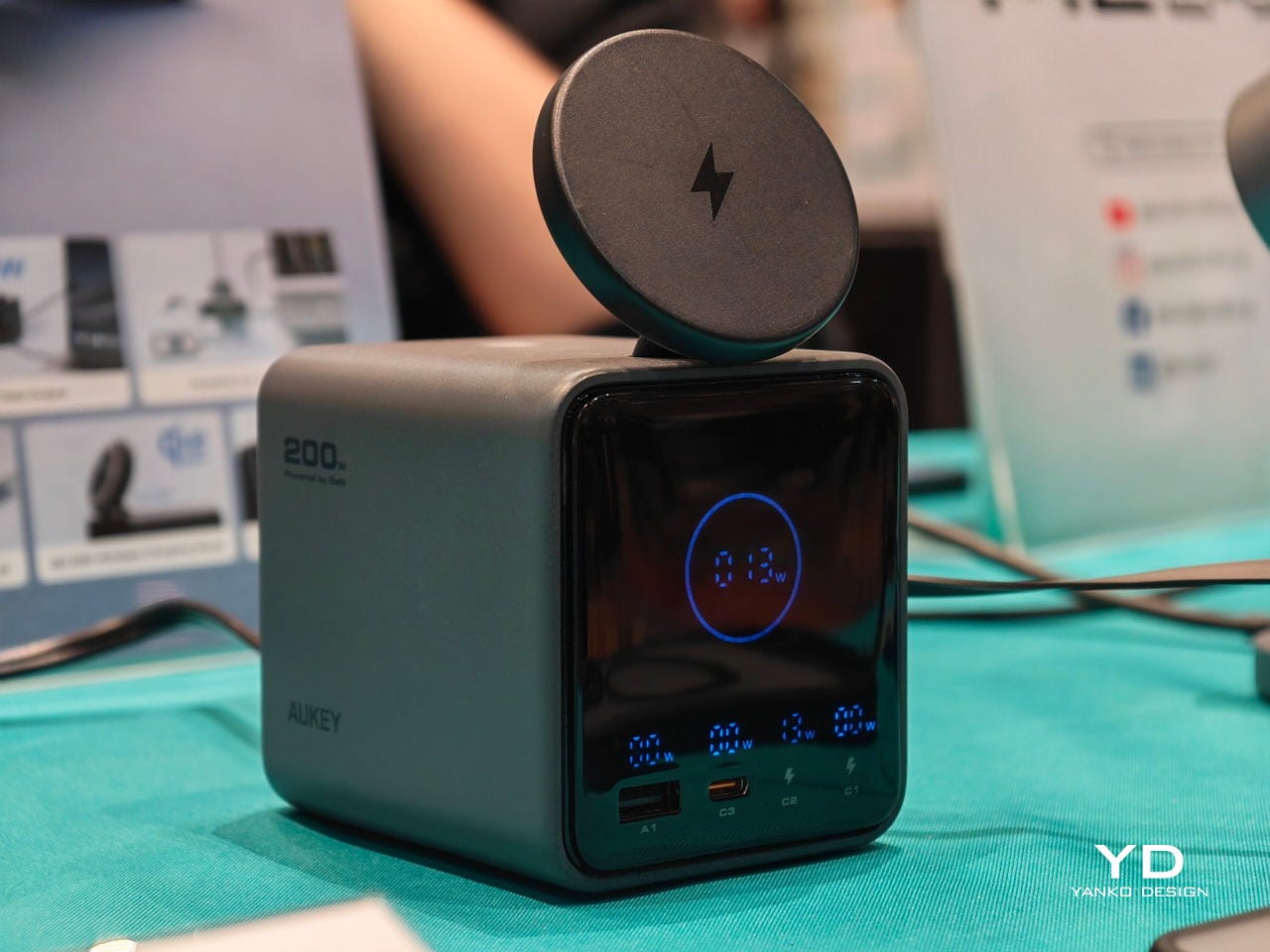
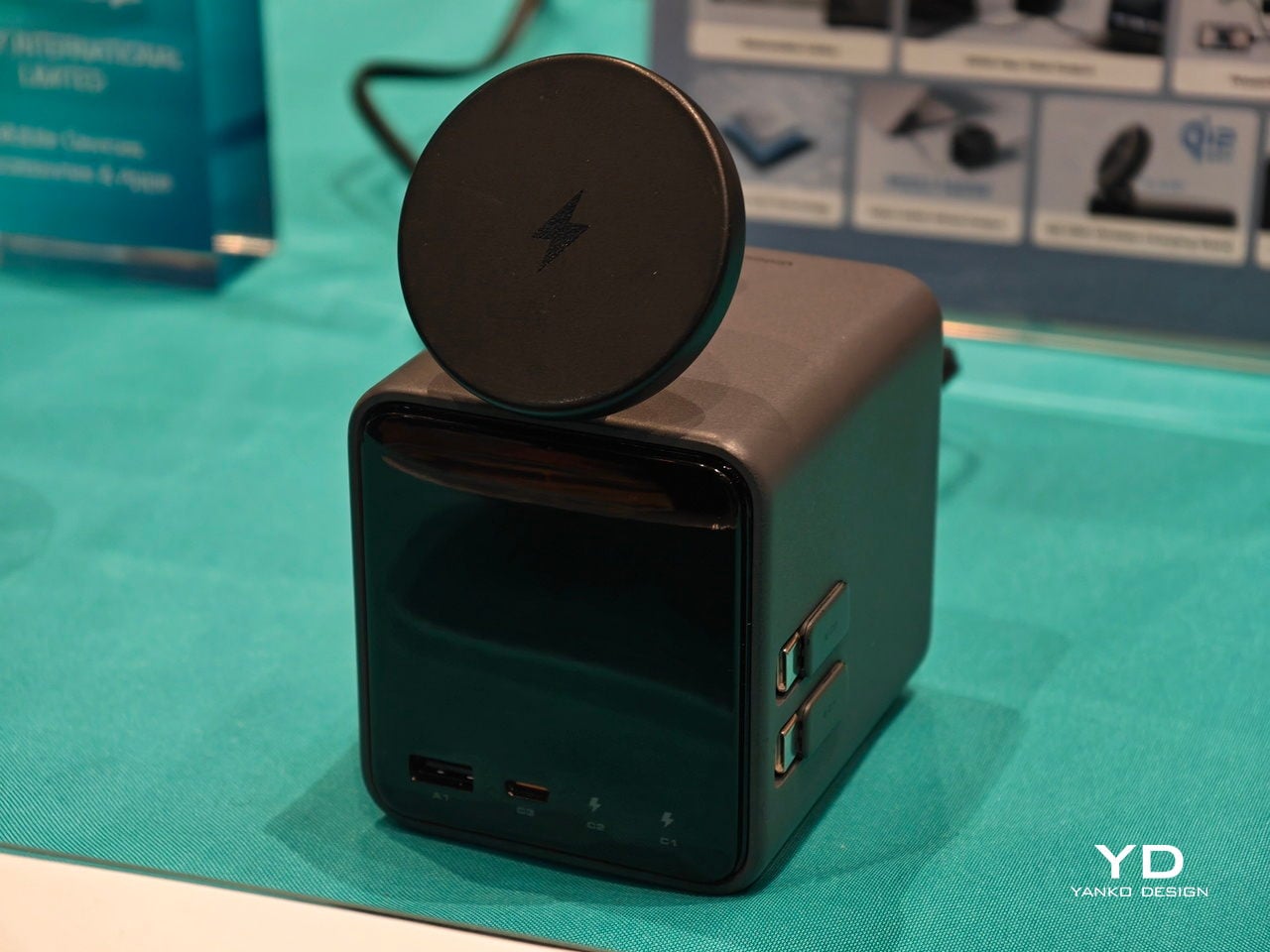
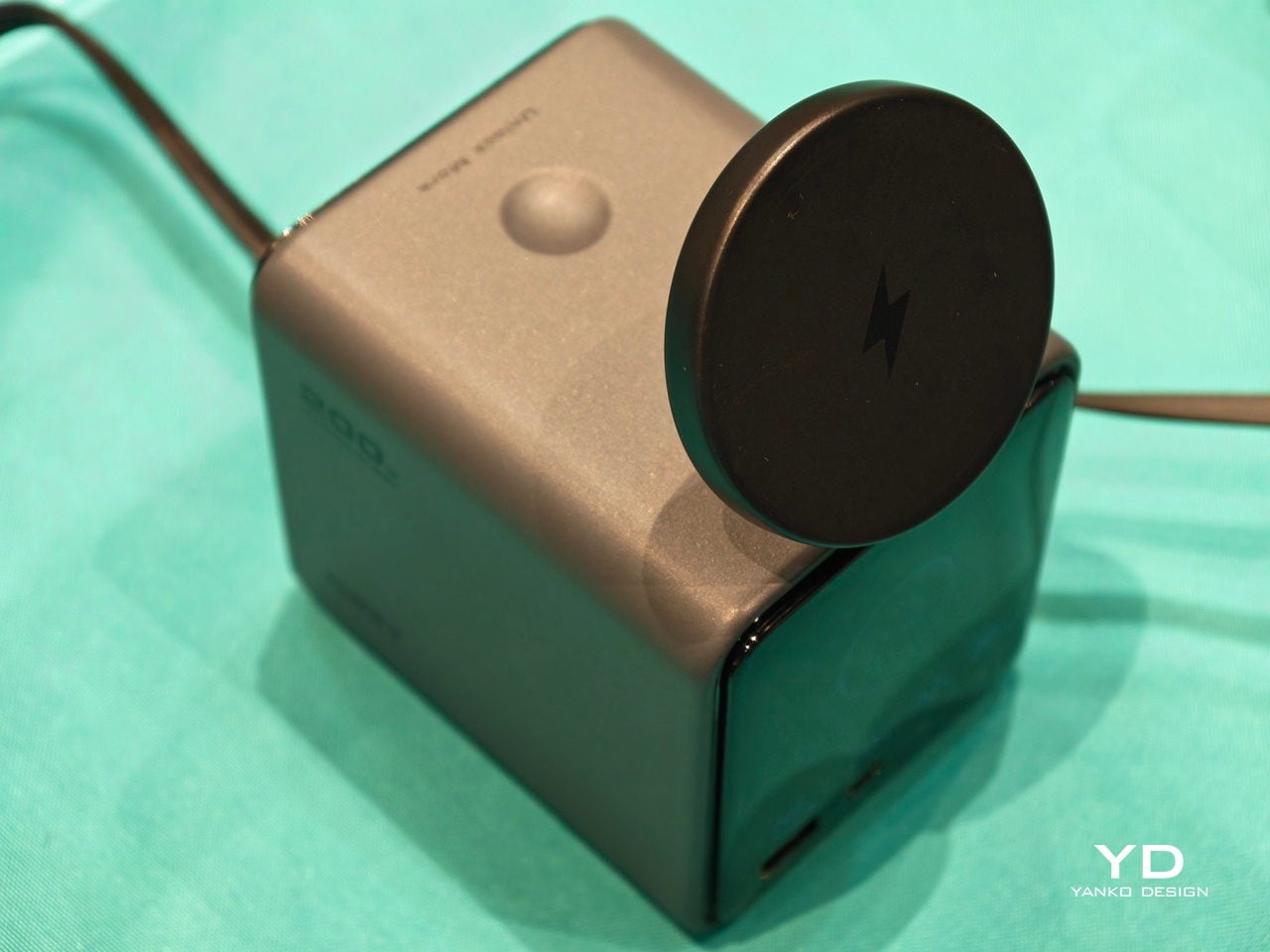
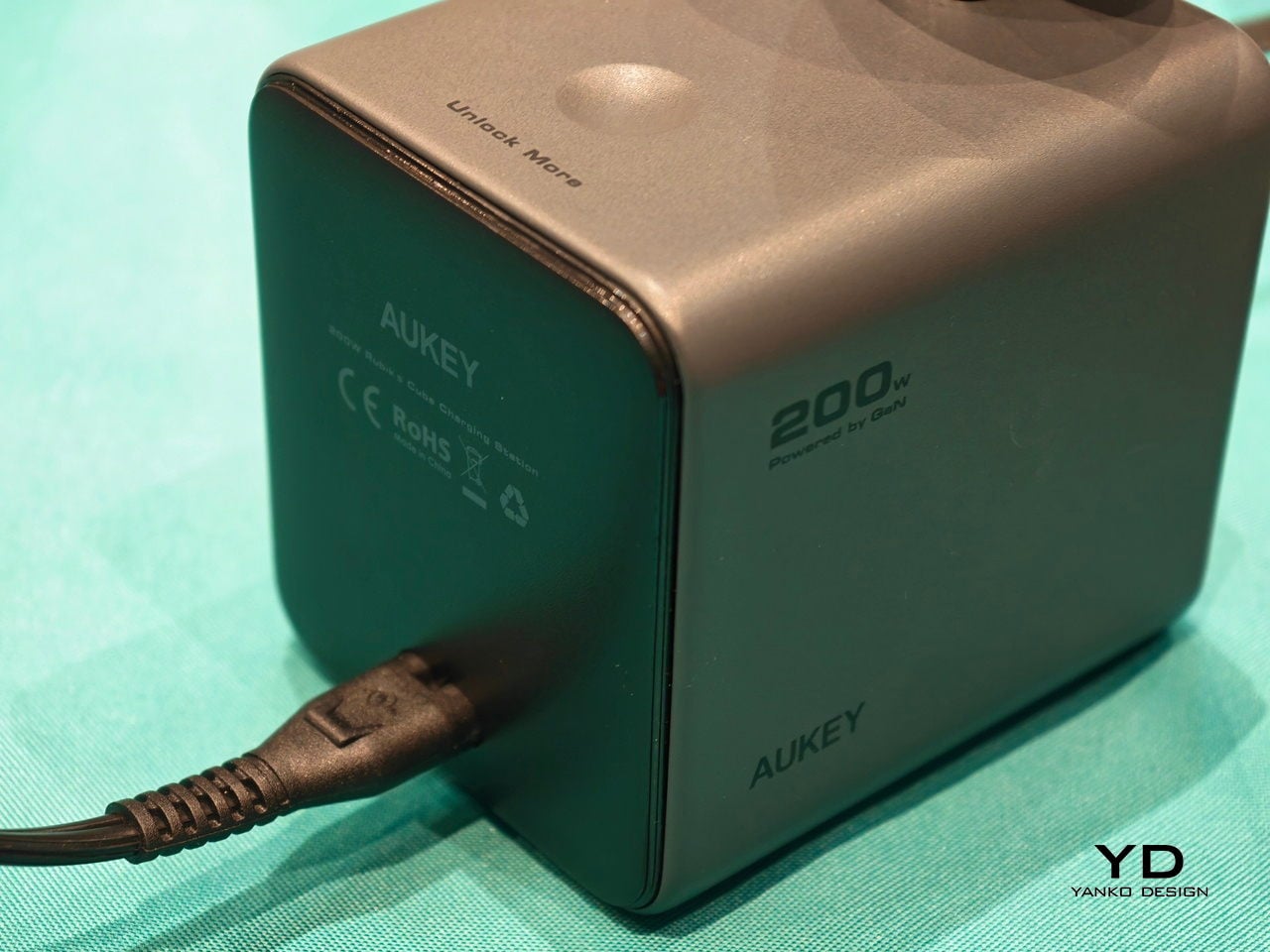
The Aukey MagFusion DeskHive 5X Pro is a 5-in-1 desktop charging station that tries to pull everything into one small cube. It combines four wired outputs, including two retractable USB-C cables, with a Qi2 25W magnetic wireless stand on top, all powered by a 200W GaN engine. The idea is that one object in arm’s reach quietly replaces the pile of bricks and cables, sitting visibly on the desk instead of hiding behind the monitor.

Designer: AUKEY

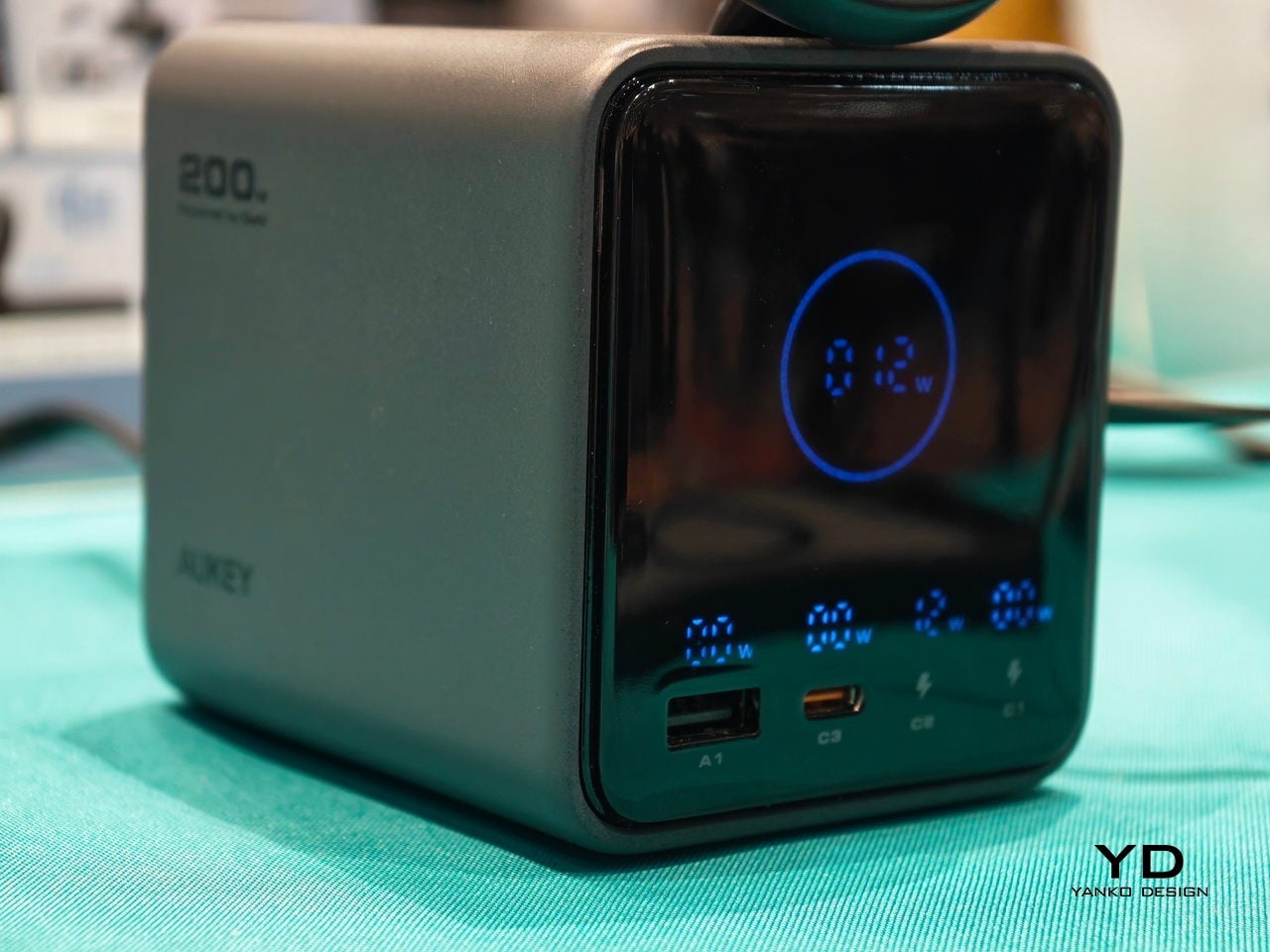
Plugging a power-hungry laptop into the USB-C1 port gets you up to 140W with PD 3.1, enough to keep big machines happy. While that runs, there is still room for a second USB-C device, a USB-A accessory, and the two retractable USB-C leads that stay hidden until you need them. DeskHive can be the main charger for a workstation, not just a phone dock sitting on the side waiting for occasional use.

The two retractable USB-C cables spool out to about 75 cm when needed and disappear when they are not. That changes the desk, no more permanently snaked cables waiting for a device, just a quick pull when a tablet or camera needs a top-up, then a satisfying click back into the cube. It is a small interaction, but it keeps the surface visually calmer and makes charging feel less like tending to clutter.

The top of the cube is where the Qi2 25 W magnetic stand holds a phone at an adjustable angle between 0 and 65 degrees. That makes it natural to drop the phone there during calls, video meetings, or for quick reference, charging while staying in view. The aluminum-alloy hinge is tested for 10,000 adjustments, so tilting it up and down becomes part of the daily rhythm without feeling fragile or like something you have to baby.

The smart digital display shows real-time power output for each wired port and the total system draw. A quick glance tells you which device is fast-charging, which one is trickle-charging, and whether you are pushing the 200 W budget. It turns charging from a black box into something you can read and manage, which is oddly satisfying when you live with a lot of gear and want to know what is happening behind the scenes.

DeskHive layers in the expected protections, short-circuit, over-current, over-voltage, over-temperature, and over-charging, so running it all day does not feel risky. The compact 3.76-inch footprint and single power cable clean up the visual field, replacing a cluster of chargers with one object that looks intentional. For a desk that already does too much, having one small cube quietly handle the power side feels like a relief, freeing up mental space and physical outlets for the things that actually need them.

The post Aukey’s 200W Cube Has Retractable Cables That Disappear Inside first appeared on Yanko Design.

December 2022

S M T W T F S
    123
4567 8910
11121314151617
18192021222324
25262728293031

Most Popular Tags

Style Credit

Expand Cut Tags

No cut tags
Powered by Dreamwidth Studios